
Stop settling for designs that look the same everywhere. 🎨
If Canva feels limiting, expensive, or just not powerful enough anymore, you’re not alone and the good news is, you have better options. 🚀
👉 Try Adobe Express for Professional Designs
In this guide, you’ll discover 5+ best Canva alternatives that offer more flexibility, stronger branding control, smarter templates, and even free plans that actually make sense.
Whether you’re designing for social media, presentations, marketing, or business use, this list will help you pick the right tool fast and design with confidence. ✅
Let’s find the Canva alternative that actually fits your needs not just the popular choice.
📌 Why People Are Looking for Canva Alternatives 🤔
Canva is easy to use, but it doesn’t work perfectly for everyone. As design needs grow, many users start searching for better options.
Here are the main reasons why people look for Canva alternatives 👇
- Limited creative control 🎨
Many templates look similar, which makes designs feel repetitive and less unique. - Expensive for long-term use 💸
The free plan has restrictions, and Canva Pro can feel costly for teams and businesses. - Export and file limitations 📂
Advanced exports like high-quality PDFs, SVGs, or print-ready files are limited. - Not ideal for professional workflows 🧑💼
Designers and teams often need better collaboration, branding, and layout control. - Branding restrictions 🚫
Full brand kits, fonts, and advanced customization are locked behind paid plans.
Because of these limitations, many users search for Canva alternatives that offer more flexibility, better value, and professional-level design features.
📌 Quick Comparison: Canva vs Top Canva Alternatives 📊
| Tool Name | Best For 🎯 | Free Plan 🆓 | Design Flexibility 🎨 | Team Collaboration 🤝 | Export Quality 📤 |
|---|---|---|---|---|---|
| Canva | Beginners & quick designs | Yes (limited) | Medium | Basic | Medium |
| Visme | Business, presentations & reports | Yes | High | Good | High |
| Adobe Express | Adobe users & branded designs | Yes | High | Medium | Very High |
| Figma | Teams, UI & professional design | Yes | Very High | Excellent | Very High |
| VistaCreate | Free social media designs | Yes | Medium | Basic | Medium |
| PicMonkey | Photo editing & branding | Yes (limited) | High | Medium | High |
1️⃣ Visme – Best Canva Alternative for Business & Professional Designs 📊
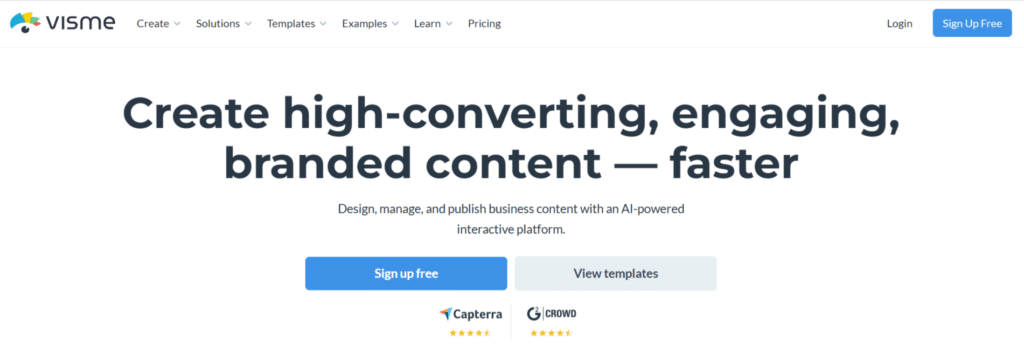
Visme is one of the strongest Canva alternatives if your goal is professional-looking designs, not just quick social media graphics. It is widely used for presentations, reports, infographics, marketing visuals, and business documents.
What makes Visme different from Canva? 🤔
Canva focuses on speed and simplicity.
Visme focuses on structure, data, and branding.
This makes Visme a better choice if you want designs that look polished, corporate, and unique, instead of template-heavy visuals.
Key Features of Visme 🔑
- Advanced presentation tools 📽️
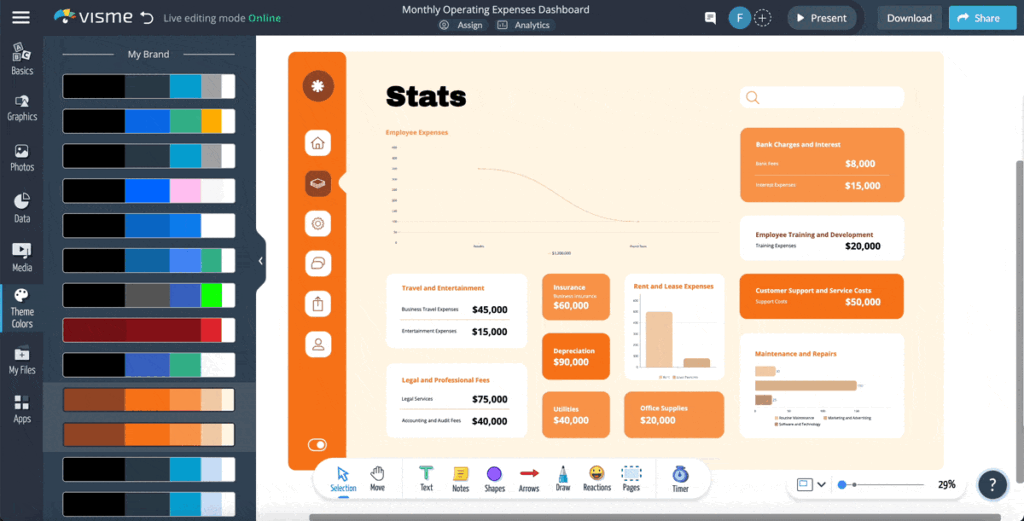
Visme is much stronger than Canva for presentations, reports, and pitch decks. - Data visualization & charts 📈
You can easily create charts, graphs, timelines, and diagrams something Canva struggles with. - Brand kit & consistency 🏷️
Store brand colors, fonts, and logos to keep every design consistent. - Interactive content 🖱️
Add hover effects, links, animations, and interactive elements. - Multiple export options 📤
Download designs as PDF, JPG, PNG, or share via link for online viewing.
Pros & Cons of Visme ⚖️
Pros 👍
- Excellent for business and presentations
- Strong data visualization tools
- Free plan available
- Clean and professional templates
Cons 👎
- Slight learning curve for beginners
- Not as fast as Canva for quick social posts
Who Should Use Visme? 🎯
Visme is best for: Business owners, Marketers, Educators, Professionals creating reports or presentations
If Canva feels too basic or repetitive, Visme is a serious upgrade.
Final Take on Visme 🏁
If your main reason for searching a Canva alternative is better presentations, branding, and professional output, Visme is one of the best choices available right now.
👉 Try Visme for Professional Designs
2️⃣ Adobe Express – Best Canva Alternative for High-Quality & Branded Designs ✨
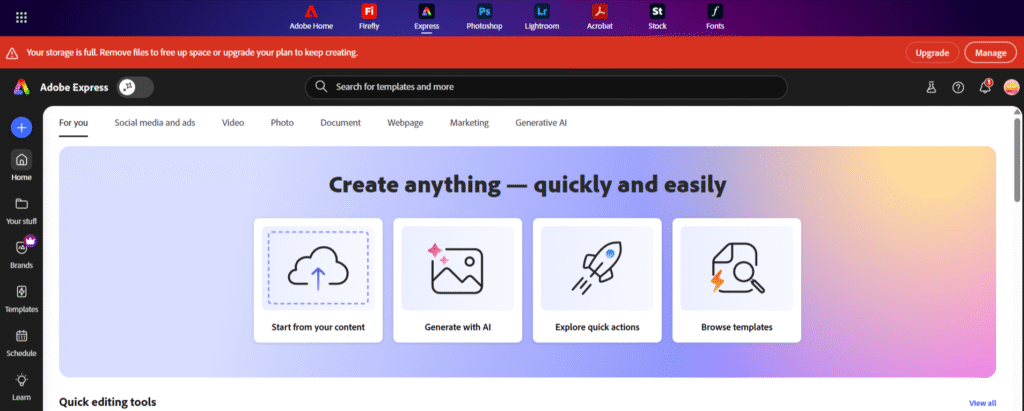
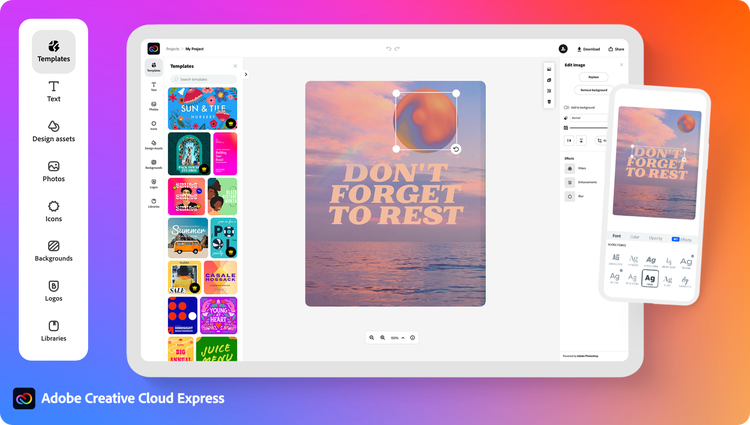
Adobe Express is a powerful Canva alternative built for users who want clean, professional designs with better quality output. If you already know Adobe or care about brand consistency and visual quality, Adobe Express is a strong choice.
Why users switch from Canva to Adobe Express 🤔
Canva is fast, but Adobe Express focuses more on design quality and brand control. Many users move to Adobe Express when they want designs that feel less templated and more professional.
It is especially useful for social media posts, flyers, posters, thumbnails, and branded content.
Key Features of Adobe Express 🔑
- Professional-quality templates 🎨
Templates feel cleaner and more polished compared to Canva’s overused designs. - Strong brand kit tools 🏷️
Easily manage logos, brand colors, and fonts for consistent designs. - Adobe Fonts & assets ✍️
Access premium fonts and design elements not available in Canva’s free plan. - Easy background removal 🪄
Remove image backgrounds quickly without complex editing. - Multiple export formats 📤
Download high-quality PNG, JPG, and PDF files for digital or print use.
Pros & Cons of Adobe Express ⚖️
Pros 👍
- High-quality output
- Excellent for branded designs
- Free plan available
- Works well with Adobe ecosystem
Cons 👎
- Fewer templates than Canva
- Less flexible for advanced layouts
Who Should Use Adobe Express? 🎯
Adobe Express is best for: Small businesses, Marketers, Social media managers, Users who want better-quality visuals than Canva
If Canva feels too basic or overused, Adobe Express gives you a clean and professional upgrade.
Final Take on Adobe Express 🏁
Adobe Express is a great Canva alternative if your focus is quality, branding, and professional-looking designs, without needing advanced design skills.
👉 Design Faster with Adobe Express
3️⃣ Figma – Best Canva Alternative for Team Collaboration & Advanced Design 🤝
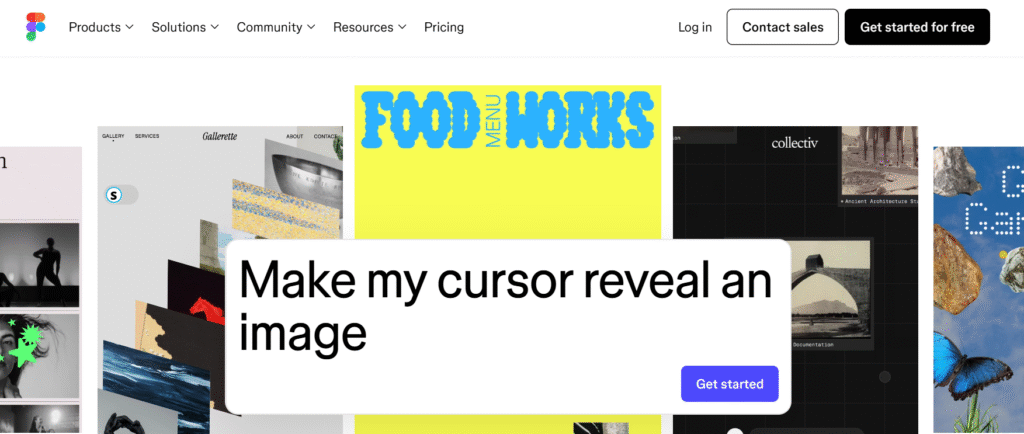
Figma is not a direct Canva clone, but it is one of the most powerful Canva alternatives if you work with teams, layouts, or professional designs. Many users move from Canva to Figma when they need real-time collaboration and full creative control.
Why users switch from Canva to Figma 🤔
Canva is template-based and quick.
Figma is flexible, precise, and collaborative.
If Canva feels restrictive and you want to design from scratch, Figma gives you full freedom. It’s widely used by designers, marketers, and product teams who need more than drag-and-drop templates.
Key Features of Figma 🔑
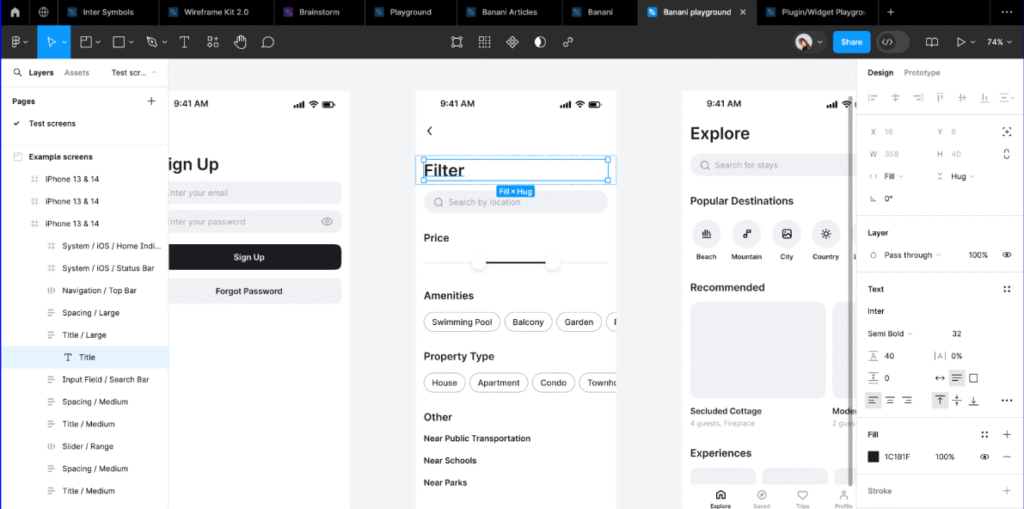
- Real-time collaboration 🤝
Multiple people can edit the same design at the same time perfect for teams. - Complete design freedom 🎨
No forced templates. You control spacing, alignment, colors, and layout fully. - Component & style system 🧩
Reusable components help maintain design consistency across projects. - Cloud-based workflow ☁️
No heavy software installation everything works in the browser. - High-quality exports 📤
Export designs in PNG, JPG, SVG, and PDF with excellent quality.
Why Figma Is a Strong Canva Alternative ✅
- Ideal for team projects and collaboration
- Best choice for UI, web, and structured designs
- Designs look unique and professional
- Free plan available for individuals
Pros & Cons of Figma ⚖️
Pros 👍
- Excellent for teamwork
- Full creative control
- Free plan available
- Industry-standard tool
Cons 👎
- Steeper learning curve
- Not ideal for quick social media posts
Who Should Use Figma? 🎯
Figma is best for: Teams and startups, Designers and marketers, Users who want full control over layouts, Anyone who finds Canva too limiting
If Canva feels too basic or restrictive, Figma is a serious professional upgrade.
Final Take on Figma 🏁
Figma is the best Canva alternative if your priority is collaboration, flexibility, and professional-level design, rather than quick templates.
👉 Collaborate & Design with Figma
4️⃣ VistaCreate – Best Free Canva Alternative for Social Media Designs 🆓
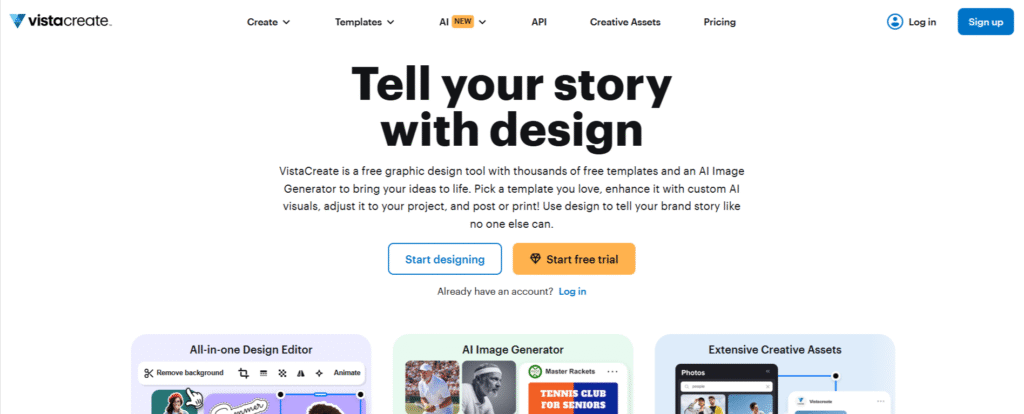
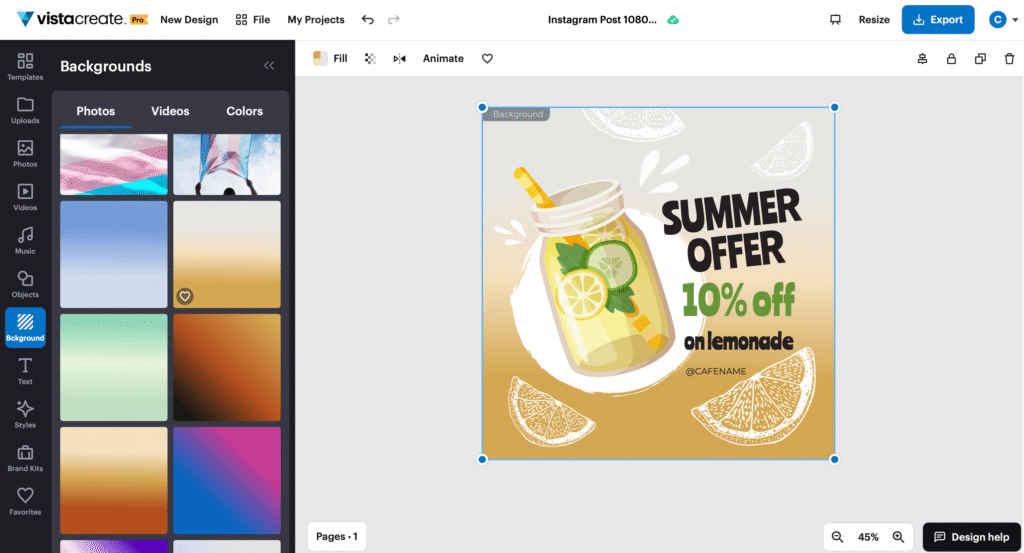
VistaCreate is one of the closest Canva alternatives, especially if you want a free tool for social media graphics. It offers a simple interface, ready-made templates, and easy editing very similar to Canva, but with fewer restrictions in the free plan.
Why users choose VistaCreate over Canva 🤔
Many users feel Canva’s free plan is too limited. VistaCreate becomes attractive because it gives more usable templates and features without forcing an upgrade.
If your main goal is creating Instagram posts, Facebook ads, stories, or simple marketing visuals, VistaCreate does the job well.
Key Features of VistaCreate 🔑
- Large template library 📱
Thousands of templates for social media, ads, posts, and stories. - Easy drag-and-drop editor 🖱️
Very beginner-friendly, even if you have no design experience. - Basic animations & effects ✨
Add motion to social posts to increase engagement. - Stock photos & videos 🖼️
Built-in media library helps you design faster. - Multiple export options 📤
Download designs in PNG, JPG, and MP4 formats.
Why VistaCreate Is a Strong Canva Alternative ✅
- One of the best free Canva alternatives
- Very easy to use
- Ideal for social media content
- Less pressure to upgrade compared to Canva
Pros & Cons of VistaCreate ⚖️
Pros 👍
- Free plan is actually useful
- Great for social media graphics
- Simple interface
- Quick design workflow
Cons 👎
- Limited advanced branding tools
- Not ideal for presentations or complex designs
Who Should Use VistaCreate? 🎯
VistaCreate is best for: Beginners, Social media managers, Small businesses, Users looking for a free Canva alternative
If you want something simple, free, and Canva-like, VistaCreate is a smart choice.
Final Take on VistaCreate 🏁
VistaCreate is perfect if you’re switching from Canva mainly for free access and social media design, without learning a complex tool.
👉 Try VistaCreate for Free Designs
5️⃣ PicMonkey – Best Canva Alternative for Photo Editing & Brand-Focused Designs 📸
PicMonkey is a strong Canva alternative if your work involves photo editing, brand visuals, and polished marketing designs. While Canva is more template-focused, PicMonkey gives you better control over images and visual branding.
Why users switch from Canva to PicMonkey 🤔
Many Canva users feel limited when it comes to photo editing and fine design control. PicMonkey fills this gap by offering advanced image editing tools, while still keeping the interface simple and beginner-friendly.
It’s especially useful for users who want their designs to look clean, sharp, and brand-consistent.
Key Features of PicMonkey 🔑
- Advanced photo editing tools 🖼️
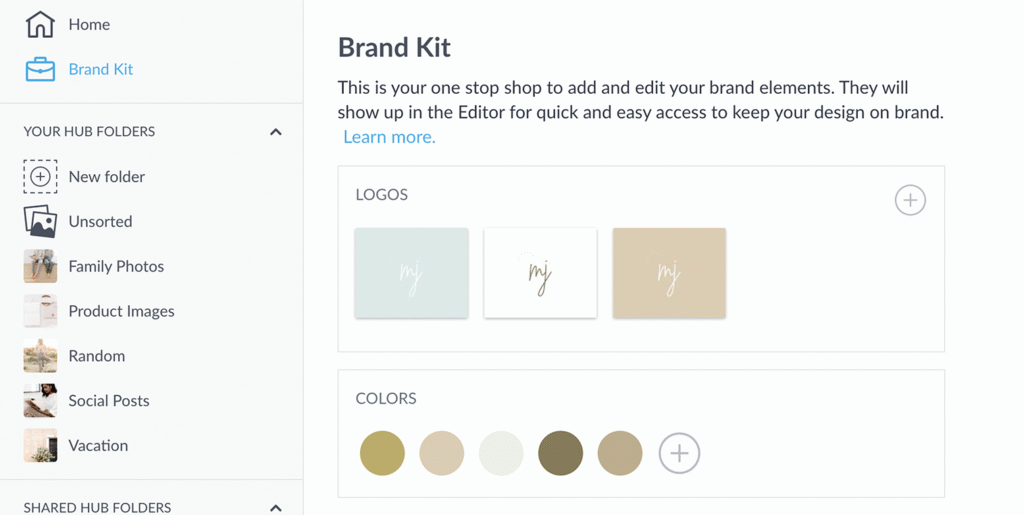
Adjust brightness, shadows, retouch images, and apply professional effects easily. - Brand kit for consistency 🏷️
Save brand colors, fonts, and logos to keep all designs aligned. - Templates for marketing & social media 📱
Ready-made templates for ads, posts, banners, and thumbnails. - Text and typography control ✍️
Better font control compared to Canva’s free plan. - High-quality exports 📤
Download sharp, professional-looking images suitable for marketing use.
Why PicMonkey Is a Strong Canva Alternative ✅
- Better for photo-based designs
- Strong branding and typography tools
- Designs look more professional and clean
- Ideal for marketing visuals
Pros & Cons of PicMonkey ⚖️
Pros 👍
- Excellent photo editing features
- Strong brand kit tools
- Easy to use
- High-quality output
Cons 👎
- Limited free features
- Not ideal for presentations or team collaboration
Who Should Use PicMonkey? 🎯
PicMonkey is best for: Small business owners, Content creators, Marketers focused on visuals, Users who need better photo editing than Canva
If Canva feels too basic for image editing, PicMonkey is a solid upgrade.
Final Take on PicMonkey 🏁
PicMonkey is the best Canva alternative if your priority is photo editing, branding, and professional marketing visuals, rather than heavy templates.
👉 Edit Photos Like a Pro with PicMonkey
📌 Best Canva Alternatives Based on Different Use Cases 🎯
Not every user needs the same type of design tool. Some want social media graphics, others need presentations, branding, or team collaboration. Below is a use-case-based breakdown to help you choose the right Canva alternative faster.
1. Best Canva Alternative for Social Media Designs 📱
👉 VistaCreate
- Easy drag-and-drop editor
- Ready-made Instagram, Facebook, and ad templates
- Strong free plan for beginners
- Perfect for quick and daily content
Best for: Social media managers, beginners, small businesses
2. Best Canva Alternative for Presentations & Business Content 📊
👉 Visme
- Professional presentation and report templates
- Charts, graphs, and data visuals
- Better structure than Canva
- Ideal for business and educational use
Best for: Marketers, educators, business owners
3. Best Canva Alternative for Branding & High-Quality Designs ✨
👉 Adobe Express
- Clean, professional design quality
- Strong brand kit tools
- Better typography and fonts
- Ideal for marketing visuals
Best for: Brands, marketers, Adobe users
4. Best Canva Alternative for Team Collaboration 🤝
👉 Figma
- Real-time collaboration
- Full creative freedom
- Best for structured and advanced designs
- Industry-standard for teams
Best for: Teams, startups, designers
5. Best Canva Alternative for Photo Editing & Visual Branding 📸
👉 PicMonkey
- Advanced photo editing tools
- Strong control over images and text
- Clean and polished design output
- Great for marketing visuals
Best for: Content creators, small businesses, visual branding
Quick Tip ✅
- If you want free & simple → VistaCreate
- If you want business-ready designs → Visme
- If you want quality & branding → Adobe Express
- If you want team & advanced design → Figma
- If you want photo editing power → PicMonkey
This section helps users decide quickly, which improves engagement and SEO ranking.
📌 Canva Limitations You Should Know Before Switching ⚠️
Canva is popular, but it’s not perfect for everyone. Before choosing an alternative, it’s important to understand where Canva falls short.

Main limitations of Canva 👇
- Repetitive templates 🎨
Many designs start looking the same because a large number of users rely on identical templates. - Limited creative freedom 🚫
Advanced layout control, spacing, and custom design flexibility are restricted. - Expensive Pro plan 💸
The free version is limited, and Canva Pro can feel costly for long-term or team use. - Branding restrictions 🏷️
Full brand kits, custom fonts, and advanced branding tools are locked behind paid plans. - Export limitations 📤
High-quality PDFs, SVGs, and print-ready files are not always flexible. - Not ideal for professional workflows 🧑💼
Businesses, designers, and teams often need more control and collaboration features.
Because of these issues, many users start searching for better Canva alternatives that offer more value and flexibility.
Canva makes design simple, but it doesn’t teach core design or creative skills. If you want to improve your design thinking and learn how AI is shaping modern design workflows, structured learning platforms like Skillshare can be far more helpful than relying only on templates.
📌 Free vs Paid Canva Alternatives – Quick Guide 💡
Choosing between free and paid Canva alternatives depends on your design needs.
1. Free tools are enough if 🆓
- You design occasionally
- You need simple social media graphics 📱
- You are a beginner
Good free options: VistaCreate, Figma, Visme (limited)
Paid tools are better if 💼
- You want professional designs
- You need brand kits and high-quality exports 📤
- You work with teams or clients
Best paid options: Visme, Adobe Express, PicMonkey
📌 How We Chose the Best Canva Alternatives 🔍
To create a reliable list, we didn’t just look at popularity. We focused on real user needs and practical design use cases.
Our selection criteria included 👇
1. Ease of use 😊
Tools should be beginner-friendly or offer a smooth learning curve.
2. Free plan value 🆓
The free version should be useful, not just a demo.
3. Design flexibility 🎨
Better layout control, customization, and creative freedom than Canva.
4. Branding & consistency 🏷️
Support for brand kits, fonts, and consistent designs.
5. Export quality 📂
Support for high-quality downloads like PDF, PNG, SVG, or print files.
6. Best use cases 🎯
Each tool should clearly solve a specific problem social media, business, teams, or photo editing.

This approach ensures that every tool listed is a genuine Canva alternative, not just another design app.
“RELATED ARTICLES”
Best AI Voice Generators: (Top 5 Picks You Should Try)
5+ Best Free AI Tools: That Replace Paid AI (Tested)
FAQs ❓
1. Is there a free alternative to Canva? 🆓
Yes, tools like VistaCreate, Figma, and Visme offer free plans that work well for basic designs and social media graphics.
2. Which Canva alternative is closest to Canva? 🤔
VistaCreate is the closest Canva alternative in terms of ease of use and drag-and-drop design.
3. What is the best Canva alternative for business use? 💼
Visme is the best choice for business presentations, reports, and professional visuals.
4. Is Canva still worth using? 🎨
Canva is still good for quick designs, but many alternatives offer better flexibility, branding, and value.
5. Which Canva alternative is best for teams? 🤝
Figma is the best Canva alternative for team collaboration and advanced design work.