
Is Elementor the Right Website Builder for You? 🤩
If you’re looking to build a high-performing, visually stunning website with ease, then yes, you’re in the right place! ✅
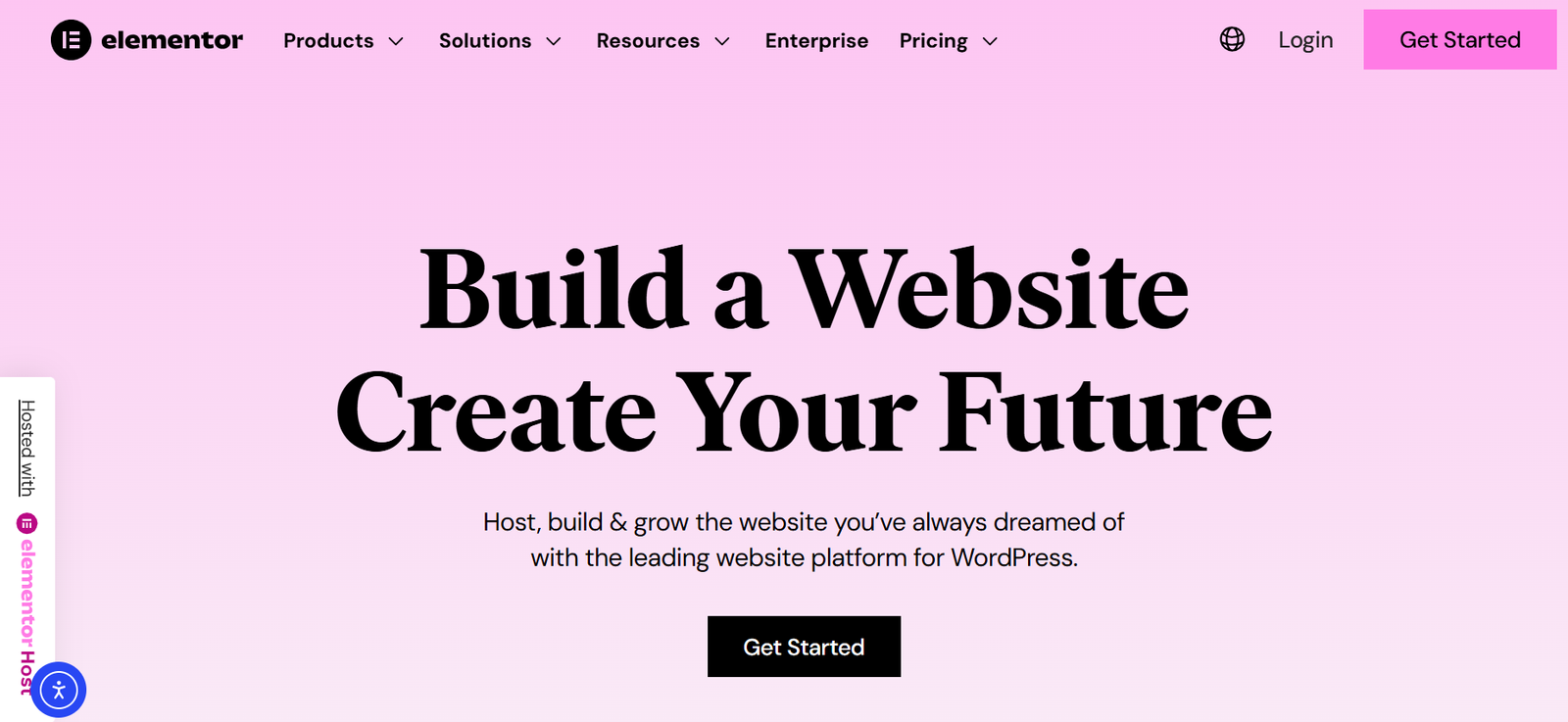
Elementor is a powerful website platform that’s revolutionizing how professionals, business owners, and creators build websites on WordPress. Whether you’re a developer, marketer, or small business owner, Elementor provides everything you need to create and manage your online presence, all while offering complete flexibility and customization options.
In this Elementor review, we’ll take a deep dive into Elementor’s features, pricing plans, and how it stacks up against other website builders in the market. So, if you’re ready to create a website that stands out and performs at its best, let’s explore what Elementor has to offer!
Elementor at a Glance
- Powerful WordPress page builder with a drag-and-drop editor for easy customization.
- Used by professionals, designers, and businesses to create high-performing websites.
- Access to 100+ widgets, templates, and advanced design capabilities for total creative freedom.
- Seamless integration with WordPress, WooCommerce, and popular plugins for enhanced functionality.
- Offers both a free version and a premium plan for advanced features and customization options.
What Is Elementor Website Builder? 🌟

Elementor is a popular WordPress page builder plugin that allows users to create stunning, professional websites without needing any coding knowledge.
It offers a simple drag-and-drop interface, making it easy to design custom pages, blog posts, and landing pages for your website.
Whether you’re a developer, designer, marketer, or business owner, Elementor provides all the tools needed to build and manage an engaging online presence.
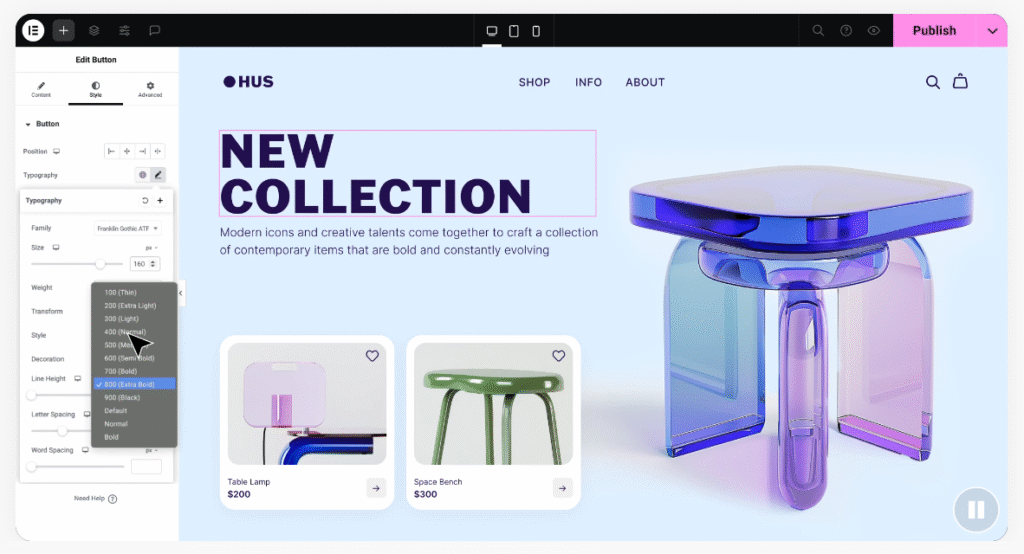
Elementor revolutionized the way websites are built on WordPress by providing an easy-to-use visual editor that eliminates the need for complicated back-end coding.
It’s not just a page builder – it’s an entire ecosystem that can help you create stunning websites, blogs, landing pages, e-commerce stores, and more, all without requiring any development expertise.
#8 Key Features of Elementor ✨
1. Drag-and-Drop Editor
Elementor’s visual editor allows you to design your website live, meaning you can drag elements directly onto the page and see how they look instantly. This allows for an incredibly fast design process without needing any coding knowledge.
2. Pre-designed Templates
Elementor offers a large library of ready-to-use templates, including complete website templates, pages, sections, and blocks. These templates can be easily customized to fit your brand, allowing you to create a professional-looking website in a fraction of the time.

3. Responsive Design
Elementor ensures that your website is mobile-friendly with its responsive design feature. You can view and edit how your site will look on various devices, ensuring your visitors have a seamless experience regardless of whether they’re on a desktop, tablet, or mobile device.
4. Advanced Widgets and Elements
Elementor comes with over 90+ widgets, including image galleries, forms, sliders, icons, social media integrations, videos, Google Maps, testimonials, pricing tables, and much more. These widgets allow you to add rich functionality and dynamic content to your site with minimal effort.
5. Theme Builder
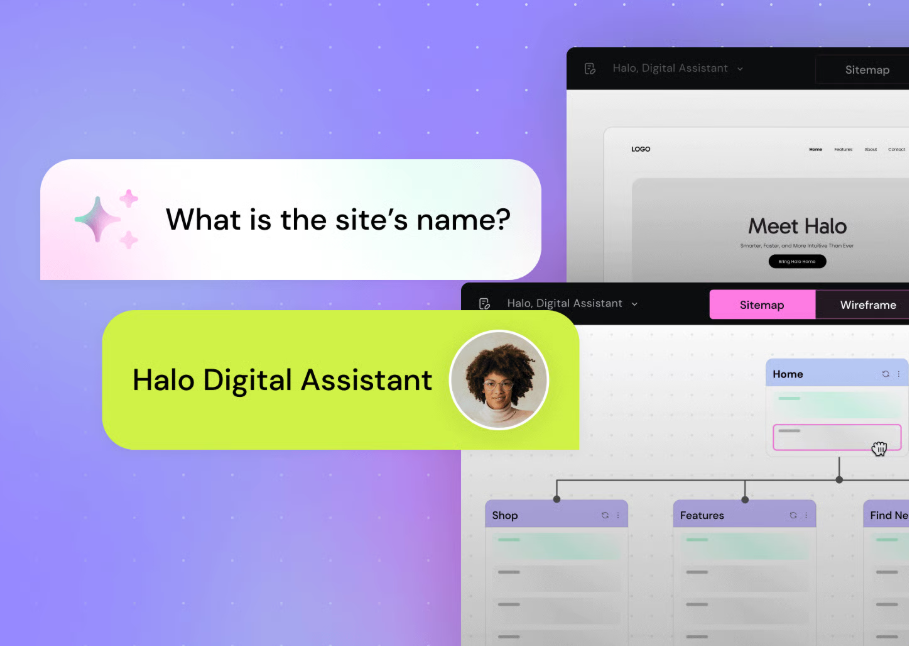
Elementor’s Theme Builder allows you to design custom headers, footers, archive pages, single post layouts, and more – all without touching a line of code. You can use the theme builder to apply your design changes across the entire site, ensuring a consistent look and feel for your brand.
6. Popup Builder
Create popups that help capture leads, promote sales, or share important announcements. Elementor’s Popup Builder lets you design popups visually, with features like advanced targeting, triggers, and conditions to control when and where your popups appear.
7. WooCommerce Integration
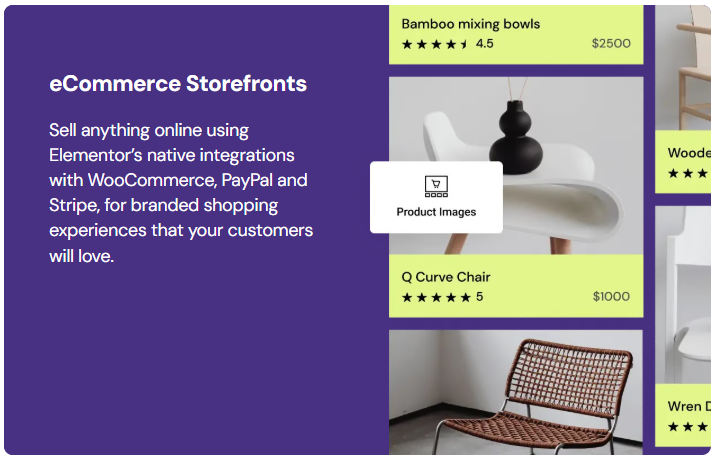
For eCommerce store owners, Elementor offers seamless WooCommerce integration. You can create product pages, shop layouts, checkout pages, and more with complete control over the design and style.
8. Custom Fonts and Colors
Elementor allows you to easily integrate your brand’s custom fonts and color schemes. Whether you want to use Google Fonts or upload your own custom fonts, the platform gives you full control over your site’s typography and color palette.
How To Get Started With Elementor? (Step-by-Step)
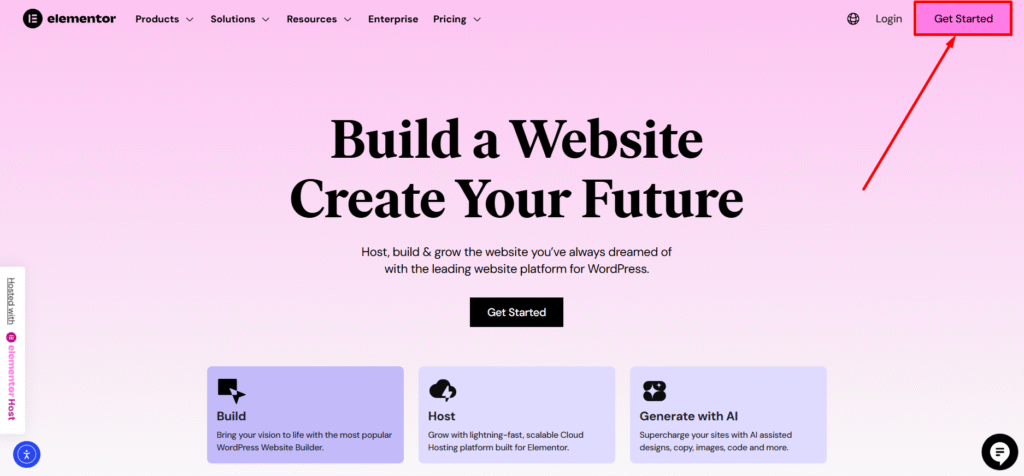
Step 1: Go to official website of Elementor and click on “Get Started”.
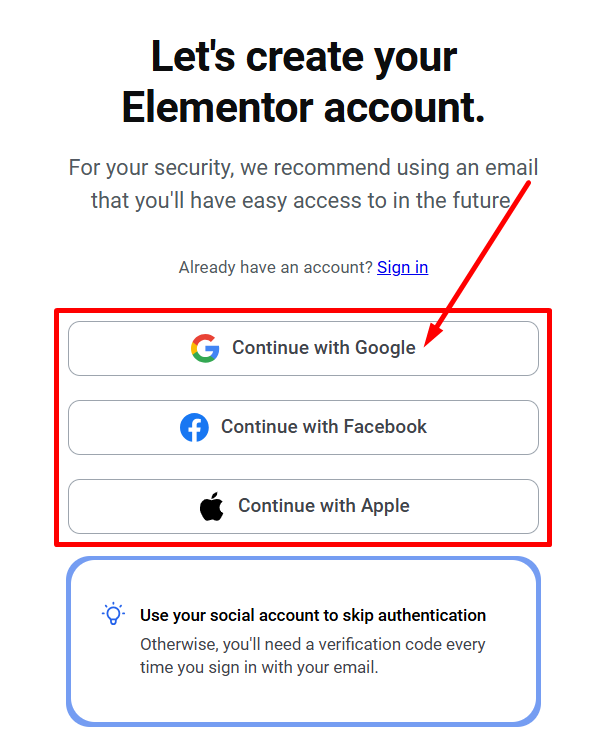
Step 2: Create your Elementor account and click on “Continue with Google”.
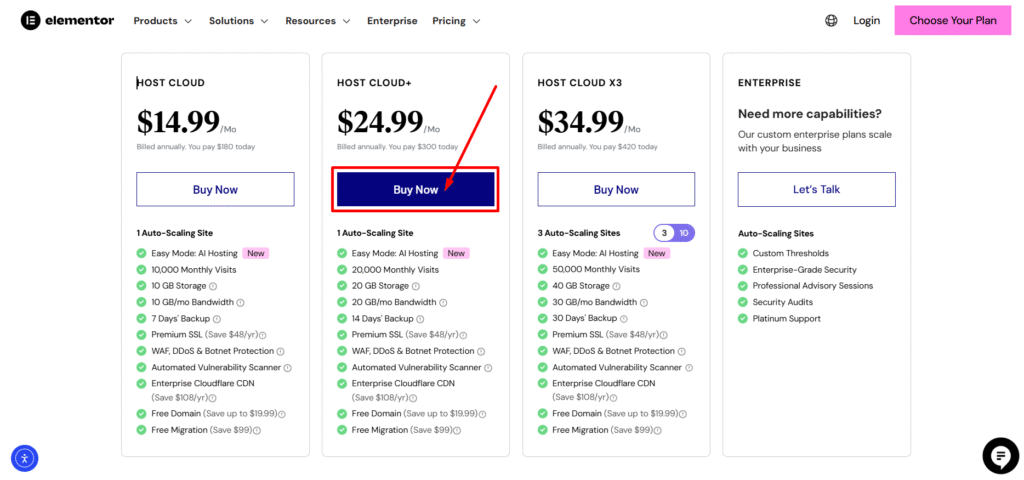
Step 3: Choose your desired plan and click on “Buy Now”.
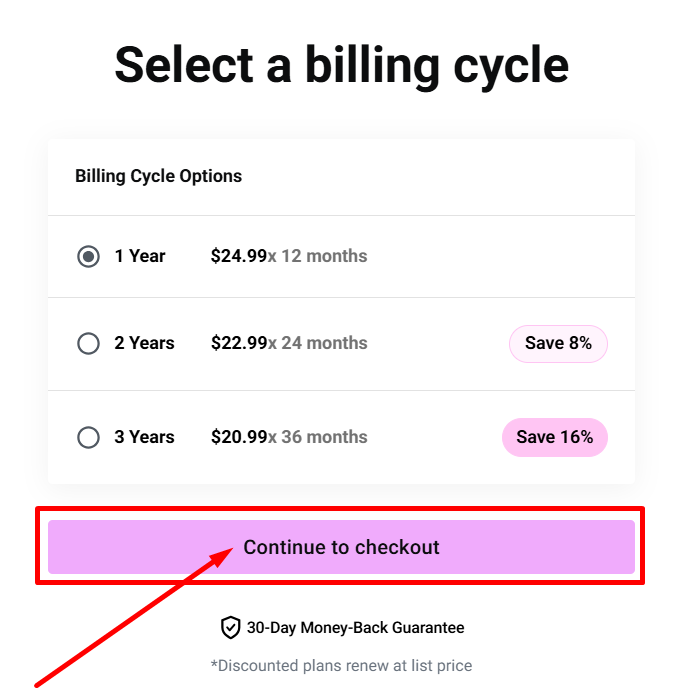
Step 4: Now select your billing cycle and click on “Continue to checkout”.
Step 5: Finally, Review the payment details and complete your payment. Click on “Pay Now”.
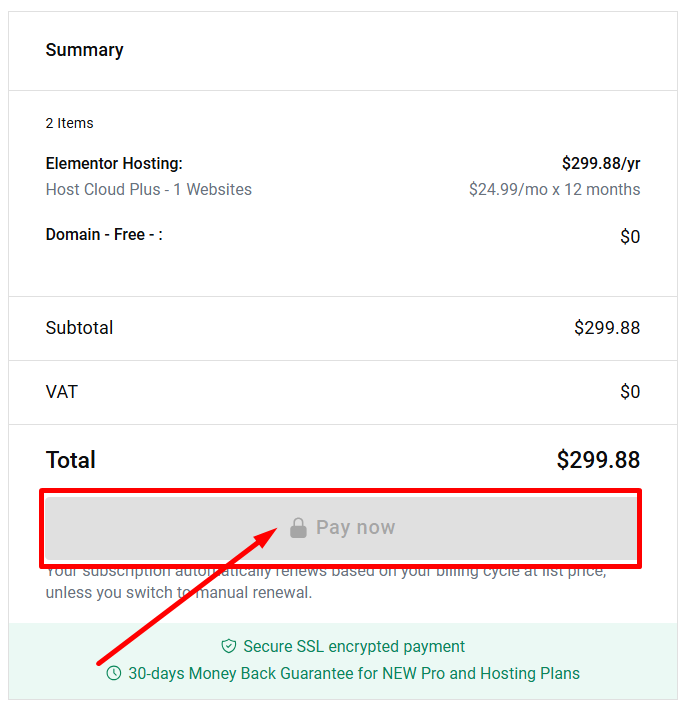
That’s all! Now start building professional websites using Elementor.
Pricing Plans of Elementor 💰

- Host Cloud: $14.99/month, ideal for 1 website with 10,000 monthly visits, 10GB storage, and 10GB bandwidth. Includes free domain, SSL, DDoS protection, and 24/7 expert support.
- Host Cloud+: $24.99/month, perfect for 1 website with 20,000 monthly visits, 20GB storage, and 20GB bandwidth. Enjoy unlimited PNG downloads, daily backups, and Cloudflare CDN integration.
- Host Cloud x3: $34.99/month, supports 3 websites with 50,000 monthly visits, 40GB storage, and 30GB bandwidth. Includes enhanced security features, unlimited downloads, and staging environment.
- Enterprise: Custom pricing for businesses with 101+ team members, offering unlimited websites, enterprise-grade security, and dedicated support. Includes 250GB storage and priority customer service.
Why Choose Elementor? 🤩
- Ease of Use: Elementor’s user-friendly interface is designed for people of all skill levels. The drag-and-drop functionality means that even those with no design or development experience can build beautiful websites.
- Flexibility: Whether you’re creating a personal blog, portfolio, business website, or e-commerce store, Elementor provides the flexibility to build exactly what you need. It’s not limited to just page creation – it offers complete design freedom.

- No Coding Required: One of the standout features of Elementor is that it removes the need for any coding. The visual builder allows you to design everything in real-time, so you can focus on creativity rather than technical tasks.
- Professional Features for Advanced Users: While Elementor is beginner-friendly, it also caters to professional web developers and designers with advanced features like custom CSS, global styling, and integration with external tools. This makes Elementor a tool that grows with your needs.
- Fast and Lightweight: Elementor is optimized for speed, and its interface is incredibly responsive. The platform allows you to build websites that not only look great but also perform well in terms of load times and user experience.
- Support and Community: Elementor has a large, active community that shares tutorials, tips, and plugins. The official support team is also responsive and can help with troubleshooting, providing you with the resources you need to build a successful website.
Pros & Cons of Elementor 🔥
| Pros ✅ | Cons ❌ |
|---|---|
| User-friendly drag-and-drop editor, no coding required. | Limited to WordPress websites only. |
| Over 90+ widgets for adding dynamic content. | Some advanced features only available in the Pro version. |
| Pre-designed templates and blocks for easy customization. | Pro plan can be expensive for small businesses. |
| Responsive design ensures mobile compatibility. | Can slow down website load times with heavy designs. |
| Complete theme customization with the Theme Builder feature. | |
| Easy integration with WooCommerce for building online stores. | |
| Powerful popup builder for engaging visitors and generating leads. |
Who is Elementor for? ✅
Elementor is a versatile website builder that caters to various users, making it suitable for different types of projects. Whether you’re a business owner, designer, marketer, developer, or beginner, Elementor simplifies the process of creating stunning websites.

For business owners, Elementor allows you to design professional websites without the need for developers. This means you can save both time and money while maintaining control over your site’s look and functionality.
Designers enjoy Elementor’s full creative freedom, offering customization options, advanced design features, and flexibility to bring any vision to life. It’s perfect for creating unique, high-quality websites with ease.
Marketers benefit from Elementor’s built-in tools like pop-ups, lead capture forms, and landing pages that help boost conversions. These features make it easier to drive engagement and enhance the overall performance of your website.
For developers, Elementor provides advanced features like custom CSS, dynamic content, and total control over design. This flexibility allows you to create highly customized websites suited to your client’s exact needs.
Beginners will find Elementor easy to use with its drag-and-drop editor. The platform makes website building accessible to anyone, even without prior coding experience, enabling anyone to create a professional-looking site.
Elementor vs Divi vs Beaver Builder 💪
| Feature | Elementor | Divi | Beaver Builder |
|---|---|---|---|
| Ease of Use | User-friendly, drag-and-drop editor with a live preview. | Also user-friendly but has a steeper learning curve than Elementor. | Simple interface with easy drag-and-drop features, but less advanced than Elementor. |
| Design Flexibility | Complete design freedom with advanced widgets and customization options. | High design flexibility with pre-built layouts and customization tools. | Good flexibility, but fewer widgets and design features compared to Elementor and Divi. |
| Templates and Pre-built Layouts | Access to 100+ templates and customizable pre-built layouts. | Access to 800+ pre-designed templates for various website types. | Includes 30+ templates, but fewer options than Elementor and Divi. |
| Support and Documentation | Extensive support community and detailed documentation. | Good support with a wide knowledge base and email support. | Good support with a helpful knowledge base and ticket system. |
| Customization Options | Complete control over website layout, design, and functionality. | Extensive customization options, especially with third-party plugins. | Offers a good level of customization, but fewer advanced options. |
| SEO Features | Works seamlessly with SEO plugins like Yoast SEO for optimization. | SEO-friendly, integrates well with SEO plugins like Yoast and RankMath. | SEO-friendly with basic SEO tools, but fewer options than Elementor or Divi. |
Customer Reviews & Testimonials 🙋🏻♂️

Donald Brewis
⭐⭐⭐⭐⭐
Elementor made it so simple to build my website. I’m able to fully customize the design without touching any code!

Marco Jansen
⭐⭐⭐⭐⭐
I love how intuitive Elementor is. It’s perfect for my business website, and the templates make it so quick to launch.

Rachael M.
⭐⭐⭐⭐
The flexibility and customization that Elementor offers have made designing my online store so much easier. Highly recommend!
Conclusion: Is Elementor Worth It? 🏁
Absolutely! Elementor is one of the most powerful and user-friendly website builders available today. Whether you’re a beginner looking to create your first website or an experienced developer seeking advanced customization, Elementor offers something for everyone.
Its drag-and-drop interface, vast library of templates and widgets, and seamless integration with WordPress make it a top choice for building stunning websites.

The flexibility it provides in design, along with advanced features like the Theme Builder, Popup Builder, and WooCommerce integration, ensures that you can create any type of website, from blogs to fully-fledged eCommerce stores.
Additionally, with a free version available, it’s easy to get started, and the Pro version offers even more customization and functionality to take your website to the next level.
In short, Elementor is definitely worth it if you want a fast, intuitive, and feature-packed platform for building beautiful websites.
Quick Links:
FAQs 📝
1. Can I use Elementor with any WordPress theme?
Yes, Elementor works with most WordPress themes, but it’s optimized for use with the Hello Elementor theme for maximum flexibility.
2. Do I need coding skills to use Elementor?
No, Elementor is designed to be user-friendly with its drag-and-drop interface, so no coding is required.
3. Can I create an eCommerce store with Elementor?
Yes, Elementor integrates seamlessly with WooCommerce, allowing you to build fully functional online stores.
4. Is Elementor SEO-friendly?
Yes, Elementor is compatible with SEO plugins like Yoast SEO and RankMath, helping you optimize your website for search engines.
5. How do I get support for Elementor?
Elementor offers a large community, live chat, and extensive documentation to assist users with any issues.