
In the digital age, data is gold. But how do you collect it from the vast ocean of websites?
That’s where AI web scraping tools come in! 🌐✨
These smart tools use artificial intelligence to automatically extract valuable data from websites, no coding needed.
Get Started with Gumloop – Free Trial!
Whether you’re a marketer, researcher, or business owner, AI-powered scrapers make the process faster, easier, and more accurate than ever.
They tackle complex sites with ease, bypass CAPTCHAs, and handle dynamic content.
Ready to explore the top 5+ AI web scraping tools for 2025? Let’s dive into the best options that can take your data collection game to the next level!
📌 What is AI Web Scraping? 🤖🌐
AI web scraping uses artificial intelligence to automatically collect data from websites no coding needed! Unlike traditional methods, AI scrapers adapt and learn as they go, handling even the most complex websites with ease. 💡

These smart tools mimic human behavior, navigating websites, bypassing CAPTCHAs, and extracting valuable info, even from dynamic sites that change content in real time.
Why AI Web Scraping Rocks:
- Fast & Accurate: Automate data collection 24/7.
- Flexible: Can handle JavaScript, forms, and blockers.
- No Coding: Anyone can use it!
AI web scraping makes gathering data easy, efficient, and scalable perfect for businesses, marketers, and researchers. 🚀
📌 5+ Best AI Web Scraping Tools 🏆
Let’s explore the top AI web scraping tools in detail, including their features, pricing, and why they are perfect for your data scraping needs in 2026.
1. Gumloop 🧠
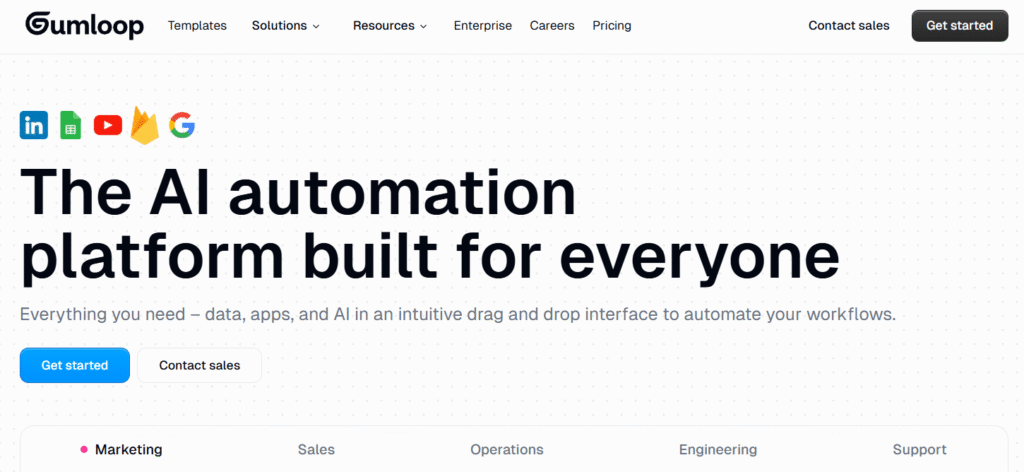
Gumloop is an AI-powered web scraping tool that helps users automatically collect data from websites in real-time.
It stands out for its adaptive learning and ability to handle complex scraping tasks, making it an ideal choice for businesses requiring real-time data updates and customizable scraping solutions.
Key Features:
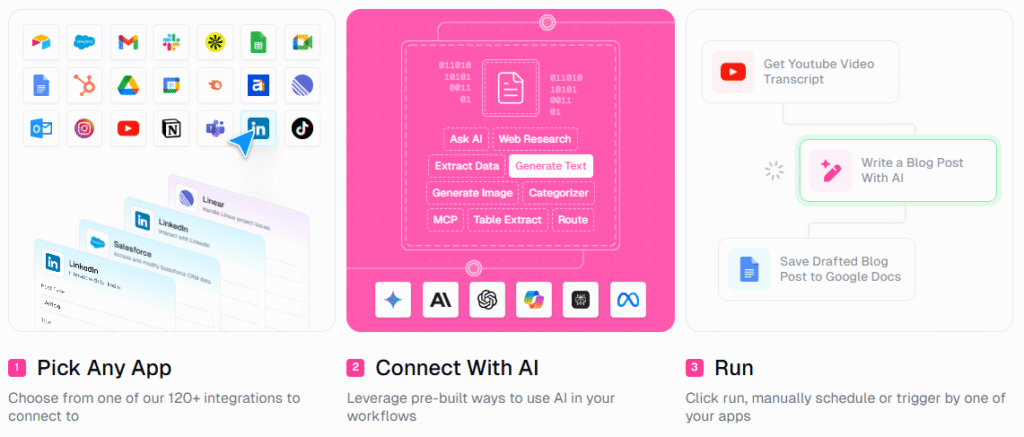
- Real-Time Scraping: Gumloop can scrape data instantly, providing up-to-date information without delay.
- Customizable Scraping: Users can configure how the scraper interacts with the website to meet their specific data collection needs.
- Automated Data Monitoring: The AI continuously tracks and updates your data, ensuring accuracy and relevance at all times.
Best For:
- Large-Scale Projects: Perfect for businesses and enterprises needing scalable and real-time data scraping.
- Custom Data Needs: Ideal for users who require adaptive AI customization for unique scraping tasks, such as market research, price monitoring, or competitor analysis.
Pricing:
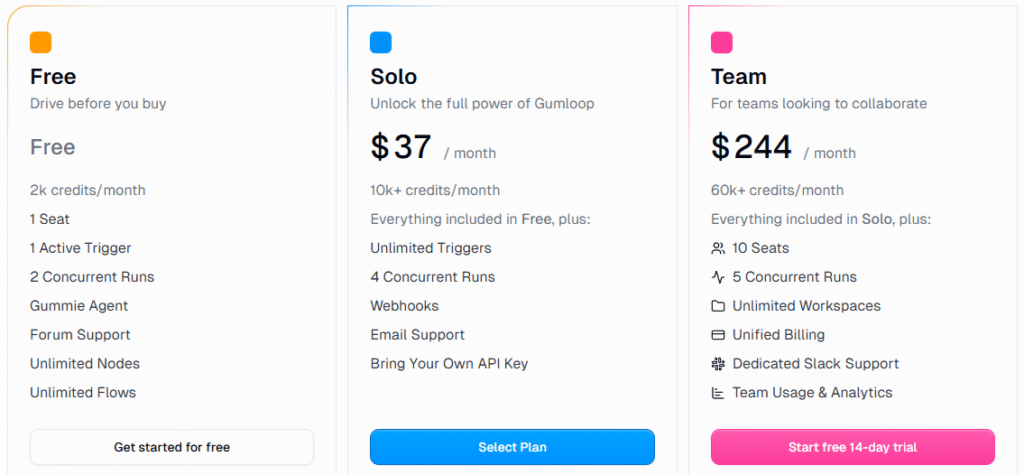
| Plan | Features | Price |
|---|---|---|
| Free | 2k credits/month, 1 Seat, 1 Active Trigger, 2 Concurrent Runs, Unlimited Nodes | Free |
| Solo | 10k+ credits/month, Unlimited Triggers, 4 Concurrent Runs, Webhooks, Email Support | $37/month |
| Team | 60k+ credits/month, 10 Seats, 5 Concurrent Runs, Unlimited Workspaces, Dedicated Slack Support | $244/month |
Why It’s Great:
- Gumloop excels in real-time data collection and customizable scraping solutions. Its AI-powered monitoring ensures your data stays fresh and accurate, making it a great tool for businesses that need to stay competitive in dynamic industries.
Get Started with Gumloop – Free Trial!
2. Octoparse 🧰
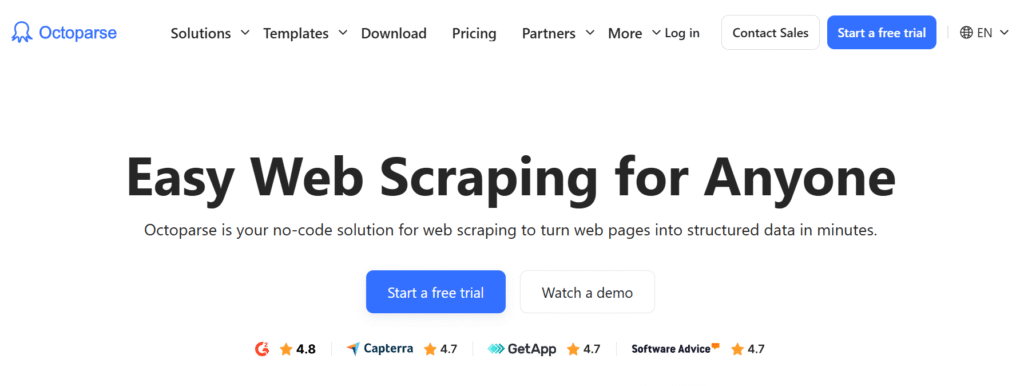
Octoparse is a no-code AI web scraping tool that allows users to scrape complex websites easily, without writing a single line of code.
With pre-built templates and an intuitive visual interface, Octoparse makes web scraping accessible for both beginners and advanced users.
Key Features:

- No-Code Visual Editor: The user-friendly interface allows you to simply point and click to scrape data without any coding knowledge.
- AI-Powered Data Extraction: Automatically detects data structures on websites, making it easier to extract information from complex pages.
- Cloud Scraping: Octoparse offers cloud-based scraping, which allows you to run scraping tasks remotely and scalably without needing a local machine.
Best For:
- Beginners and Intermediate Users: Ideal for those who are new to scraping or want a quick solution without technical expertise.
- Small to Medium-Sized Businesses: Perfect for companies that need to scrape websites quickly and with minimal setup.
Pricing:
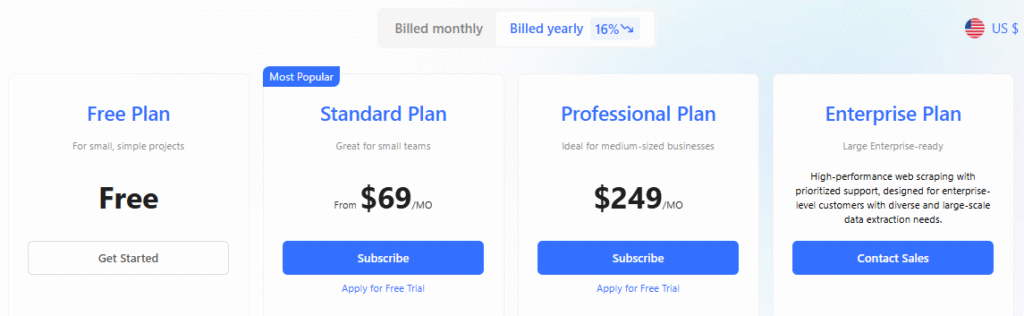
| Plan | Features | Price |
|---|---|---|
| Free | For small, simple projects | Free |
| Standard | Ideal for small teams, Includes cloud scraping | $69/month |
| Professional | For medium-sized businesses, Advanced features | $249/month |
| Enterprise | High-performance scraping for large-scale data extraction | Contact Sales |
Why It’s Great:
- Octoparse is a beginner-friendly tool that makes web scraping accessible to everyone. The AI detection of data structures and cloud capabilities make it versatile and powerful for those looking to scrape dynamic and complex websites.
Start Scraping Without Code – Try Free!
3. Browse AI 🌍
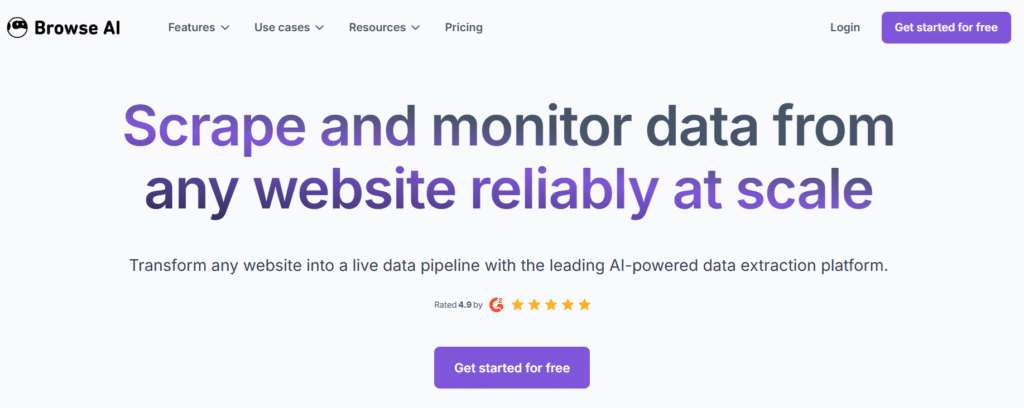
Browse AI uses AI-driven browser automation to scrape dynamic websites and is designed for advanced users who need custom workflows.
It lets you train the AI to extract the specific data you need, allowing for flexibility and precision.
Key Features:
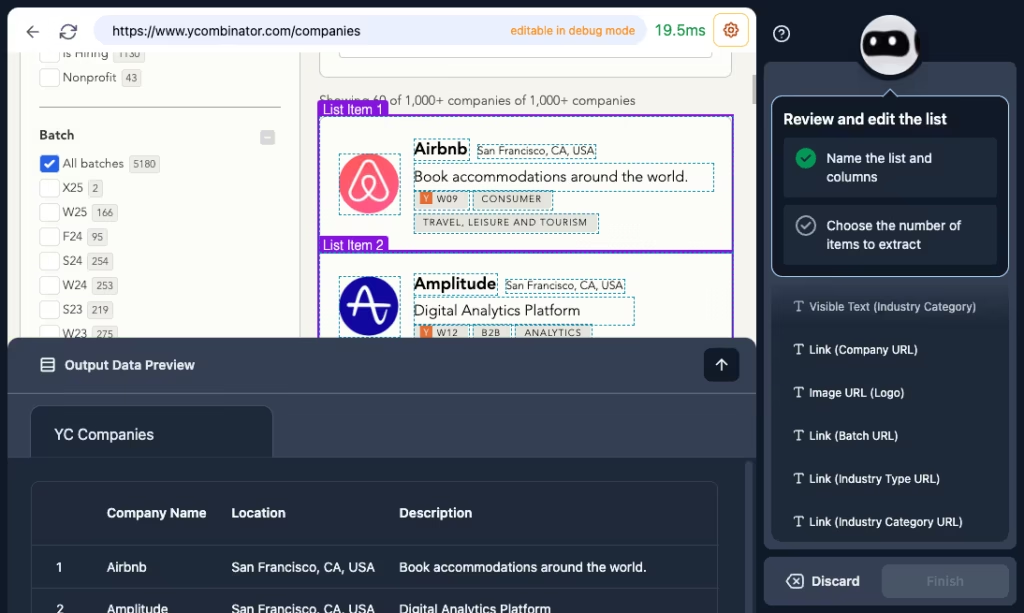
- AI-Driven Browser Automation: Browse AI can mimic human-like browsing to handle websites with dynamic content, login forms, and pop-ups.
- Custom Workflows: Users can set up tailored scraping workflows based on their unique data extraction needs.
- Training the AI: You can train the AI to scrape exactly what you need by feeding it examples of the data you want to collect.
Best For:
- Advanced Users: Ideal for businesses or data scientists who need to scrape complex websites with custom requirements.
- Custom Data Collection: Perfect for industries requiring highly specific or customized data scraping.
Pricing:
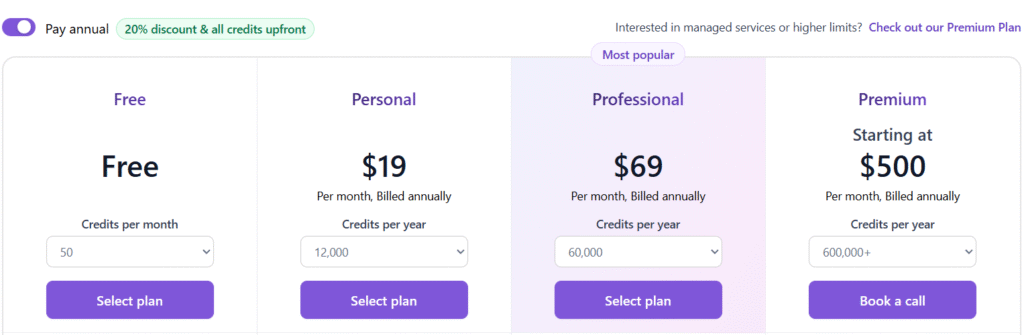
| Plan | Features | Price |
|---|---|---|
| Free | 500 credits/month | Free |
| Personal | 12,000 credits/year | $19/month |
| Professional | 60,000 credits/year, Full access to workflows | $69/month |
| Premium | 600,000+ credits/year, Managed services available | $500/month |
Why It’s Great:
- Browse AI’s ability to train the AI and create custom workflows makes it one of the most flexible and powerful tools for users with advanced scraping needs.
Train Your AI and Scrape Smarter!
4. Thunderbit ⚡
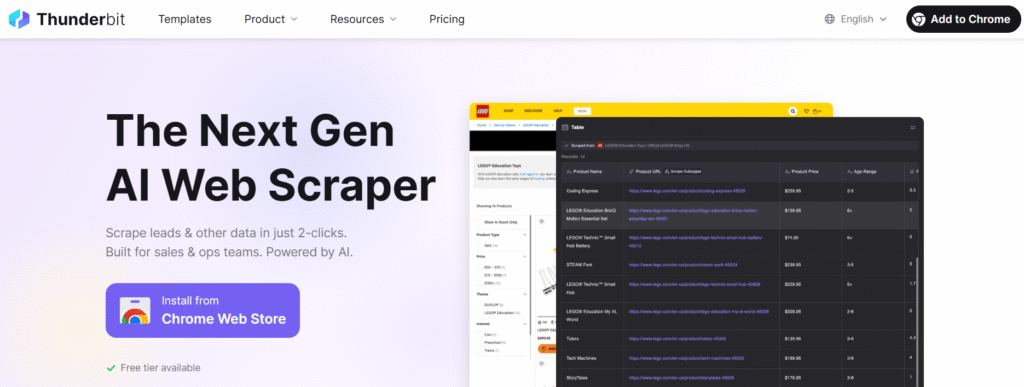
Thunderbit is an AI-based scraping tool designed for enterprise-level users who need to collect massive amounts of data from websites.
Its AI algorithms allow it to detect and process dynamic content in real-time, making it a strong choice for large-scale scraping projects.
Key Features:
- AI Detection and Real-Time Crawling: Thunderbit uses machine learning to detect and process data in real time, ensuring quick updates and accuracy.
- Scalability: Designed for high-volume data collection, it can easily scale to handle millions of records.
- Advanced Data Processing: Automatically processes scraped data, cleaning and formatting it for easy analysis.
Best For:
- Large Enterprises: Best for corporations that need bulk scraping capabilities and real-time data processing.
- High-Volume Data Collection: Ideal for businesses dealing with large-scale websites or those in need of continuous data updates.
Pricing:
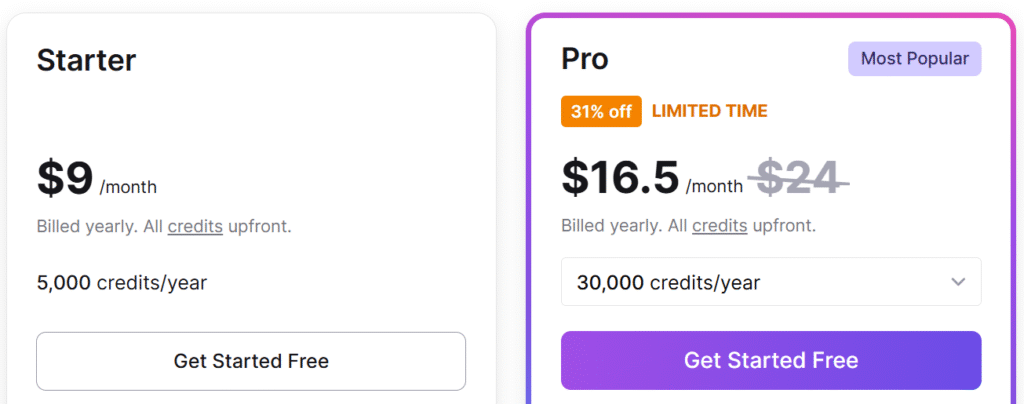
| Plan | Features | Price |
|---|---|---|
| Free | 500 credits/month | Free |
| Starter | 5,000 credits/year | $9/month |
| Pro | 30,000 credits/year | $16.5/month |
| Growth | 500,000 credits/year | $333/month |
Why It’s Great:
- Thunderbit is the perfect choice for businesses requiring bulk data scraping. Its real-time crawling and AI-powered data processing make it highly efficient for large-scale data operations.
Automate Your Data Collection Today!
5. Firecrawl 🔥

Firecrawl is a real-time web crawling tool that uses AI to process and select the most relevant data from complex websites. It’s tailored for users who need continuous data updates from large, dynamic websites.
Key Features:
- Real-Time Crawling: Firecrawl continuously monitors and crawls websites, providing immediate updates for the most relevant data.
- AI-Based Data Processing: It uses machine learning to automatically select the best data and process it for analysis.
- Customizable Scraping: Users can configure the scraper to collect specific types of data based on their requirements.
Best For:
- Advanced Users and Enterprises: Best for businesses needing real-time data from large websites.
- Companies in Fast-Moving Industries: Perfect for industries that need frequent updates, like e-commerce or market research.
Pricing:
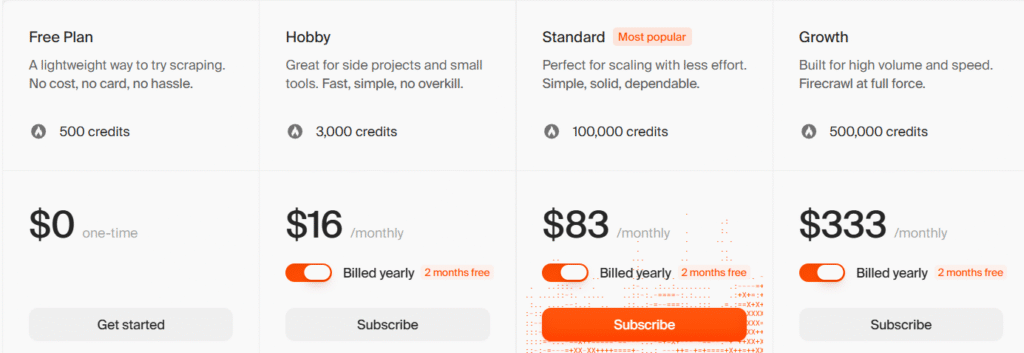
| Plan | Features | Price |
|---|---|---|
| Free | 6 pages/month | Free |
| Hobby | 3,000 credits/year | $16/month |
| Standard | 100,000 credits/year | $83/month |
| Growth | 500,000 credits/year | $333/month |
Why It’s Great:
- Firecrawl is ideal for enterprise-level users who need continuous updates and real-time monitoring of large websites. Its AI-powered data processing ensures high accuracy and relevance.
Crawl Websites Faster – Get Started with Firecrawl!
📌 How to Pick the Right Tool for Your Needs? 🤔
Choosing the right AI web scraping tool depends on your data needs, technical skills, and budget. Here’s how to find the best fit:
1. Define Your Data Needs 📊
- Small-scale: If you need basic data scraping, free or starter plans like Thunderbit Free or Browse AI Free work great.
- Large-scale: For bigger projects, go for Octoparse Professional, Gumloop Solo, or Firecrawl.
2. Technical Expertise 🛠️
- No coding: Choose no-code tools like Octoparse or Browse AI.
- Advanced workflows: For custom tasks, go with Gumloop Solo or Thunderbit Pro.
3. Data Complexity 🌐
- Simple websites: Thunderbit Free and Browse AI Free will do the job.
- Complex websites: Use Gumloop or Firecrawl to handle dynamic content.
4. Scalability 📈
- Small businesses: Browse AI or Octoparse Professional can scale as needed.
- Enterprises: Choose Gumloop Team or Firecrawl Growth for high-volume scraping.
5. Pricing & Budget 💵
- Low-budget: Stick with free plans or starter plans like Thunderbit Starter.
- Higher-volume: Octoparse Professional or Firecrawl Growth for more credits and features.
6. Support 📞
- Basic support: Free plans usually come with forum-based help.
- Premium support: Gumloop Team or Firecrawl Growth offer dedicated support.
📌 Pricing and Value Comparison of AI Web Scraping Tools.💰

| Tool | Free Plan | Starter Plan | Pro/Advanced Plan |
|---|---|---|---|
| Gumloop | 2k credits/month | $37/month (10k credits) | $244/month (60k credits) |
| Octoparse | Free | $69/month | $249/month |
| Browse AI | 500 credits/month | $19/month (12,000 credits) | $69/month (60,000 credits) |
| Thunderbit | 500 credits/month | $9/month (5,000 credits) | $16.5/month (30,000 credits) |
| Firecrawl | 6 pages/month | $16/month (3,000 credits) | $333/month (500,000 credits) |
📌 Step-by-Step Guide to Using AI Web Scraping Tools 🚀
Using an AI web scraping tool might seem complex at first, but with the right steps, it becomes a breeze! Here’s a simple, step-by-step guide to help you get started with AI web scraping tools like Octoparse, Browse AI, and Thunderbit. Follow these instructions to extract valuable data effortlessly. 🔍
1. Choose Your Tool 🧰
- Sign up for your chosen AI web scraping tool (e.g., Octoparse Free, Browse AI Free, or Thunderbit Free).
- Explore the dashboard and familiarize yourself with the tool’s interface.
2. Define Your Data Needs 📊
- Decide what data you want to scrape (e.g., product details, reviews, stock prices).
- Select the website or web pages that you need the data from.
3. Set Up the Scraping Task 🛠️
- For Octoparse: Use the point-and-click interface to highlight the data you want to scrape.
- For Browse AI: Train the AI by feeding examples of the data you want it to extract.
- For Thunderbit: Select the specific data fields and create a workflow for scraping.
4. Configure Advanced Settings (Optional) ⚙️
- Set up custom rules: Define advanced scraping rules like handling CAPTCHAs or extracting from JavaScript-heavy pages.
- Adjust frequency: Decide how often the tool will scrape data (e.g., hourly, daily, or weekly).
5. Run the Scraping Task 🏃♂️
- Start the scraper and let the tool automate the process. Depending on the tool, it may scrape data either in real-time or during scheduled tasks.
6. Monitor and Manage Scraping 👀
- Monitor the progress: Check the tool’s dashboard to see how the scraping is proceeding.
- Make adjustments: If needed, pause or modify the task if there are errors or if the tool isn’t collecting the data correctly.
7. Export Your Data 💾
- Once the data is scraped, export it to your desired format (e.g., CSV, JSON, Excel).
- Most tools like Octoparse and Browse AI offer easy export options to store or analyze your data.
8. Automate Your Scraping Tasks 🔄
- Set up automated schedules to ensure continuous scraping of updated data. This is perfect for businesses that need to track dynamic websites regularly.
📌 Why Choose AI Tools for Web Scraping? (Benefits) 🤖
AI web scraping tools provide advanced capabilities that make data extraction faster, easier, and more efficient than traditional methods. Here are the key benefits:
- Speed & Efficiency ⏱️:
AI tools can scrape large amounts of data quickly and automatically. Unlike manual scraping, AI tools work 24/7, allowing you to collect data without delays. - No Coding Needed 🖥️:
Many AI scraping tools are designed to be user-friendly, allowing anyone regardless of technical skills to easily set up and run scraping tasks. No programming knowledge required! - Handles Dynamic Content 🌐:
Websites with JavaScript, pop-ups, or other complex elements can be tricky for traditional scrapers. AI tools can adapt to these challenges and scrape dynamic content seamlessly. - Scalability 📈:
Whether you need to scrape 100 or 100,000 pages, AI tools can easily scale to handle large projects. You can scrape more data without worrying about performance issues. - Accuracy & Precision 🎯:
AI tools are designed to learn and improve over time, providing more accurate data extraction. They can adapt to website structure changes, ensuring you collect the right data. - Automation 🔄:
AI web scrapers can run automated tasks on a schedule, ensuring you always have fresh data without manual intervention. Set it up once, and the tool will handle the rest.

📌 Best Practices for Using AI Web Scrapers ⚖️
To ensure you’re scraping effectively and legally, follow these best practices:
- Monitor Data Quality 📊:
Regularly check the data collected to ensure it’s accurate. Websites change their structure over time, so make sure your AI scraper is still collecting data correctly.
- Check Legal Boundaries ⚖️:
Always read the website’s terms of service and its robots.txt file to see if scraping is allowed. Some websites prohibit scraping, so ensure compliance to avoid legal issues.
- Don’t Overwhelm Websites 🌐:
Scraping too frequently can put unnecessary load on the website’s server. To avoid causing disruptions, set scraping intervals and avoid too many simultaneous requests.
- Use Proxies 🌍:
To avoid IP blocking, consider using rotating proxies. This ensures that requests come from different IPs, preventing websites from blocking your scraper.
- Respect Privacy 🔐:
Always be mindful of personal data. Scrape non-sensitive data, and avoid collecting personal information unless you have explicit consent. Stay compliant with privacy laws like GDPR.
- Handle CAPTCHAs 🛑:
Many websites use CAPTCHAs to prevent automated scraping. Choose AI tools that can bypass CAPTCHAs ethically without violating the website’s terms.
Start Scraping Without Code – Try Free!
📌 Conclusion 🎯
AI web scraping tools are game-changers for collecting data in the digital age.
Whether you’re a beginner or an advanced user, these tools offer unmatched speed, accuracy, and automation, allowing you to scrape data from even the most complex websites with ease. 🚀
From Gumloop to Firecrawl, each AI tool provides unique features tailored to different needs, whether you’re scraping small datasets or handling enterprise-level projects.
By choosing the right tool based on your data needs, technical skills, and budget, you can streamline your data collection process and unlock valuable insights for your business or research. 📊
As you move forward with AI web scraping, remember to follow best practices, stay within legal boundaries, and monitor data quality for the best results.
With the right approach, AI web scraping can become an indispensable part of your data strategy. 🔍
RELATED ARTICLES
- Teachable Review: Is It the Best Platform for You?
- ManyChat Review: DM Automation That Sells for You
📌 FAQs
1. Is web scraping legal? ⚖️
Yes, but check the website’s terms and robots.txt for restrictions.
2. Can AI tools bypass CAPTCHAs? 🛑
Yes, many AI tools like Browse AI can bypass CAPTCHAs.
3. How do I ensure the data is accurate? 📊
Monitor and validate the data regularly. Adjust if the website changes.
4. How often should I run scraping tasks? ⏱️
Run tasks based on need: daily for real-time data, weekly/monthly for less frequent data.
5. Can I scrape dynamic websites with AI tools? 🌐
Yes, AI tools can scrape dynamic content like JavaScript and pop-ups.