
Software development has changed dramatically in 2026.
Instead of spending hours debugging, writing boilerplate code, or searching StackOverflow, developers now use AI code assistants that can write, fix, optimize, and explain code instantly.
These tools help beginners learn faster and help professionals build complex applications in a fraction of the time.
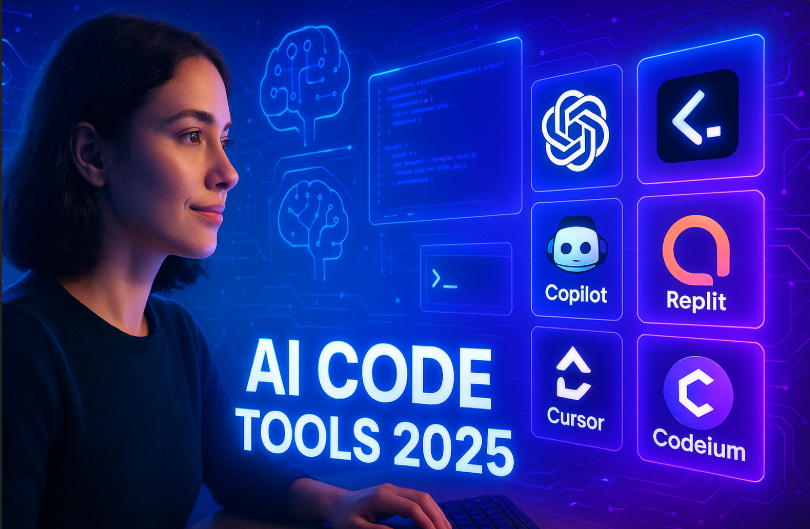
AI is no longer a “nice to have” for developers it has become an essential part of modern programming.
From GitHub Copilot to ChatGPT to newer tools like Cursor and Windsurf, developers now work with AI like a coding partner who never sleeps.
In this guide, we explore the best AI code assistants and developer tools for 2025, how they work, why they’re trending, and how they can help you become a faster, smarter developer 🚀.
📌 Why AI Coding Tools Are Essential in 2025 🤖💡
AI coding assistants solve the biggest problems developers face today:
• Speed up coding
• Reduce debugging time
• Improve code quality
• Explain errors
• Automate repetitive tasks
• Help beginners learn faster
• Enable rapid prototyping
• Write documentation
• Generate test cases
Developers of all skill levels are using these tools to work smarter, reduce frustration, and ship projects faster.
📌 Best AI Code Assistants and Developer Tools in 2025
Below are the top-performing AI tools developers love this year.
1. GitHub Copilot (Next-Gen) 🧠💻
GitHub Copilot continues to be the best coding assistant in the world. Built using OpenAI models, it integrates directly inside VS Code, JetBrains, and other editors.
Why developers love Copilot
• Writes full functions and modules
• Great suggestions for any language
• Auto-completes code while typing
• Helps with debugging
• Generates documentation
• Creates test cases
Best for
Beginner to advanced developers, teams using VS Code, rapid coding workflows.
2. ChatGPT Code Assistant (GPT-5 Series) ⚙️✨
ChatGPT has evolved into one of the most intelligent programming assistants. Developers use it to analyze, write, and optimize complex code.
Why ChatGPT is powerful
• Explains complex errors
• Helps with architecture decisions
• Great for algorithm explanations
• Can create full applications
• Understands large context
• Works across all languages
• Helps with DevOps and API instructions
Best for
Developers who need smart reasoning, explanations, or long-form coding help.

3. Cursor AI 🖥️🚀
Cursor is one of the most trending code editors in 2025. It is a full IDE built around AI, making coding extremely fast and intuitive.
Why Cursor is trending
• Chat-powered file editing
• Can modify entire projects
• Understands folder structures
• Great for refactoring large codebases
• Real-time collaboration
• Perfect for startup teams
Best for
Teams building full applications fast, startups, solo developers.
4. Replit AI (Ghostwriter) 🌐⚡
Replit AI is popular among web developers and beginners who want to build apps quickly. It runs entirely in the cloud.
Why Replit AI is great
• AI code suggestions
• Auto-deployments
• One-click debugging
• Generates front-end and backend code
• Perfect for learning and rapid prototyping
Best for
New developers, full-stack beginners, hackathon projects.
5. Aider AI 🛠️
Aider is a command-line coding assistant that edits your actual files. Developers love it because it’s lightweight and powerful.
Why Aider is trending
• Works through command line
• AI can modify your actual project files
• Great for refactoring
• Very fast and minimal
• Perfect for developers who prefer terminal
Best for
Power users, backend developers, Python and JS engineers.

6. Windsurf Editor 🌬️💻
Windsurf is an advanced AI programming editor focused on deep project understanding.
Why Windsurf is trending
• Excellent code reasoning
• Writes entire features
• Helps with multi-file edits
• Integrates with Git
• Understands project structure deeply
Best for
Front-end and full-stack developers building complex apps.
7. Codeium AI 🔧
Codeium is a free alternative to Copilot with excellent autocomplete and code assistance.
Why Codeium is popular
• 100% free
• Fast autocomplete
• Works with many languages
• Great for individual developers
• Lightweight and easy to use
Best for
Students, freelancers, developers looking for a free AI assistant.
8. Copilot Workspace 🔁
This tool allows AI to not just write code but also plan features, generate tasks, create issues, and guide full development cycles.
Why Workspace is trending
• AI-generated development plans
• Task breakdowns
• Helps manage full projects
• Useful for teams and managers
Best for
Agile development teams, PMs, startup founders.
📌 What AI Developer Tools Can Do in 2026 ⚡💡
AI tools now perform tasks that used to take hours:
• Generate boilerplate code
• Suggest optimized solutions
• Fix errors in seconds
• Explain how code works
• Create full modules
• Write test cases
• Generate documentation
• Detect vulnerabilities
• Refactor entire systems
• Build UI components
• Write SQL queries

Developers save 30–70 percent time using these assistants every day.
📌 Benefits of AI Code Assistants 🌟
1. Huge speed boost : Write more code in less time.
2. Fewer errors: AI spots bugs instantly.
3. Learn faster: Especially helpful for beginners and students.
4. Supports multi-language development: Perfect for switching between Python, JS, Java, Go, Rust, etc.
5. Helps with complex tasks: Architecture, APIs, algorithms, DevOps.
6. Great for repeated patterns: Reduces manual repetitive coding.
📌 Limitations and Things to Consider ⚠️
• AI may generate insecure or inefficient code
• Human review is still required
• Bad prompts can lead to wrong code
• Large projects require careful supervision
• Some tools are expensive for teams
• Privacy concerns for enterprise projects
AI is powerful but must be used with awareness and review.
📌 How Developers Can Use AI Effectively 🔥
A. Use AI as a coding partner
Not a replacement but a productivity booster.
B. Break tasks into steps
AI works best when given clear instructions.
C. Validate all outputs
Never trust code blindly.
D. Use AI for learning
Ask it to explain algorithms or debug errors.

E. Use specialized tools for specific tasks
• Debugging → ChatGPT
• Autocomplete → Copilot
• Full project editing → Cursor
• UI/UX → Figma AI
• Deployment → Replit AI
F. Mix AI + human expertise
This creates the perfect development workflow.
Conclusion 🚀👨💻
AI code assistants have become a game changer for developers in 2025.
They help you write code faster, debug smarter, learn quicker, and build complex applications with less effort.
Tools like GitHub Copilot, ChatGPT, Cursor, and Replit AI act like real coding partners always available, always fast, and always ready to help.
AI won’t replace developers, but developers who use AI will definitely outperform those who don’t.
With the right balance of human skill and AI support, you can become a more efficient, confident, and future-ready developer.
If you want to grow in 2025, AI coding tools are not just helpful they’re essential. 🚀
RELATED ARTICLES
FAQs About AI Coding Tools ❓👨💻
1. Which AI coding assistant is the best in 2025?
GitHub Copilot and ChatGPT lead the market, with Cursor trending strongly for full-project editing.
2. Can AI fully replace developers?
No. AI writes code but cannot replace human logic, creativity, architecture, or decision-making.
3. Are AI coding tools free?
Some tools like Codeium and parts of Replit are free. Advanced tools often require subscriptions.
4. Can beginners use AI to learn coding?
Yes, AI makes learning easier by explaining errors, concepts, and helping practice.
5. Is AI-generated code safe for production?
It requires review and testing. AI gives a head start, but human developers ensure quality.