
AI image generation has taken over the design world in 2026.
Whether you’re a creator, marketer, designer, business owner, or someone who just loves visuals, AI has made it possible to create stunning images in seconds.
You no longer need advanced Photoshop skills or years of design experience.
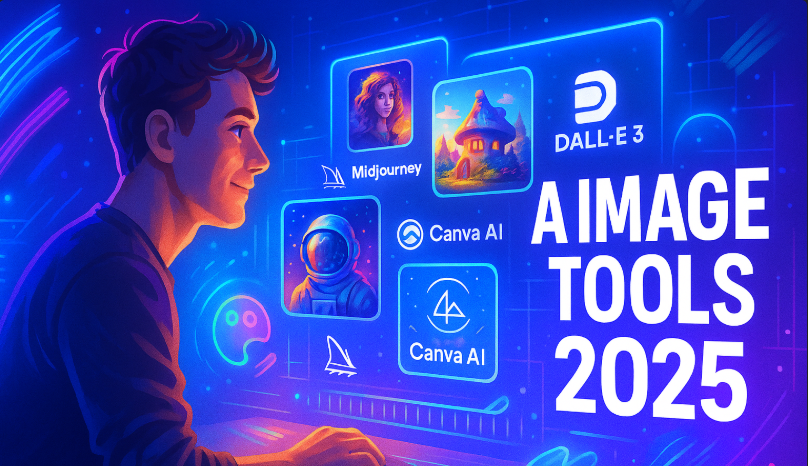
With a simple prompt, AI tools can generate illustrations, logos, product designs, backgrounds, social media graphics, concept art, and even full branding kits.
In this guide, you’ll discover the best AI tools for image generation and design in 2025, how they work, what makes each tool special, and how you can use them to enhance your creativity and speed up your workflow. Let’s get started 🚀
📌 Why AI Image Tools Are So Popular in 2025 🌟
AI design tools have exploded because they offer:
• Fast and high-quality image creation
• Professional results without deep expertise
• Unlimited design ideas in seconds
• Customization that matches your brand style
• Lower creative costs for businesses
• More creativity without spending hours on manual design
Today, creators and brands rely heavily on these tools not as replacements for designers, but as powerful assistants that speed up the process.
📌 Best AI Tools for Image Generation and Design in 2025 🎨
Below are the trending and most powerful AI design tools you should know.
1. Midjourney 🖼️
Midjourney remains one of the most artistic and creative AI image tools in the world. It creates realistic, cinematic, and highly detailed images from simple prompts.
Why Midjourney is great
• Stunning photorealistic output
• Cinematic quality artwork
• Perfect for concept designs
• Amazing color and lighting
• Great for product mockups and branding
Best for
Artists, photographers, designers, brand creators, YouTubers.
2. DALL·E 3 (OpenAI) ✨
DALL·E 3 is known for its clean, accurate, and detailed image outputs. It understands prompts better than older models and can produce images that match real brand styles.
Why DALL·E 3 is great
• Very accurate prompt understanding
• Great for illustrations and marketing visuals
• Perfect for ads, thumbnails, and blog images
• Generates images with strong storytelling
• Great integration with ChatGPT
Best for
Marketers, bloggers, agencies, educators.
3. Stable Diffusion ✍️
Stable Diffusion is an open-source AI model that gives you full control over image generation. It’s popular among designers who want custom styles, animations, or fine-tuning.
Why Stable Diffusion is great
• Free and open source
• Highly customizable
• Works with plugins and extensions
• Allows model fine-tuning
• Perfect for anime, portraits, and concept art
Best for
Artists, developers, advanced designers.
4. Canva AI 🎨
Canva now includes powerful AI tools like Magic Design and Magic Media, allowing you to produce stunning graphics, thumbnails, posts, logos, and banners with minimal effort.
Why Canva AI is great
• Easy drag-and-drop interface
• AI-generated designs
• Templates for everything
• Great for social media graphics
• Perfect for beginners
Best for
Small businesses, influencers, social media managers.
5. Adobe Firefly 🔥
Adobe Firefly is Adobe’s AI engine built inside Photoshop, Illustrator, and Express. It lets you generate images, remove backgrounds, enhance colors, and create visual effects.
Why Adobe Firefly is great
• Works inside Adobe apps
• Best for professional design workflows
• AI generative fill (Photoshop magic)
• Great for product photos
• Strong brand-safe generation
Best for
Graphic designers, photographers, agencies.
6. Leonardo AI 🐉
Leonardo AI is an all-in-one creative studio offering ultra-detailed image generation, consistent character creation, and advanced design tools.
Why Leonardo AI is great
• Amazing character consistency
• Product mockups
• 3D-style artwork
• Game assets
• Fashion and concept designs
Best for
Game designers, apparel brands, advanced creators.
7. Figma AI (Design Tools) 🧩
Figma has added AI features that help designers generate layouts, UI components, landing pages, and wireframes using simple prompts.
Why Figma AI is great
• Create UI/UX layouts instantly
• Auto-generate design elements
• Fix alignment and spacing
• Great for prototyping
Best for
UI/UX designers, startups, SaaS founders.
📌 What AI Image Tools Can Do in 2025 🚀
AI design tools today can perform tasks such as:
• Generate images from text
• Remove or replace backgrounds
• Create 3D visuals
• Generate product shots
• Make logos and icons
• Improve image quality
• Create social media posts
• Build branding kits
• Produce concept art
• Generate UI components
• Design ads and thumbnails
In simple words, they turn your imagination into visuals in seconds.
Read More: The 8 Best AI Image Generators (Free and Paid)
📌 Benefits of Using AI Image Tools 🌈
1. Saves huge time
You can create a complete design in minutes.
2. Unlocks creativity
AI gives you unlimited variations and inspiration.
3. Cost effective
Great for businesses that need professional designs without hiring large teams.
4. Perfect for non-designers
Even beginners can produce high-quality images.
5. Helps brands scale content
Create hundreds of visuals for social media and marketing campaigns fast.
📌 Limitations You Should Know ⚠️
• Some tools may generate unrealistic visuals
• Requires manual refining for perfection
• Commercial use may need paid plans
• Output quality depends on your prompt
• Image consistency can sometimes be difficult
• AI can misinterpret complex instructions
AI is powerful but still needs human editing for the final touch.
📌 How to Use AI Image Tools Effectively 💡
• Write clear prompts with details
• Add style keywords like realistic, cinematic, minimal
• Use references or sample images
• Always refine the output manually
• Try multiple tools for different styles
• Use brand colors for consistency
• Combine AI with your editing skills
Your creativity + AI = the perfect design workflow.
📌 Conclusion 🎨🚀
AI image generation and design tools have completely changed the way creators and businesses work in 2025.
What once required hours of manual designing, expensive software, or advanced skills can now be done in minutes with a simple prompt.
Tools like Midjourney and DALL·E 3 help you create stunning artwork, Adobe Firefly and Canva AI simplify professional design work, and Stable Diffusion gives creators full control and customization.
These tools don’t replace creativity they enhance it. They help you experiment more, try new concepts, and bring ideas to life without complexity or high costs.
Whether you’re a marketer, designer, blogger, business owner, or content creator, AI design tools can save time, boost creativity, and help you stand out visually.
As AI continues to evolve, the opportunities will only grow. The smartest step you can take today is to start using these tools, explore their features, and mix your creativity with AI power.
That combination is where truly amazing designs happen ✨
RELATED ARTICLES
- Best AI Tools for Image Generation and Design (Guide)
- Trending AI Tools for Video Creation and Editing
FAQs ❓🎨
1. Which AI tool generates the most realistic images?
Midjourney and DALL·E 3 are the leaders in realism and accuracy.
2. What is the best free AI design tool?
Stable Diffusion and Canva AI offer excellent free plans.
3. Are AI-generated images allowed for commercial use?
Yes, but some tools require paid plans for full commercial rights.
4. Can AI replace professional graphic designers?
No. AI helps speed up work, but designers bring creativity, taste, and strategy.
5. Which AI tool is best for product mockups?
Leonardo AI, Adobe Firefly, and Canva are great for product visuals.