
In a world where cyber threats are evolving every day, it’s time to level up your digital defense with AI-powered cybersecurity tools! 🤖
Gone are the days of basic firewalls and outdated security measures. AI cybersecurity is now a game-changer, offering real-time protection, smarter threat detection, and adaptive solutions that get better with time! 🔍

Ready to take your cybersecurity to the next level?
Let’s dive into the top 5+ AI tools that will keep your business safe, secure, and ahead of the curve in 2025!
What is AI Cybersecurity?
In today’s digital age, cybersecurity is no longer just about firewalls and antivirus software. As cyber threats become more sophisticated, businesses need more advanced solutions to safeguard their data and systems. That’s where AI Cybersecurity comes in.
AI Cybersecurity refers to the use of artificial intelligence to predict, detect, and respond to cybersecurity threats. By leveraging machine learning algorithms and data analytics, AI can identify patterns, predict potential vulnerabilities, and even autonomously take actions to protect systems in real-time.
🔐 Why AI Cybersecurity?
Traditional cybersecurity solutions rely on predefined rules to detect threats. However, AI-powered tools go beyond these limitations by learning from previous data, adapting to new threats, and providing dynamic security.

It’s like having a 24/7 virtual security guard that never sleeps, always on the lookout for the next potential breach. 🛡️
⚡ AI’s Key Advantage in Cybersecurity:
- Automated Threat Detection: AI tools can analyze huge amounts of data faster than any human or traditional system, identifying potential threats much earlier.
- Adaptive Learning: As AI tools analyze more threats, they learn, meaning they improve over time, getting better at spotting unusual activity.
Whether you’re running a small business or managing a large corporation, understanding AI’s role in cybersecurity is key to staying protected in 2025 and beyond.
3. Essential Features Every AI Cybersecurity Tool Should Have 🛡️
When selecting an AI cybersecurity tool, here are the key features that ensure maximum protection:
1. 🔍 Real-Time Threat Detection
Look for tools that monitor your system 24/7 and detect threats as soon as they arise.
2. 💡 Behavioral Analytics
AI should track your system’s normal behavior and flag any abnormal activities, spotting hidden threats early. 🚨
3. ⚙️ Automated Response
Your AI tool must automatically block threats or alert security teams, acting instantly to minimize damage.
4. 🧠 Machine Learning
The tool should adapt and improve over time by learning from new data and evolving threats.
5. 🔒 Encryption & Data Protection
Advanced encryption ensures your sensitive data stays secure, even if it’s intercepted.
6. 📈 Reporting & Insights
Comprehensive reports and real-time insights help you stay informed and responsive.
Top 5+ AI Cybersecurity Tools Leading 2025 🛡️
🔥 1. CrowdStrike Falcon — Best Overall AI Endpoint & Threat Detection 🚀
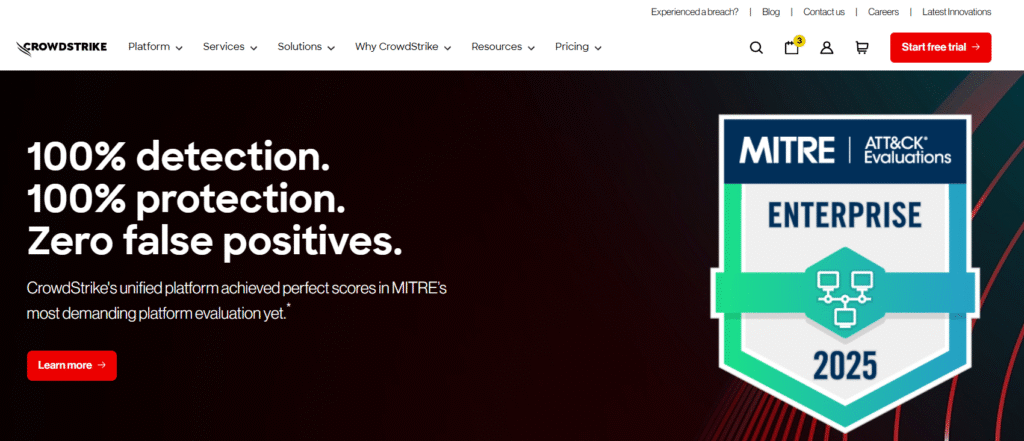
CrowdStrike Falcon is a leading AI-powered cybersecurity platform that provides advanced endpoint protection, machine learning, and real-time threat detection.
It uses AI-driven behavioral analytics to detect and respond to cyber threats before they escalate. The platform is trusted by enterprises for its adaptive and predictive capabilities.
📊 Key Features 📌
- AI-driven Endpoint Protection – Protects devices, servers, and cloud workloads in real time.
- Cloud-native – Ensures scalability and smooth integration with existing systems.
- Automated Response – Instant threat detection with automated remedial actions.
- Behavioral Analytics – Detects threats based on unusual behavior and AI-driven insights.
Pros
- ✓ User-Friendly Interface: CrowdStrike offers a clean, easy-to-navigate interface that’s accessible even for non-expert users.
- ✓ Advanced AI and Machine Learning: Continuously evolves by learning from vast amounts of data, improving over time.
- ✓ Fast Detection and Prevention: It can identify zero-day threats faster than many traditional security solutions.
- ✓ Scalable and Flexible: Perfect for small businesses and large enterprises alike, adapting to a range of systems.
Cons
- ✕ Expensive: The premium pricing can be a challenge for smaller businesses or startups with limited budgets.
- ✕ Complex Setup: Requires expert guidance for optimal configuration and integration.
- ✕ Resource-Intensive: Some users report that it can be resource-heavy depending on the size of the organization.
🎯 Best Use Case
CrowdStrike Falcon is ideal for organizations that need advanced, AI-powered endpoint protection and real-time threat detection across multiple devices and systems.
It’s especially useful for large enterprises looking for a scalable, cloud-native solution that provides automatic threat response and detailed analytics.
💸 Pricing
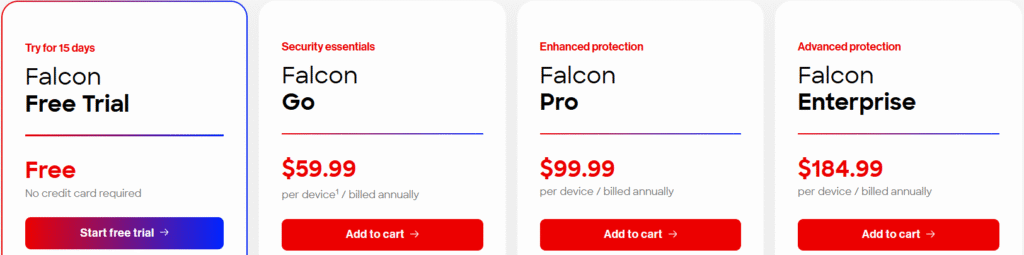
CrowdStrike Falcon offers multiple pricing plans based on licensing options and the level of coverage:
| Tool | Pricing Plans | Price Details |
|---|---|---|
| **Free Trial** | Try for 15 days | Free (No credit card required) |
| **Falcon Go** | Security essentials | $59.99 per device (billed annually) |
| **Falcon Pro** | Enhanced protection | $99.99 per device (billed annually) |
| **Falcon Enterprise** | Advanced protection | $184.99 per device (billed annually) |
Pricing varies depending on the number of devices and coverage. It’s best to contact CrowdStrike directly for a tailored quote.
🚀 Get Started with CrowdStrike – Free Trial!
🔐 2. Darktrace — Best for Autonomous Threat Detection & Response 🤖
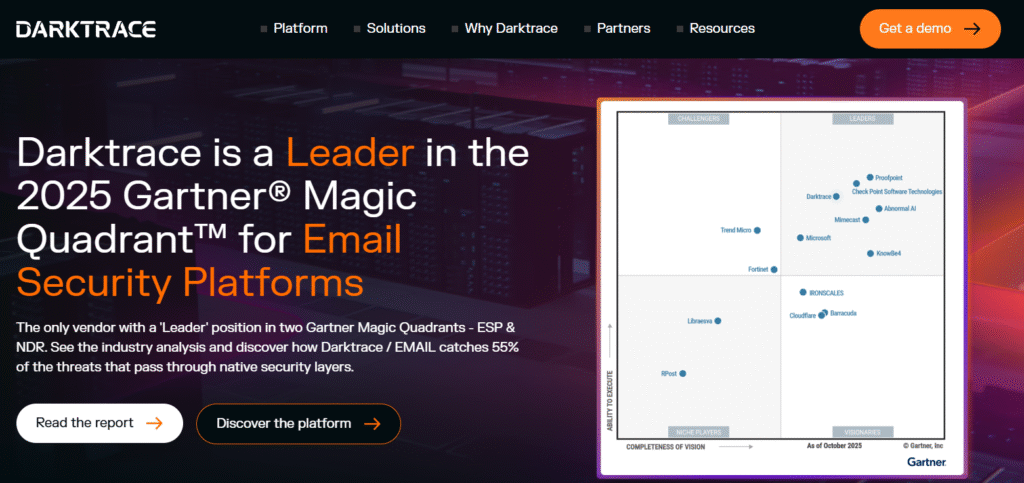
Darktrace is an AI cybersecurity tool renowned for its autonomous threat detection and self-learning algorithms.
By analyzing normal network behavior, Darktrace can spot unusual activities that may indicate cyber threats, providing protection that evolves and adapts with time. It’s used across industries for its ability to provide real-time, AI-powered defense.
📊 Key Features 📌
- Self-Learning AI – Darktrace continuously adapts to your network, detecting evolving threats that traditional systems may miss.
- Autonomous Response – When a threat is detected, Darktrace can automatically take action, such as isolating compromised devices or blocking malicious traffic.
- Behavioral Analytics – Uses AI to understand normal patterns, making it easier to detect suspicious activities.
- Cloud & On-Premises Protection – Works seamlessly across cloud infrastructures and on-premises networks.
Pros
- ✓ AI-Powered Threat Detection: Darktrace uses advanced AI to detect even the subtlest cyber threats in real time.
- ✓ Autonomous Defense: Offers automated responses to threats, meaning no need for constant manual intervention.
- ✓ Continuous Learning: As more data is analyzed, Darktrace’s AI becomes smarter, improving detection accuracy.
- ✓ Cloud & Network Agnostic: Works with both cloud and on-premises systems, offering versatile protection.
Cons
- ✕ Complex Setup for Beginners: While the tool is effective, new users may find it difficult to set up without professional help.
- ✕ Cost: Darktrace can be expensive for smaller organizations, especially when scaling to cover large infrastructures.
- ✕ Limited Integrations: May require custom integration for certain systems or platforms, which can add to the cost.
🎯 Best Use Case
Darktrace is best suited for businesses that need real-time autonomous detection of threats and automated responses without requiring a high level of manual input. It’s ideal for medium-to-large enterprises with complex IT systems that need scalable, self-learning AI to stay ahead of evolving cyber threats.
💸 Pricing
Darktrace offers several pricing models based on the scale and specific needs of the business:
- Small Business Packages – For companies with smaller infrastructures, offering limited features at a more affordable rate.
- Enterprise Pricing – Designed for large organizations with complex cybersecurity needs. Pricing is generally custom and available upon request.
- Free Trial – Darktrace offers a limited-time trial, allowing companies to test the system before making a purchase decision.
🔐 Explore Darktrace AI – Start Free Trial Now!
⚡ 3. SentinelOne Singularity — Best for Automated Incident Response & Threat Hunting 🛡️
SentinelOne is a leading AI-powered cybersecurity platform that provides automated incident response, endpoint protection, and AI-driven threat hunting.
Known for its autonomous detection and remediation capabilities, SentinelOne offers robust protection across endpoints, servers, and cloud systems.
📊 Key Features 📌
- Autonomous AI Response – SentinelOne autonomously detects and remediates threats across endpoints without human intervention.
- Endpoint & Cloud Protection – Offers seamless protection for both cloud environments and on-premises devices.
- Active Threat Hunting – AI-driven capabilities actively search for unknown threats, even before they manifest.
- AI-Powered Forensics – Automatically investigates incidents and provides contextual data for faster resolution.
Pros
- ✓ Fast Automated Remediation: Instantly blocks and mitigates threats without needing human intervention.
- ✓ Active Threat Hunting: The AI can actively seek out undetected threats, providing extra protection.
- ✓ High Accuracy: Reduces false positives, thanks to the platform’s AI algorithms.
Cons
- ✕ Setup Complexity: Initial deployment can be complex for non-technical teams.
- ✕ Pricing: Can be expensive for small businesses or startups.
- ✕ Learning Curve: While effective, the platform may require time to learn its advanced features.
🎯 Best Use Case
SentinelOne is ideal for businesses needing automated protection and remediation across endpoints and servers. It’s especially great for medium to large enterprises looking for active threat hunting and autonomous defense.
💸 Pricing
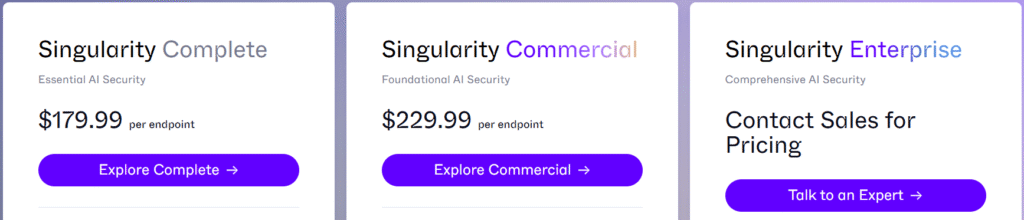
SentinelOne offers multiple pricing tiers based on your needs:
| Tool | Pricing Plans | Price Details |
|---|---|---|
| **Singularity Complete** | Essential AI security | $179.99 per endpoint |
| **Singularity Commercial** | Foundational AI security | $229.99 per endpoint |
| **Singularity Enterprise** | Comprehensive AI security | Contact for pricing |
🛡️ Protect Your Data with SentinelOne – Free Trial!
🌐 4. Vectra AI — Best for Network Threat Detection & SOC Insights 💡
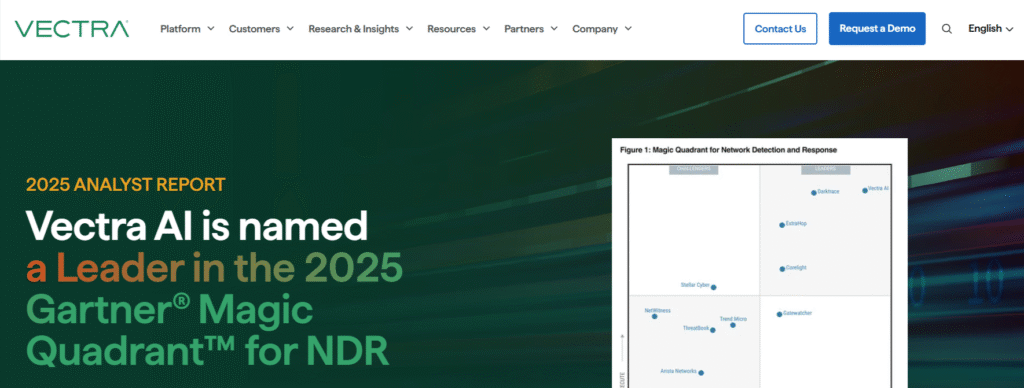
Vectra AI focuses on network security, offering AI-driven threat detection that helps security operations teams (SOC) prevent breaches.
By analyzing network behavior, Vectra’s AI identifies sophisticated attacks and gives security teams actionable insights.
📊 Key Features 📌
- Network Detection & Response (NDR) – Focuses on real-time detection of threats within the network.
- Behavioral Analytics – Identifies anomalies in network behavior, which could signify a breach.
- SOC Integration – Provides deep insights and alerts for SOC teams to quickly act on potential threats.
- Cloud Security – Protects both cloud and on-premises network infrastructures.
Pros
- ✓ Focused Network Protection: Specializes in network-based threats and excels in anomaly detection.
- ✓ AI for Faster Incident Response: Provides real-time alerts and insights for swift action.
- ✓ SOC-Friendly: Integrates easily into Security Operation Centers (SOCs) for more efficient workflows.
Cons
- ✕ Limited Endpoint Protection: Primarily focused on network security, not as strong for endpoints.
- ✕ Costly for Small Businesses: As with other enterprise tools, Vectra can be pricey.
- ✕ Requires Expertise: To get the most out of Vectra, technical expertise is required for setup and ongoing monitoring.
🎯 Best Use Case
Vectra AI is perfect for organizations that need network-focused security with advanced threat detection and analysis. It’s particularly useful for large-scale enterprises that need cloud and network protection and have dedicated SOC teams.
💸 Pricing
Vectra offers custom pricing, based on your network size and the level of protection you require. For specific quotes, it’s best to contact Vectra directly.
🌐 Detect Network Threats with Vectra AI – Try Free!
🔐 5. Arctic Wolf (formerly CylancePROTECT) — Best for Lightweight AI Prevention
Arctic Wolf acquired CylancePROTECT, integrating its advanced AI-based cybersecurity technology.
Arctic Wolf now combines AI-driven prevention, machine learning, and managed detection and response (MDR) to help businesses protect endpoints and sensitive data from emerging threats. It focuses on providing lightweight security with minimal system impact, ideal for small and medium-sized businesses.
📊 Key Features 📌
- AI-Based Prevention – Uses machine learning to predict and prevent attacks before they occur.
- Lightweight – Requires minimal system resources, making it great for environments with limited IT resources.
- Malware Detection – Proactively blocks malware and ransomware by analyzing behaviors.
- Real-Time Protection – Continuously monitors systems for potential threats.
Pros
- 🌟 Low Resource Consumption: Doesn’t affect system performance, making it ideal for small devices and environments.
- ✓ Strong Malware Protection: Prevents zero-day attacks, malware, and ransomware before they can execute.
- ✓ Easy to Use: User-friendly interface with minimal setup required.
Cons
- ✕ Limited Cloud Coverage: Not as robust in cloud protection compared to other solutions like CrowdStrike.
- ❌ Missing Advanced Features: Lacks some of the advanced network protection features found in other platforms.
- ✕ Pricing for Larger Deployments: May be less cost-effective for large organizations when scaling.
🎯 Best Use Case
Arctic Wolf (formerly CylancePROTECT) is ideal for small to medium-sized businesses looking for lightweight, real-time protection against malware and ransomware. Its minimal impact on system performance makes it great for organizations with limited IT resources.
💸 Pricing
Arctic Wolf’s pricing for their AI-based endpoint protection is generally custom and varies based on the number of endpoints and level of service required. It’s best to contact Arctic Wolf for specific pricing details.
⚡ Try Arctic Wolf – Start Free Trial Today!
🧠 6. Microsoft Defender — Best for Integrated Microsoft Ecosystem Protection 🔐
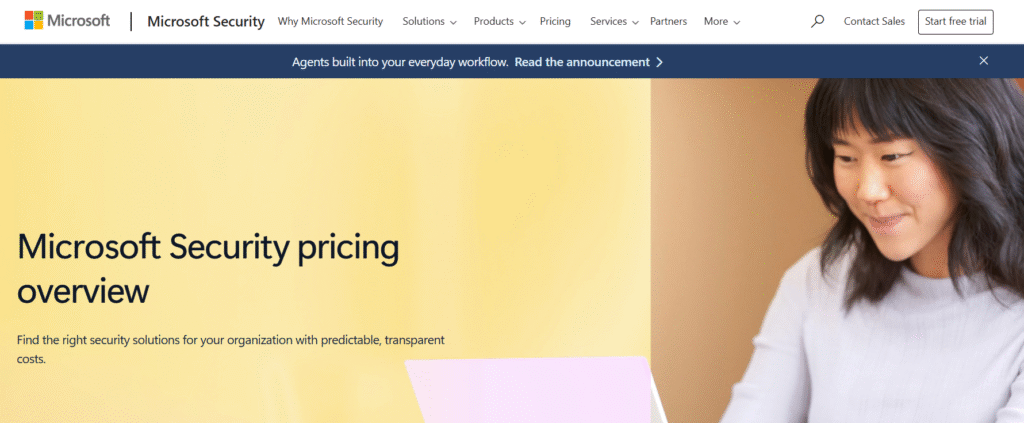
Microsoft Defender (formerly known as Windows Defender) is an AI-powered cybersecurity tool that seamlessly integrates into the Microsoft ecosystem.
It provides end-to-end protection, from endpoint to cloud environments. Microsoft Defender is built to be a comprehensive and easily manageable tool, especially for businesses using Microsoft services like Office 365 and Azure.
📊 Key Features 📌
- AI-Powered Threat Detection – Uses machine learning to detect and prevent malware, ransomware, and other types of threats.
- Cloud Integration – Deeply integrated into Microsoft’s cloud platform, providing cloud-native protection.
- Unified Security – A single solution for endpoint, email, and cloud security, ideal for businesses relying on Microsoft services.
- Identity Protection – Includes advanced identity protection features to safeguard user credentials and sensitive data.
- Automated Incident Response – Automatically takes action when threats are detected to reduce the response time.
Pros
- 🌟 Seamless Microsoft Integration: Works flawlessly with Windows 10/11, Microsoft 365, and Azure, offering an integrated security solution.
- ✓ Comprehensive Protection: Covers everything from endpoint to identity security, making it ideal for Microsoft-heavy environments.
- ✓ User-Friendly: Simple to use and manage, especially for companies already using Microsoft products.
- 💰 Real-Time Threat Detection: Uses AI to detect and block threats instantly, minimizing risk.
Cons
- ✕ Limited to Microsoft Ecosystem: While excellent for Microsoft environments, it’s not as strong for non-Microsoft systems or third-party integrations.
- ❌ Not as Advanced as Other Tools: Compared to specialized tools like CrowdStrike Falcon, its advanced features may be less comprehensive for larger enterprises.
- ✕ Basic for Large-Scale Enterprises: While great for small to medium businesses, larger enterprises may need more robust features.
🎯 Best Use Case
Microsoft Defender is perfect for small-to-medium businesses that rely on Microsoft products and are looking for a cost-effective, integrated security solution. It’s great for companies using Microsoft 365 and Azure who want a unified cybersecurity tool for endpoint and cloud security.
💸 Pricing
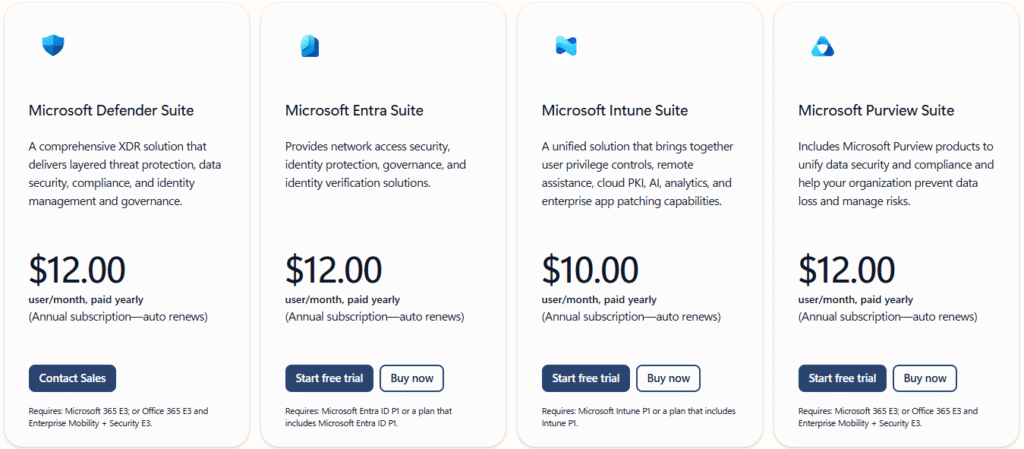
Microsoft Defender is included with Windows 10/11 and Microsoft 365 subscriptions. For businesses, Defender for Endpoint offers advanced security features with plans such as:
| Tool | Pricing Plans | Price Details |
|---|---|---|
| **Microsoft Defender Suite** | Comprehensive XDR solution | $12.00 per user/month (Annual subscription) |
| **Microsoft Entra Suite** | Network access, identity protection | $12.00 per user/month (Annual subscription) |
| **Microsoft Intune Suite** | User privilege controls, remote assistance | $10.00 per user/month (Annual subscription) |
| **Microsoft Purview Suite** | Data security, compliance management | $12.00 per user/month (Annual subscription) |
🔒 Secure Your Business with Microsoft Defender – Free Trial!
7. Comparison of AI Cybersecurity Tools 🔍
Now that we’ve explored the features and pricing of these top AI cybersecurity tools, it’s time to compare them head-to-head. Understanding the differences will help you choose the best solution for your business needs. Here’s a breakdown of each tool’s strengths and the unique value it brings to the table:
| Feature | CrowdStrike Falcon | Darktrace | SentinelOne Singularity | Vectra AI | Arctic Wolf (formerly CylancePROTECT) | Microsoft Defender |
|---|---|---|---|---|---|---|
| Endpoint Protection | ✅ | ✅ | ✅ | ❌ | ✅ | ✅ |
| Network Protection | ✅ | ✅ | ✅ | ✅ | ❌ | ✅ |
| Cloud Security | ✅ | ✅ | ✅ | ✅ | ✅ | ✅ |
| Automated Threat Response | ✅ | ✅ | ✅ | ✅ | ✅ | ✅ |
| Machine Learning | ✅ | ✅ | ✅ | ✅ | ✅ | ✅ |
| Behavioral Analytics | ✅ | ✅ | ✅ | ✅ | ✅ | ✅ |
| Cost | $59.99 – $184.99 per device/year | Custom pricing | $179.99 – Custom | Custom pricing | Custom pricing | $10 – $12 per user/month |
Key Takeaways for Comparison 🔑
- CrowdStrike Falcon: Best for large enterprises needing advanced endpoint protection and scalability.
- Darktrace: Best for real-time, self-learning threat detection with autonomous defense.
- SentinelOne: Ideal for small to medium businesses needing automated threat response across endpoints and devices.
- Vectra AI: Best for businesses requiring network threat detection with behavioral analytics.
- Arctic Wolf (formerly CylancePROTECT): Great for lightweight protection, especially in environments with limited IT resources.
- Microsoft Defender: Perfect for Microsoft-heavy environments needing integrated protection across endpoints, email, and cloud.
Which AI Cybersecurity Tool is Right for You? 🤔
Choosing the right AI cybersecurity tool is essential for protecting your business from ever-evolving cyber threats. Based on the features, pricing, and use cases we’ve covered, here’s how you can determine which tool is best for your needs:

🔐 Best Overall for Enterprises: CrowdStrike Falcon
If you’re looking for an enterprise-grade solution with scalable protection for endpoints, CrowdStrike Falcon is the clear winner. Its advanced AI-driven detection and real-time automated response ensure your organization stays ahead of emerging threats.
🌐 Best for Network and Autonomous Protection: Darktrace
For self-learning AI and autonomous threat defense, Darktrace is the top choice. It excels in network security and provides real-time, AI-driven insights to safeguard your business from even the most complex attacks.
⚙️ Best for Small to Medium-Sized Businesses: SentinelOne
For small-to-medium businesses needing automated protection with a focus on incident response, SentinelOne offers cost-effective and easy-to-deploy endpoint security that ensures swift threat mitigation.
🕵️♂️ Best for Network Threat Detection: Vectra AI
If network protection is your priority, Vectra AI provides advanced behavioral analytics and network visibility to detect attacks before they escalate. It’s an excellent choice for businesses with complex network infrastructures.
⚡ Best for Lightweight and Real-Time Protection: Arctic Wolf
For businesses with limited IT resources, Arctic Wolf (formerly CylancePROTECT) provides lightweight, AI-powered prevention that doesn’t drain system resources, making it ideal for smaller businesses or teams that need effective, hands-off protection.
🏢 Best for Microsoft Ecosystem Users: Microsoft Defender
If your business is already embedded in the Microsoft ecosystem, Microsoft Defender offers a seamless solution with integrated protection for endpoints, email, and cloud. It’s affordable and ideal for businesses using Windows, Microsoft 365, and Azure services.

Final Thoughts
With the growing threat of cyberattacks, choosing the right AI-powered cybersecurity tool is critical for your business. Each of the top 6 tools we covered excels in different areas:
- CrowdStrike Falcon: Best for scalable, enterprise-level protection.
- Darktrace: Ideal for autonomous threat detection and real-time defense.
- SentinelOne: Great for small to medium-sized businesses needing automated, easy-to-use protection.
- Vectra AI: Perfect for network-focused security with advanced behavioral analytics.
- Arctic Wolf: Best for lightweight protection with minimal system impact.
- Microsoft Defender: Seamlessly integrates with Microsoft services, offering comprehensive protection.
Choosing the Right Fit: Your ideal tool depends on your business size, infrastructure, and security needs. The right choice will provide strong defense today and adapt as threats evolve.
RELATED ARTICLES
❓ FAQs
Q1. What makes AI cybersecurity tools better than traditional solutions?
A1: AI tools learn from patterns, predict threats, and automate responses, making them faster and more adaptive than traditional systems.
Q2. Are AI tools suitable for small businesses?
A2: Yes, many AI tools, like SentinelOne and Arctic Wolf, offer affordable and easy-to-use solutions for small businesses.
Q3. How much do AI cybersecurity tools cost?
A3: Costs vary, ranging from $59.99 to $184.99 per device/year, with some offering custom pricing based on your needs.
Q4. Can AI tools replace human cybersecurity teams?
A4: No, AI tools augment human teams, automating routine tasks and allowing teams to focus on more complex issues.
Q5. Do I need to be an expert to use these tools?
A5: Most tools are user-friendly, but some advanced features may require basic training.