
Looking for powerful AI tools that don’t cost anything? You’re in the right place.
In this guide, you’ll discover the best free AI tools you can start using right now to write faster, research smarter, code better, and get more work done without paying a single dollar. 🚀🤖✨
🚀 Stop Paying for AI — Start Free
Whether you’re a student, professional, or just exploring AI for the first time, this article will help you choose the right free AI tool, understand its limits, and use it confidently for real-world tasks.
Let’s get straight into the tools that actually deliver value.
📌 What Are Free AI Tools & Are They Really Worth Using in 2026? 🤖✨
Free AI tools are smart software that help you write, research, code, and solve problems without paying anything upfront. In 2025, these tools are no longer just demos many offer real, usable features on their free plans. 🚀
Yes, free AI tools are worth using if you understand their limits. They work great for students, professionals, and beginners who need AI help for daily tasks like content writing, summaries, or quick answers. 📚💡
Most free AI tools come with usage limits or slower speed, but for normal use, they still deliver strong results.
If used wisely, they can save time, boost productivity, and help you get started with AI all at zero cost. ✅🔥
📌 5+ Best Free AI Tools in 2026
1. ChatGPT (Free Version) 🧠✨
What ChatGPT actually does
ChatGPT works like a smart digital assistant that understands natural language. You can talk to it the same way you talk to a human, and it responds with explanations, suggestions, or ready-to-use text.
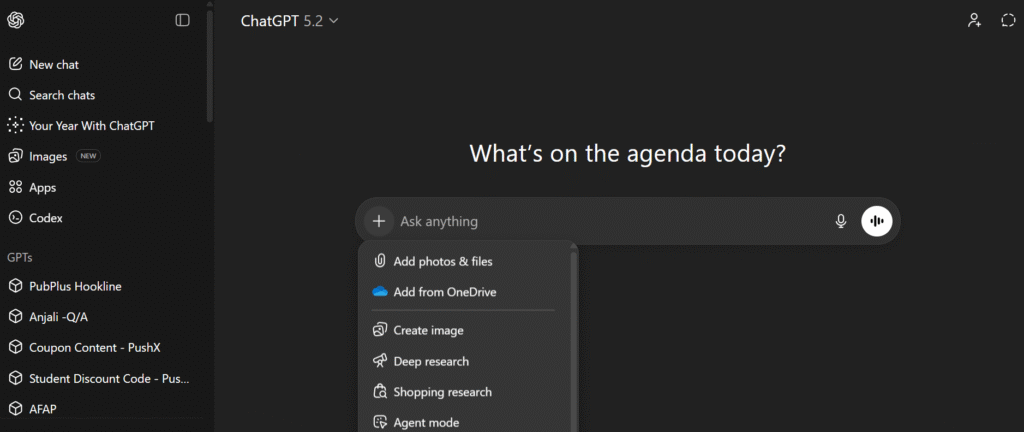
How people really use it (daily use):
Most users rely on ChatGPT for:
- Writing emails, captions, or blog drafts
- Understanding complex topics in simple words
- Brainstorming ideas when stuck
- Quick learning and explanations
It’s especially useful when you don’t know how to start something.
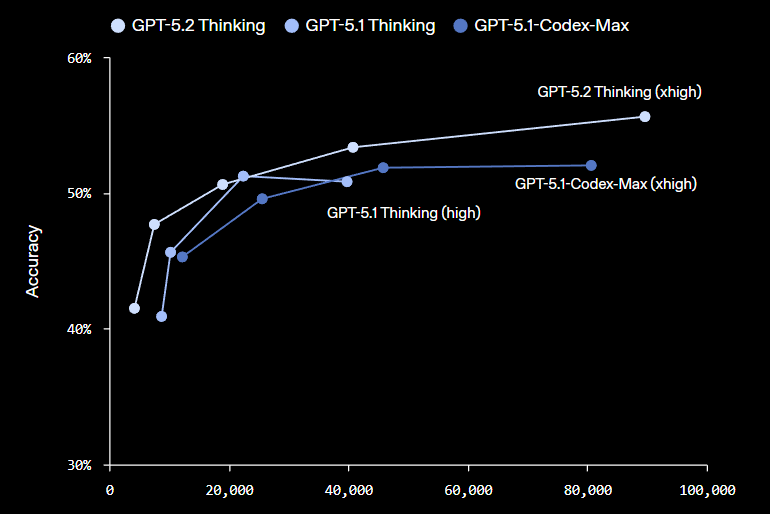
Free plan reality in 2025:
The free version is powerful enough for everyday work but comes with message limits. You may also notice slower replies during busy hours, but the quality of answers is still solid.
Why it’s worth using:
ChatGPT is beginner-friendly, flexible, and reliable. Even on the free plan, it feels like a real productivity tool, not a demo.
Best for: Students, writers, beginners, general users ✅
🚀 Try ChatGPT Free for Everyday AI Tasks
2. Perplexity AI 🔍📚
What Perplexity AI actually does
Perplexity AI combines AI with real-time search. Instead of just “generating” answers, it searches the web and shows sources.
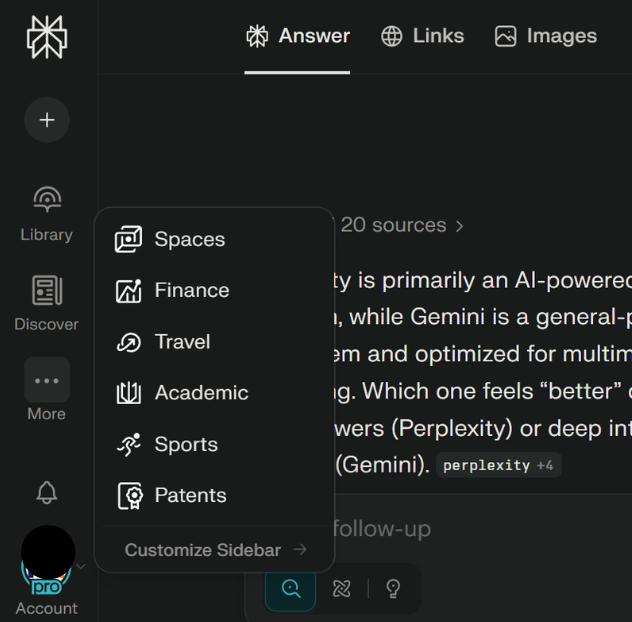
How people really use it:
Users prefer Perplexity when:
- Doing research or fact-checking
- Writing articles that need accurate data
- Looking for recent or updated information
- Verifying AI-generated answers
It’s more like Google + AI combined.

Free plan reality in 2025:
The free version gives strong search answers with citations. Advanced research modes are limited, but basic research works perfectly fine.
Why it’s worth using:
If accuracy matters more than creativity, Perplexity is one of the best free AI tools available.
Best for: Researchers, bloggers, SEO users 📊
🚀 Search Smarter with Perplexity AI (Free)
3. Claude 📝🧩
What Claude actually does
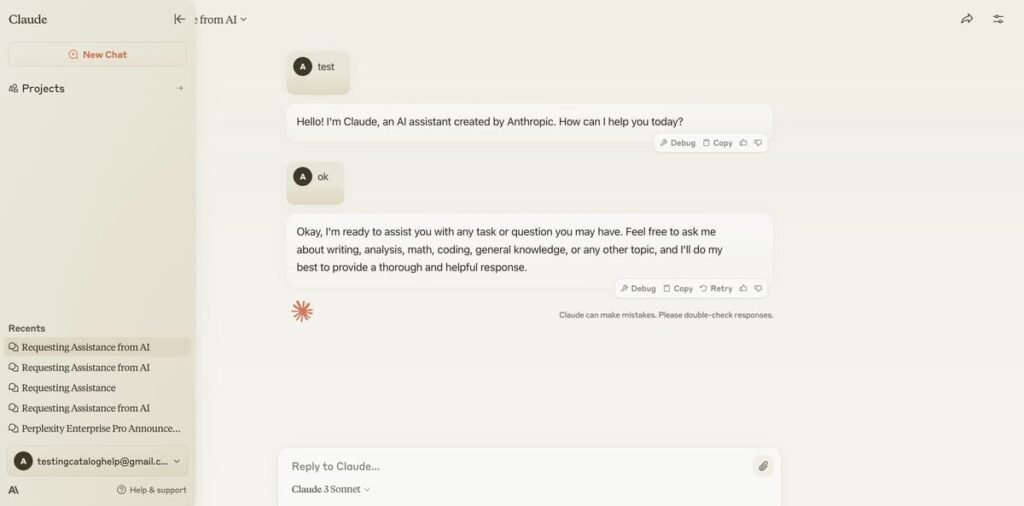
Claude is designed to understand long text and complex instructions better than many AI tools. It focuses on clarity, safety, and structured responses.
How people really use it:
Claude is commonly used for:
- Summarizing long articles or PDFs
- Rewriting content in a clean, professional tone
- Explaining policies, reports, or documentation
- Improving clarity in writing
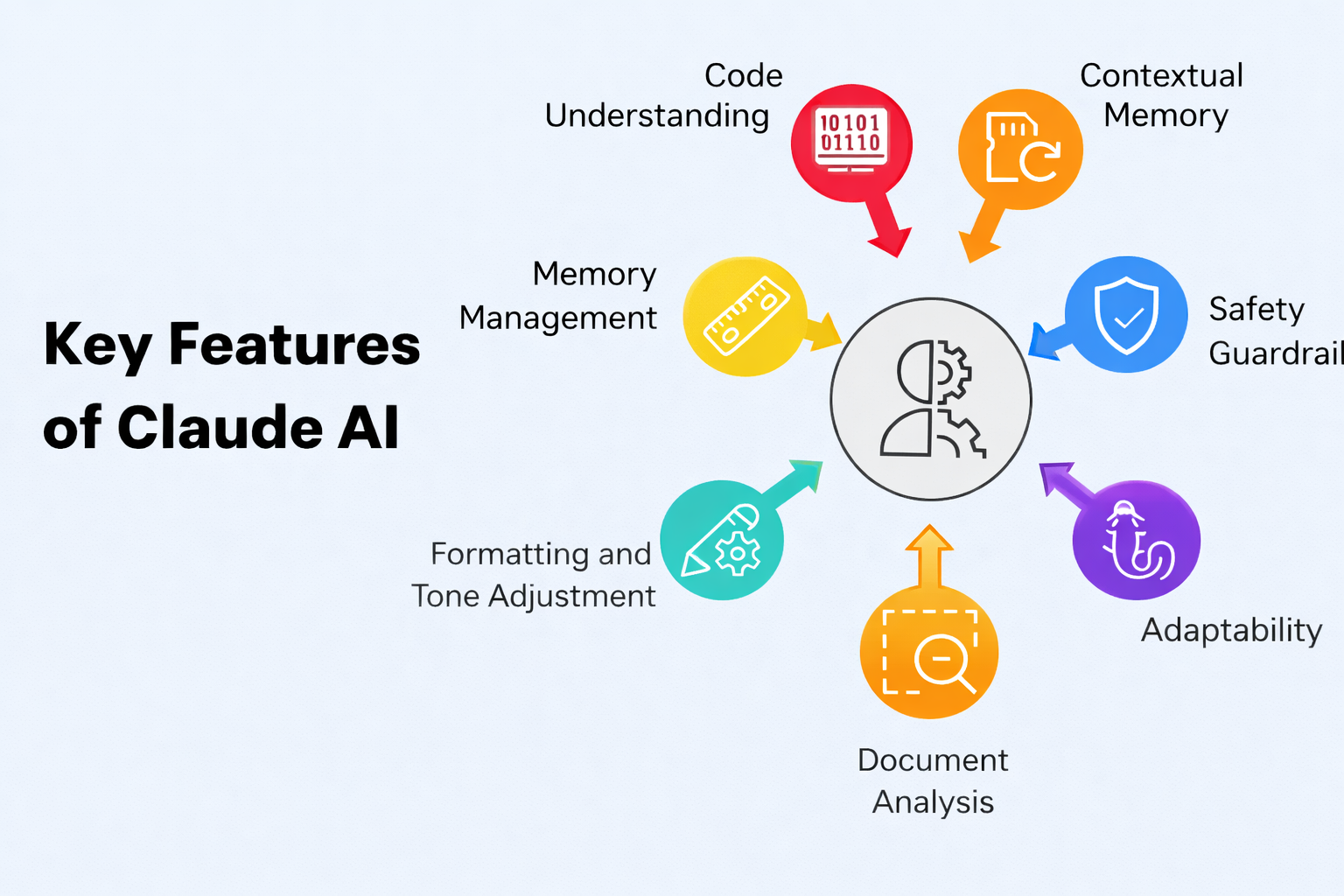
It feels calmer and more thoughtful than most AI chatbots.
Free plan reality in 2025:
Free users get limited daily messages, but Claude handles long content very well even without paid access.
Why it’s worth using:
If you deal with long documents or want cleaner writing, Claude performs better than many tools on free plans.
Best for: Writers, editors, professionals ✍️
🚀 Use Claude Free for Long Writing & Summaries
4. DeepSeek 💻⚙️
What DeepSeek actually does
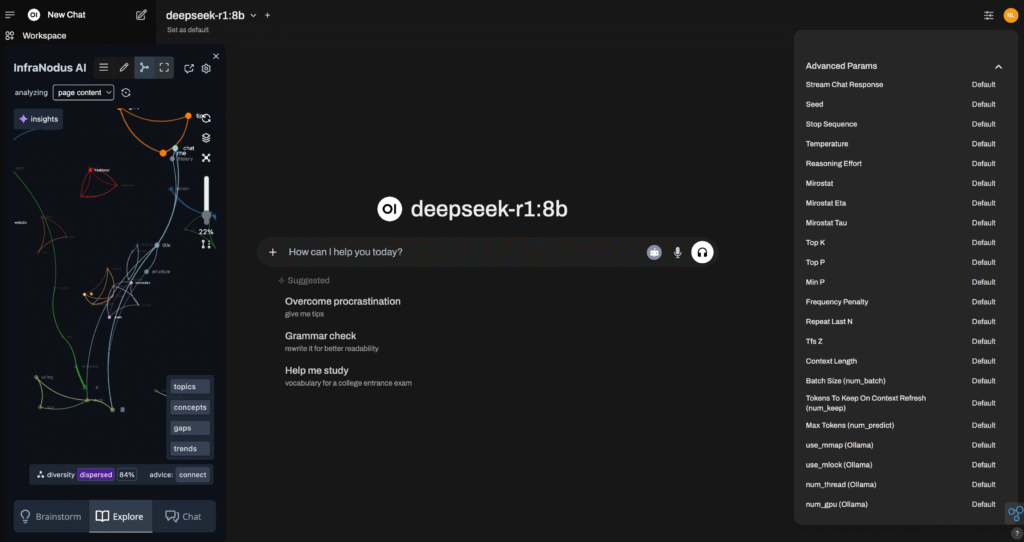
DeepSeek focuses on logic, programming, and technical problem-solving rather than casual conversation.
How people really use it:
Developers and tech learners use DeepSeek for:
- Writing or debugging code
- Understanding programming logic
- Solving technical problems
- Learning new programming concepts
It’s less chatty and more solution-oriented.

Free plan reality in 2025:
The free version is strong for coding tasks, though the interface is simple and not very polished.
Why it’s worth using:
If coding is your main goal, DeepSeek offers excellent value without paying.
Best for: Developers, programmers, tech students 👨💻
🚀 Start Coding Faster with DeepSeek AI
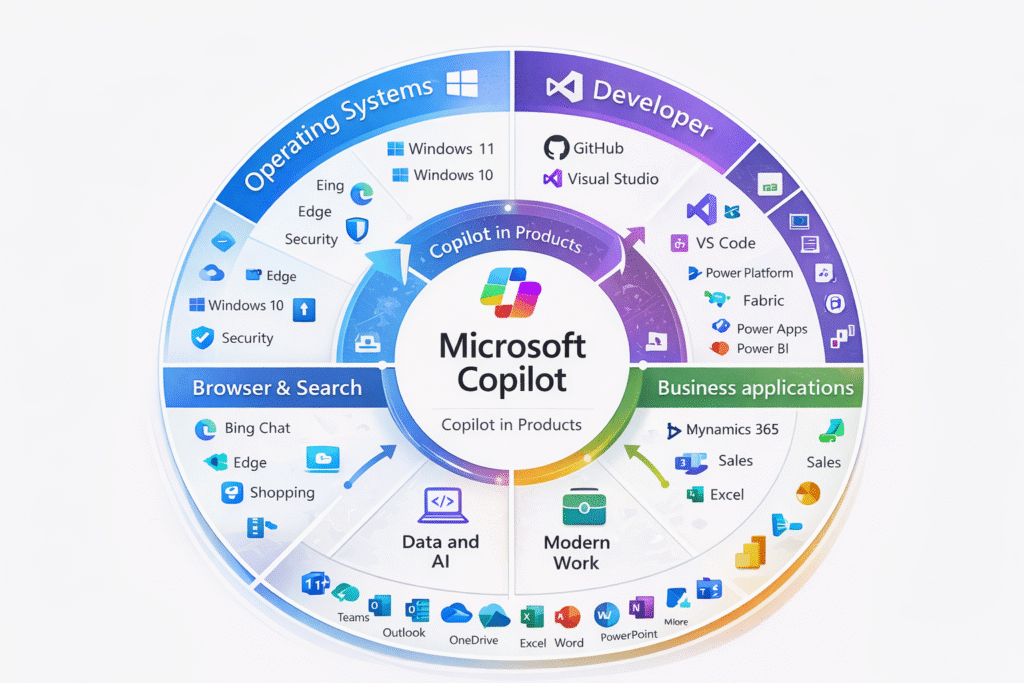
5. Microsoft Copilot 🏢📊
What Microsoft Copilot actually does
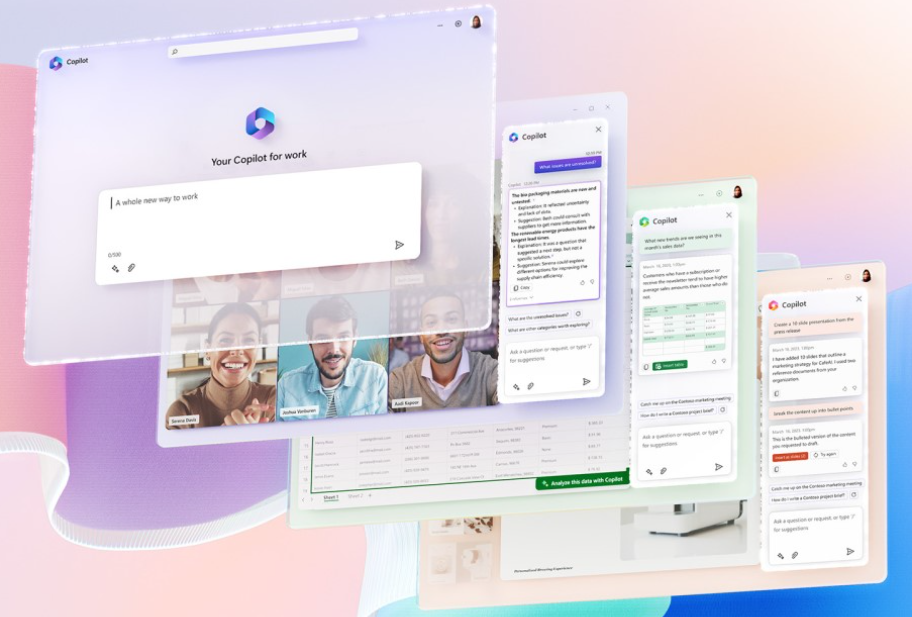
Microsoft Copilot is an AI assistant built into Microsoft tools like Windows, Edge, and Office apps.

How people really use it:
Copilot helps users:
- Draft emails and documents
- Summarize Word files or PDFs
- Plan tasks and meetings
- Improve productivity inside Office apps
It works best if you already use Microsoft products daily.
Free plan reality in 2025:
The free version gives useful AI assistance, but advanced features work better with Microsoft subscriptions.
Why it’s worth using:
For office users, Copilot feels natural because it fits into tools they already use.
Best for: Office workers, business users 🧑💼
🚀 Boost Productivity with Microsoft Copilot Free
📌 Quick Comparison: Best Free AI Tools (Features, Limits & Best For) ⚡🤖
This section is for users who don’t want long explanations and just want to compare tools quickly before choosing one. Google also loves this format for featured snippets and table rankings.
🔍 Key Differences You Should Know
Before the table, here are important comparison factors most articles skip:
- Some tools generate answers, others search the web
- Free plans differ in daily limits vs quality limits
- Not all AI tools are good for accuracy-sensitive work
- Ecosystem lock-in matters (browser, OS, apps)
These points directly affect which tool is best for you, even if all are “free”.

📊 Comparison Table: Best Free AI Tools (2026)
| AI Tool | Free Plan Access | Core Strength | Major Limitation | Best For |
|---|---|---|---|---|
| ChatGPT | Yes (daily limit) | Natural conversation & flexibility | Message cap | Everyday AI tasks |
| Perplexity AI | Yes | Web-based answers with sources | Limited deep searches | Accurate research |
| Claude | Yes (daily cap) | Long text handling | No live web access | Document work |
| DeepSeek | Yes | Logic & programming | Basic interface | Coding tasks |
| Microsoft Copilot | Yes | Microsoft ecosystem support | Ecosystem dependency | Office productivity |
📌 How We Tested These Free AI Tools (Real Use, Real Limits) 🧪🤖
Most articles say “we tested these tools” but never explain what that actually means.
This section exists to be transparent, practical, and honest the kind of content Google rewards and users trust.
✅ Only Free Plans Were Used
Every tool in this list was tested strictly on its free plan.
- No paid trials
- No premium credits
- No temporary upgrades
This matters because free plans behave very differently from paid ones. Limits, speed, and access all change and that’s exactly what most users experience first. If a feature required payment, it was intentionally excluded from testing.
✅ Real Tasks, Not Perfect Demo Prompts
We tested each AI tool on real, everyday tasks that normal users actually perform, not unrealistic demo prompts.
Tasks included:
- Writing short paragraphs and emails
- Summarizing long articles or notes
- Answering general knowledge questions
- Explaining difficult topics in simple language
- Basic coding or logic questions
This approach shows how tools perform under normal usage, not in ideal conditions.

✅ Consistent Testing Conditions for Fair Comparison
To keep results fair:
- The same type of prompts were used across tools
- Similar complexity levels were maintained
- No tool was given an “easier” task than another
This avoids biased results and helps identify true strengths and weaknesses of each free AI tool.
✅ Free Plan Limits Were Actively Tested
We didn’t stop after the first few answers.
We tested:
- How fast free limits are reached
- What happens after daily caps
- Whether responses slow down over time
- If quality drops near usage limits
This is important because many free AI tools perform well initially but become restricted quickly.
✅ Focus on Practical Value, Not Marketing Claims
We ignored:
- Homepage promises
- Feature lists meant for paid users
- Promotional comparisons
Instead, we focused on:
- Usability
- Response clarity
- Accuracy for common tasks
- Overall usefulness without payment
If a tool looked good on paper but felt frustrating in practice, it was rated accordingly.
✅ Beginner-Friendly Testing Mindset
All tools were tested from a beginner’s perspective:
- No advanced prompt engineering
- No technical shortcuts
- Simple, natural language inputs
If a tool required heavy learning or complex commands just to work properly, that was considered a downside.
🔍 Why This Testing Method Matters
This testing process helps:
- Users choose the right free AI tool faster
- Avoid tools that push upgrades too aggressively
- Set realistic expectations before sign-up
More importantly, it ensures the recommendations are based on real usage, not assumptions.
📌 Best Free AI Tools by Use Case (Writing, Research, Coding & Students)
Not every free AI tool is made for the same purpose. One of the biggest mistakes users make is choosing an AI tool just because it’s popular, not because it fits their actual use case. In 2025, selecting the right free AI tool depends more on what you want to do than which tool is trending.

1️⃣ Best Free AI Tools for Writing & Content Creation
If your main goal is writing such as emails, blog drafts, captions, explanations, or rewriting text conversational AI tools work best. Tools like ChatGPT and Claude are strong choices here. They understand context well, generate natural language, and help structure thoughts clearly.
Free versions are ideal for light to moderate writing needs, brainstorming ideas, or improving clarity without sounding robotic.
2️⃣ Best Free AI Tools for Research & Fact-Checking
For research, accuracy matters more than creativity. This is where AI search tools shine. Perplexity AI is especially useful because it provides answers backed by sources.
Instead of guessing or hallucinating, it pulls information from the web, making it suitable for students, bloggers, and professionals who need reliable references. Free access is usually enough for everyday research tasks.
3️⃣ Best Free AI Tools for Coding & Technical Tasks
If you’re working with programming, debugging, or logic-based problems, general AI chat tools may feel limited. Technical-focused models like DeepSeek perform better here.
They are designed to handle structured logic, code explanations, and debugging tasks. Even on free plans, such tools are useful for learning programming concepts or solving coding issues.
4️⃣ Best Free AI Tools for Students & Learning
Students often need help understanding concepts, summarizing notes, or preparing assignments. AI tools that explain topics in simple language are ideal.
Chat-based tools and research-focused AI work well here. Free plans allow students to explore topics, clarify doubts, and study more efficiently without financial pressure.

📌 Free AI Tools vs Paid AI Tools: Comparison Table 🔍🤖
| Aspect | Free AI Tools | Paid AI Tools |
|---|---|---|
| Cost | Completely free | Monthly or yearly subscription |
| Usage Limits | Daily or monthly caps on messages/queries | High or unlimited usage |
| Speed & Performance | Can be slower during peak times | Faster and more stable responses |
| Access to AI Models | Basic or standard models | Latest and more advanced models |
| Advanced Features | Limited or unavailable | Full access (file uploads, tools, plugins, automation) |
| Reliability | May stop working after limits are reached | Consistent performance without interruptions |
| Best For | Beginners, students, casual users | Professionals, businesses, heavy users |
| Learning Curve | Very easy to start | Still easy, but more options to manage |
| Customization & Control | Minimal control | More control and flexibility |
| Upgrade Pressure | Encourages upgrade after limits | No pressure once subscribed |
📌 Limitations of Free AI Tools You Should Know Before Using Them ⚠️🤖
Even though free AI tools are powerful, they come with certain limitations. Knowing these in advance helps you use them better and avoid frustration.
1️⃣ Daily or Monthly Usage Limits
Most free AI tools restrict how many messages, searches, or tasks you can perform in a day. Once this limit is reached, you may need to wait or upgrade. This can be inconvenient if you rely on AI for continuous work.
2️⃣ Slower Response During Peak Hours
Free users often experience slower replies when many people are using the tool at the same time. Paid users usually get priority access, which makes free plans feel delayed during busy hours.
3️⃣ Limited Access to Advanced Features
Features like file uploads, deep analysis, plugins, or automation are usually locked behind paid plans. Free users get only the core AI functionality.
4️⃣ Older or Less Powerful AI Models
Some platforms reserve their latest or most powerful AI models for paid users. Free versions may use lighter models that are still good but slightly less advanced.
5️⃣ No Guarantee of Accuracy
Free AI tools can sometimes provide outdated or incorrect information, especially without live web access. Always double-check important facts.
6️⃣ Privacy & Data Usage Concerns
Free tools may store conversations to improve their systems. Users should avoid sharing sensitive personal or financial information.
7️⃣ Not Suitable for Heavy Professional Use
Free AI tools work best for light or occasional tasks. For full-time professional workflows, limitations become noticeable quickly.
8️⃣ Encourages Upgrade Over Time
Many free tools are designed to push users toward paid plans once limits are reached. This is normal but important to understand.

📌 Conclusion
Free AI tools in 2025 are no longer basic demos or limited experiments. They have become practical, reliable, and powerful enough for everyday tasks like writing, research, coding, and learning. For most users, free plans offer everything needed to explore AI and improve productivity without spending money.
However, the key is using the right tool for the right purpose. Not all AI tools are designed to do the same job, and understanding their strengths and limits makes a big difference in results. When used wisely, free AI tools can save time, simplify complex work, and help users learn faster.
Paid AI tools only become necessary when AI turns into a daily dependency or when higher speed, advanced features, and unlimited access are required. Until then, starting with free AI tools is the smartest and safest approach.
If you’re new to AI or looking to improve your workflow without extra cost, free AI tools are absolutely worth using in 2025. Choose carefully, experiment freely, and upgrade only when the need truly arises.
“RELATED ARTICLES”
Perplexity vs Gemini: Which AI Tool Delivers More?
Best AI Voice Generators: (Top 5 Picks You Should Try)
Frequently Asked Questions ❓🤖
1. Are free AI tools really free to use?
Yes, free AI tools can be used without paying, but most come with usage limits, feature restrictions, or slower performance. You can still complete real tasks, just not at unlimited scale.
2. Which is the best free AI tool overall?
For general use like writing, learning, and daily questions, ChatGPT is considered the best all-round free AI tool. The “best” tool still depends on your use case.
3. Are free AI tools safe and legal to use?
Well-known free AI tools are generally safe and legal when used from official websites. However, avoid sharing sensitive personal, financial, or confidential information on free plans.
4. Can free AI tools replace paid AI tools?
Free AI tools are enough for light to moderate use, learning, and experimentation. For heavy professional work, advanced features, or unlimited usage, paid AI tools are more suitable.
5. Which free AI tool is best for students?
Students benefit most from tools that explain concepts clearly and help with summaries and research. Tools like Claude and Perplexity AI are great for studying and learning.