
If you’re thinking about selling an online course in 2026, DON’T pick a platform blindly.
One wrong choice can limit your course sales, your brand… and your income. Teachable claims it can turn your knowledge into a profitable business even if you’ve never created a course before. Bold promise, right?
Start Your Teachable Journey Now! 🚀
So… is Teachable truly worth your money?
Can it actually help you launch faster, sell more, and scale like a pro?
This review reveals the real strengths, the hidden drawbacks, and whether Teachable is the platform you should bet your success on or avoid completely.
Let’s dive in 👇
💡 What Is Teachable?
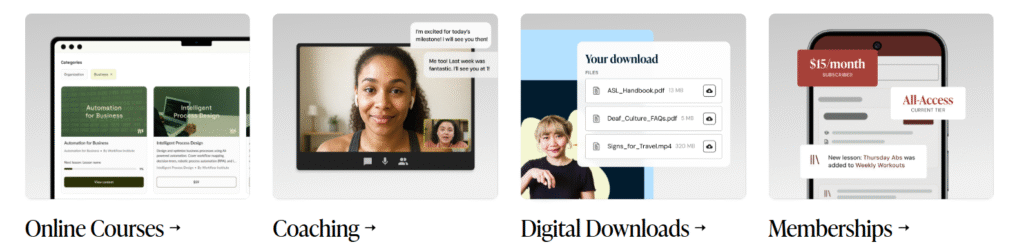
Teachable is an all-in-one online course platform that lets you create, host, and sell digital courses, coaching programs, and training packages without any technical skills.
Think of it as your complete classroom + website + payment system + marketing engine… all combined into one easy tool.
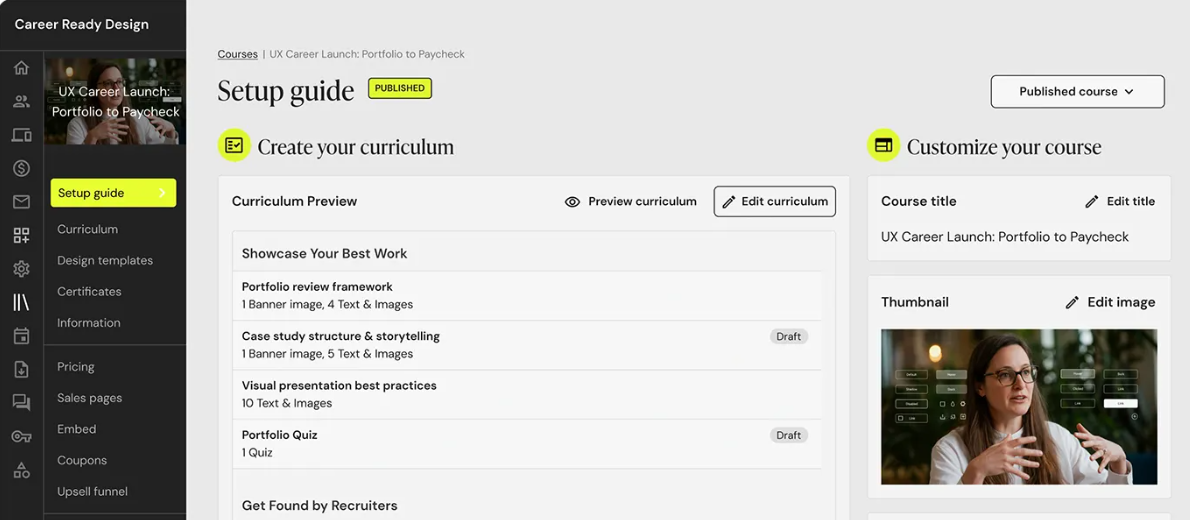
With Teachable, you can:
- Upload lessons in video, PDF, audio, quizzes, downloads, and drip format
- Build a professional course website in minutes (drag-and-drop editor)
- Accept global payments (credit cards, PayPal, etc.)
- Track student progress and performance
- Run affiliate programs to increase sales
- Deliver coaching sessions live or recorded
Everything is designed to help content creators make money from their expertise not get stuck dealing with tech setups.
🎯 Who Is Teachable Best For?
Teachable is a great choice if you:
- Want to start a course business quickly with no coding
- Prefer simple tools that don’t require plugins or IT support
- Want easy monetization (subscriptions, one-time sales, bundles)
- Plan to sell coaching + courses from the same dashboard
- Need built-in marketing tools like upsells and coupons
Perfect for:
👉 Teachers • Coaches • Experts • Influencers • Digital creators
👉 Fitness trainers • Career mentors • Language tutors • Skill coaches
🚫 Who May Not Love Teachable?
Teachable isn’t ideal if you want:
- Deep website design freedom (limited customization vs custom-coded sites)
- Complex corporate-level LMS features
If design control matters more than speed and simplicity might look elsewhere later.
But for most creators starting or scaling Teachable does the job fast and effectively.
⭐ Teachable Key Features (Detailed)
Choosing an online course platform isn’t about who has the longest feature list it’s about who makes your business easier and more profitable. Teachable focuses on simplicity, speed, and real selling power.
Here’s the full breakdown that actually matters 👇
🎥 1️⃣ Course Creation & Content Upload — Turn Knowledge Into Profitable Assets
Teachable gives you multiple content formats so your lessons never feel boring:
- Upload HD videos, PDFs, worksheets, audio files & presentations
- Create interactive quizzes to test learning
- Drip content scheduling keeps students engaged over weeks
- Add downloadable resources for extra value
- Organize everything into structured modules & chapters
💡 Real Advantage:
Even if you hate complicated software, you can build a professional & binge-worthy course in just a few hours no developer needed.
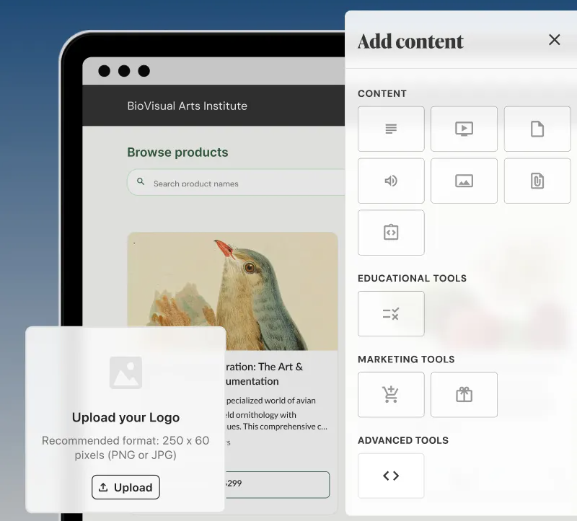
🏫 2️⃣ Website & Course Builder — Professional Look Without Designers
Teachable includes fully hosted course websites and sales pages.
Customize:
- Layouts with drag-and-drop tools
- Branding elements (logo, colors, fonts, domain name)
- Course player that looks great on mobile & desktop
- Conversion-focused templates for course landing pages
💡 Real Advantage:
Your learning website looks like a premium academy, boosting trust → boosting sales.
Unlock Your Course Creation Success! 🚀
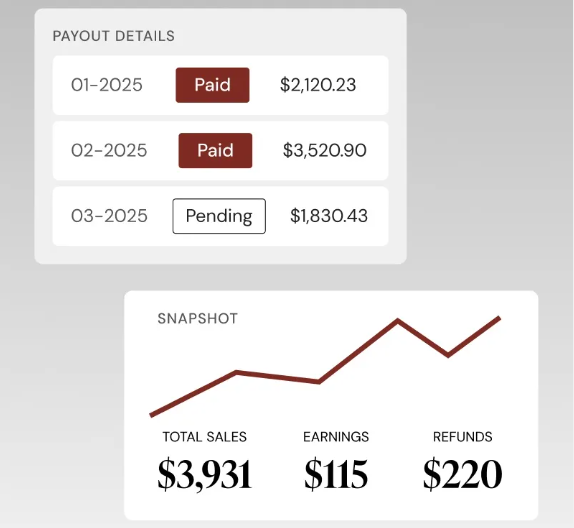
💳 3️⃣ Payments & Monetization — You Sell, Teachable Handles The Money
Teachable supports global payments:
✔️ Teachable Pay (fast payout setup)
✔️ PayPal, credit/debit cards
✔️ Apple Pay / Google Pay
✔️ Taxes, invoices, currency conversions auto-managed
Pricing models:
- One-time lifetime price
- Subscription memberships
- Monthly installment plans
- Course bundles and upgrades
💡 Real Advantage:
You make money from day one, and you can optimize pricing to match your audience not the platform.
📈 4️⃣ Marketing, Funnels & Sales Tools — Sell More With Same Effort
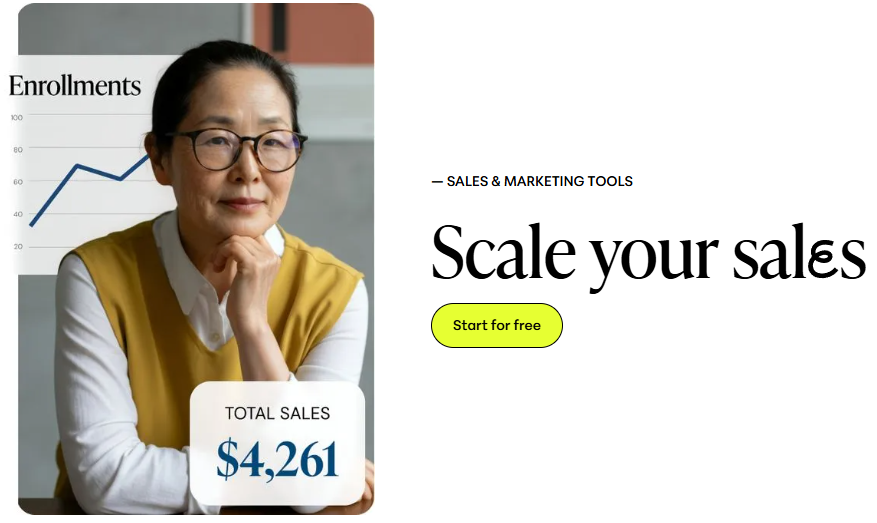
Teachable helps you market smarter:
- Coupons & discount codes (great for promos & urgency offers)
- Upsells built into checkout increase order value instantly
- Free sales landing page creator
- Affiliate system to let others promote your course
- Email automation support via integrations
💡 Real Advantage:
These tools help creators increase conversion rate 20–50% without spending extra on external marketing apps.
🎯 5️⃣ Student Management & Analytics — Know What Works, Fix What Doesn’t
Inside the dashboard:
- Track lesson completion & dropout points
- Monitor revenue, sales channels & conversion rate
- Check student comments & activity for engagement signals
💡 Real Advantage:
Data tells you what students love, so you improve faster and sell your next course confidently.
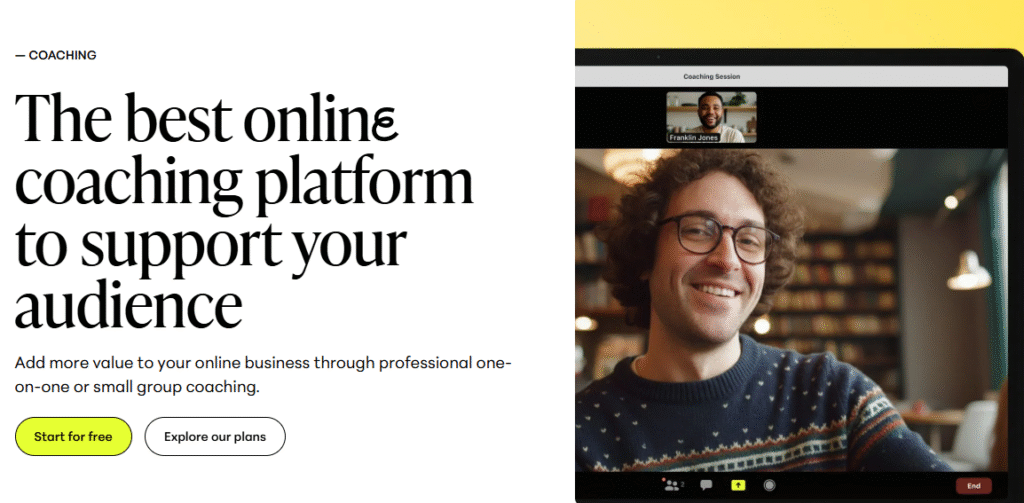
🧩 6️⃣ Coaching, Workshops & Digital Product Support — Not Just Courses
Sell a complete knowledge & coaching business:
- 1:1 Coaching programs with milestone tracking
- Group coaching sessions
- Webinars, masterclasses, and paid workshops
- Digital downloads and community-style offers
💡 Real Advantage:
You can diversify income multiple revenue streams from one platform.
💰 Teachable Pricing (2026 Updated)
Teachable offers four pricing plans, all billed annually, each designed for different business stages from launching your first course to scaling a full academy.
Here’s the simple breakdown 👇
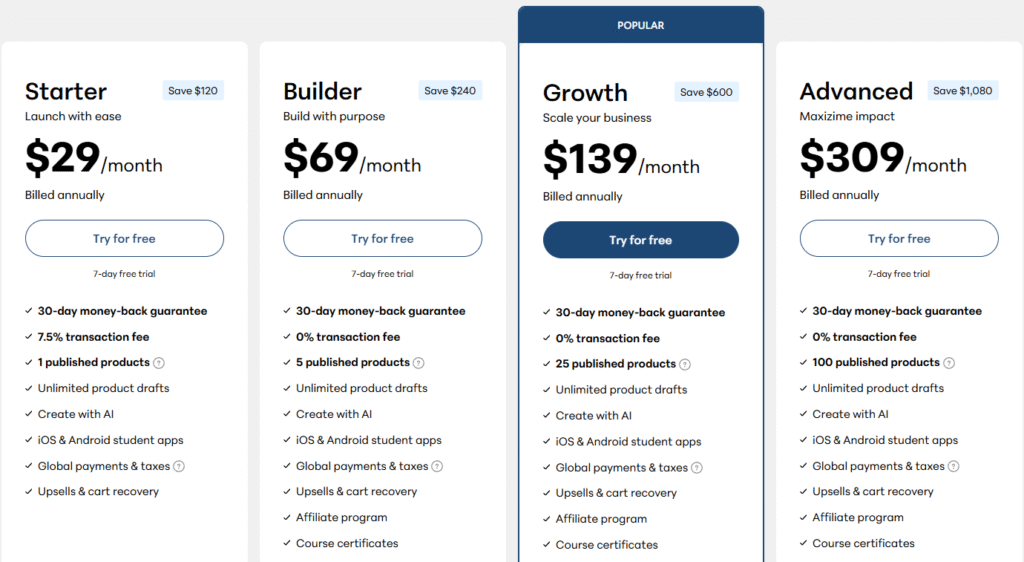
1. 🟦 Starter Plan: $29/month (Billed Annually)
Best for: Beginners testing their first paid course
Includes:
- 1 published product (course/coaching)
- Unlimited product drafts
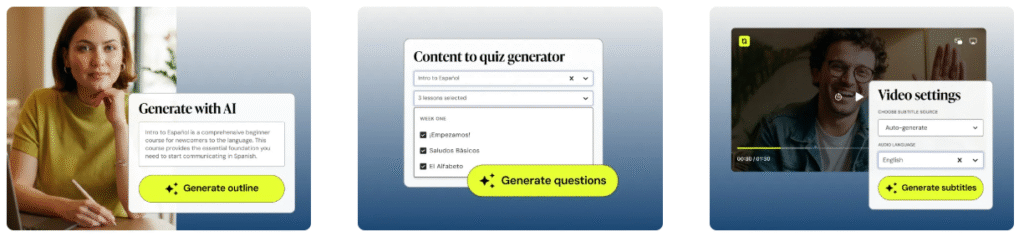
- Create with AI (course building assistant)
- iOS & Android student apps
- Global payments & taxes handled for you
- Upsells & cart recovery
- 30-day money-back guarantee
- 7.5% transaction fee per sale (important!)
💡 Why choose this plan?
Low-cost entry without commitment launch quickly and learn what sells.
2. 🟩 Builder Plan: $69/month (Billed Annually)
Best value for growing creators
Includes everything in Starter +:
- 5 published products
- 0% transaction fee 🎉
- Affiliate program
- Course certificates for students
💡 Why choose this plan?
If you want multiple products + zero fees, this is the most economical option.
3. 🔷 Growth Plan: $139/month (Billed Annually)
⭐ Most Popular — Made for serious business scaling
Includes everything in Builder +:
- 25 published products
- Better control over branding & automations
- Accelerated growth tools for sales
💡 Why choose this plan?
You’re selling actively and need more products + advanced resources to scale revenue.
4. 🟨 Advanced Plan: $309/month (Billed Annually)
Best for enterprise-level course platforms
Includes everything in Growth +:
- 100 published products
- Priority support
- Advanced customization & integrations
💡 Why choose this plan?
For large course academies or creators running multiple high-ticket programs.
⭐ Why Use Teachable? (Pros, Strengths & Real Benefits)
Choosing Teachable isn’t just about features it’s about faster launch, easier selling, and maximum earning potential. Here’s what makes creators love it 👇
✅ What Teachable Does Really Well
🔹 1️⃣ Beginner-Friendly Platform
No coding, no complex setup even first-time creators can publish a course in hours.
Benefit: You focus on content & marketing, not struggling with tech.
🔹 2️⃣ Built-in Payments, Sales & Marketing Tools
Coupons, affiliates, upsells, cart recovery Teachable drives conversions for you.
Benefit: Sell more with zero extra apps or software subscriptions.
🔹 3️⃣ Multiple Product Types (Courses + Coaching + Bundles)
You’re not limited to traditional courses you can sell coaching programs, workshops, memberships, digital downloads.
Benefit: Multiple revenue streams from one platform.
🔹 4️⃣ Mobile Student Apps Included
Teachable offers iOS & Android apps so students learn anytime.
Benefit: Higher completion rates → happier customers → better reviews.
🔹 5️⃣ Advanced Analytics & Student Tracking
You get data on what’s working revenue, drop-off points, engagement.
Benefit: Improve faster & scale profitable topics only.
🔹 6️⃣ Secure Hosting, Global Payments & Tax Handling
Teachable manages compliance, payouts, refund rules, VAT/GST, etc.
Benefit: You operate a global business without legal/tech restrictions.
🔹 7️⃣ Trusted Community & Support Resources
Teachable has a large creator community, tutorials & webinars.
Benefit: You are never alone while growing.
💎 Bottom Line — Pros
Teachable removes friction, so you spend time earning not learning software.
❌ What Could Be Better / Limitations
Being honest helps build trust and Teachable has drawbacks too 👇
🚫 1️⃣ Limited Website Design Customization
You can’t fully modify layouts like a custom WordPress site.
Impact: Not ideal for brands needing pixel-perfect control.
🚫 2️⃣ Starter Plan Has 7.5% Transaction Fee
Low entry price, but high fees eat profit once you start selling.
Impact: You must upgrade eventually.
🚫 3️⃣ Some Marketing Tools Depend on Integrations
Email automation & CRM depth require external tools.
Impact: Advanced marketers may need extra systems.
🚫 4️⃣ No Native Community Platform (Compared to Kajabi)
There’s no built-in full-community social space.
Impact: Creators wanting community + course together might look elsewhere.
⚖️ Bottom Line — Cons
If you need deep customization or you’re allergic to platform fees consider Builder/Growth plans or alternatives.
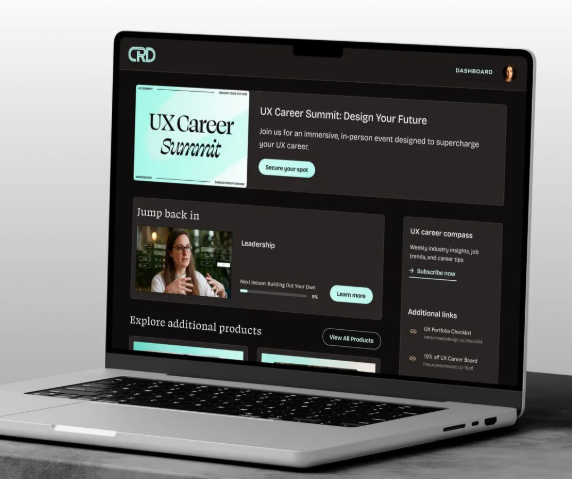
“Teachable lacks some AI features found in newer platforms. Learn more about AI-driven alternatives here.
✅ Pros & ❌ Cons of Teachable
Pros
- ✓ User-friendly with drag-and-drop course builder
- ✓ All-in-one platform: course creation, payments, and marketing tools
- ✓ Zero tech skills needed to get started
- ✓ Affiliate program to boost sales
- ✓ Mobile apps for students (iOS & Android)
- ✓ Customer support is fast and helpful
Cons
- ✕ Transaction fees (7.5%) on Starter plan
- ✕ Limited design customization options
- ✕ Higher pricing for advanced features (Growth and Advanced plans)
Join Teachable & Start Earning! 🚀
📌 Use Cases – Who is Teachable Best For?
Teachable is designed for creators and businesses looking to monetize knowledge. Here’s who benefits the most:
A. 🎓 E-Learning Creators
Perfect for individuals or small teams who want to create, host, and sell courses with minimal tech effort. Whether you’re teaching a skill, sharing knowledge, or providing certifications Teachable’s tools are built for you.
B. 🏋️ Coaches & Trainers
Ideal for fitness trainers, life coaches, business mentors, and anyone offering coaching. Teachable allows you to sell both courses and live coaching sessions, making it a go-to platform for 1:1 and group coaching.
C. 💼 Small Businesses / Solopreneurs
Small businesses, entrepreneurs, and solopreneurs can use Teachable to build an online learning ecosystem alongside their products or services. Whether it’s training materials, client education, or branded courses it works seamlessly.
D. 🏢 Larger Organizations / Educators
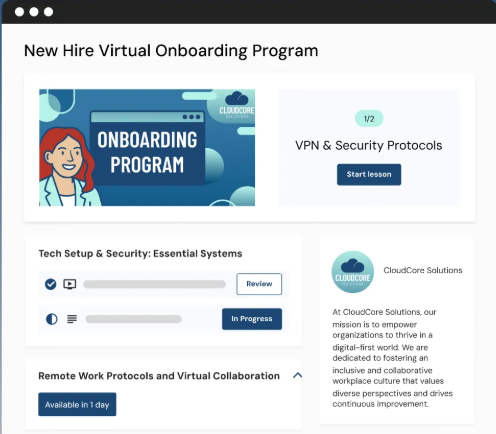
While Teachable is excellent for individual creators, larger organizations offering professional development, corporate training, or college-level courses might find it useful, though they may require some integrations.
⚔️ Teachable vs Alternatives: Quick Comparison
When comparing Teachable to other platforms, here’s how it stacks up:
| Feature | Teachable | Thinkific | Kajabi |
|---|---|---|---|
| Ease of Use | Very user-friendly | Simple, but less customizable | Highly customizable, but complex |
| Pricing | Affordable, low fees | Higher base pricing | Most expensive option |
| Transaction Fees | Yes (7.5% on Starter) | No transaction fees | No transaction fees |
| Marketing Tools | Built-in sales tools | Basic marketing tools | Advanced, but pricey |
| Best for | New & growing creators | Small businesses, entrepreneurs | Large businesses & pro creators |
Verdict: Teachable stands out for beginners and small businesses, while Kajabi and Thinkific cater more to businesses needing advanced features or larger-scale solutions.
🖥️ User Experience, Ease of Use & Onboarding
Teachable shines when it comes to ease of use:
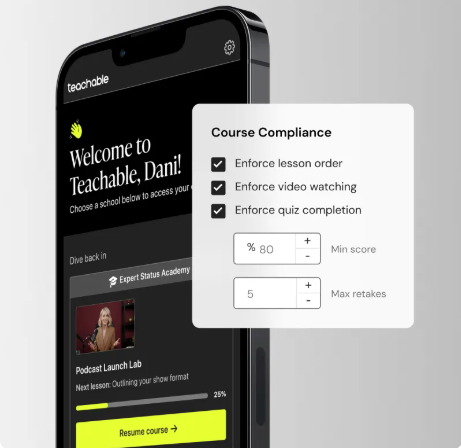
- No tech skills required: Drag-and-drop course builder
- Onboarding: Fast, guided setup process
- Student management: Clear and easy to track student progress
- Mobile-ready: Both creators and students can access courses via iOS/Android apps
Benefit: It’s a smooth experience for beginners who want to get up and running quickly.
🔒 Performance, Security & Reliability Teachable ensures:
- 99.9% uptime so your courses are always available
- Secure payments via Stripe & PayPal
- Compliance with global data protection standards (GDPR)
- Fast-loading pages for a smooth user experience
Teachable offers reliable, secure performance for creators who value peace of mind while scaling their courses.
Get Started with Teachable – It’s Free! 🚀
🎯 Final Verdict: Is Teachable Worth It?
Teachable is an excellent choice for creators who want to quickly launch and scale online courses with minimal tech hassle.
It provides an easy-to-use, all-in-one platform for creating courses, managing students, and handling payments.
The 7.5% transaction fees on the Starter plan and limited customization options may be drawbacks for some, especially as you grow.
However, for beginners or solopreneurs looking for a simple, effective platform to monetize their knowledge, Teachable offers incredible value.
Verdict: Teachable is a top-tier platform for most creators. If you’re just starting or growing your course business, it’s definitely worth considering.
RELATED ARTICLES
- Notta AI Review: Features, Accuracy & Is It Worth It?
- ManyChat Review: DM Automation That Sells for You
❓ FAQs
1. Can I host unlimited courses on Teachable?
No, course limits depend on the plan (1 on Starter, 5 on Builder, 25 on Growth, 100 on Advanced).
2. What types of content can I upload to Teachable?
You can upload videos, PDFs, quizzes, assignments, and audio files.
3. Does Teachable integrate with other tools?
Yes, it integrates with tools like Mailchimp, Zapier, Stripe, and PayPal.
4. Is Teachable good for selling high-ticket courses?
Yes, but the 7.5% transaction fee on the Starter plan can affect profits for high-ticket courses.
5. How long does it take to set up a course on Teachable?
You can set up a course in just a few hours using Teachable’s drag-and-drop builder.