
Searching for a better way to create, send, and sign documents without use of PandaDoc? 🌟
If yes, you’re in the right place. ✅

In this guide on the Best PandaDoc Alternatives, we compare top tools like DocuSign, Adobe Sign, Proposify, SignNow, HyperStart, and Qwilr to help you find the right fit.
Whether you’re a freelancer, sales team, or enterprise user, this article breaks down which platform works best for proposals, eSignatures, automation, and scalability so you can choose with clarity and confidence.
#1. Docusign 🏆
DocuSign is a digital agreement platform that helps businesses send, sign, and manage documents online. It is best known for electronic signatures, but today it goes far beyond just signing files.
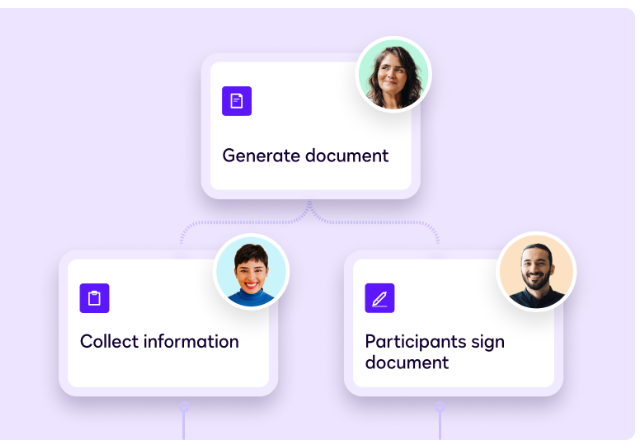
DocuSign allows teams to handle the full agreement process from document creation to approval, signing, and storage in one secure place.
Key Features of DocuSign 🌟
- Electronic Signatures (eSignature)
DocuSign allows users to send and sign documents digitally from any device, making approvals faster without printing or scanning. It helps teams complete agreements quickly and securely. - Intelligent Agreement Management (IAM)
DocuSign uses AI to analyze agreements, track key terms, and send reminders for deadlines or renewals. This reduces manual effort and improves visibility across all contracts.
- Workflow & Process Automation
DocuSign lets you create automated approval and signing workflows without coding. This removes repeated follow-ups and speeds up agreement completion across teams. - Contract Lifecycle Management (CLM)
DocuSign manages contracts from creation to signing and storage in one central system. Agreements stay organized, searchable, and easy to manage at scale. - Enterprise Security & Compliance
DocuSign follows strict global security and compliance standards with audit trails and authentication. This makes it a trusted solution for enterprises and regulated industries.
Pricing Plans of DocuSign 💰
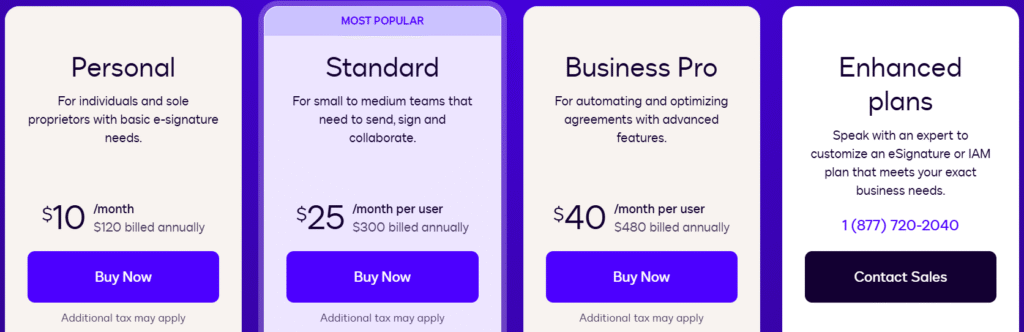
- Personal Plan ($10/month) – Best for individuals and solo users who need basic eSignature features with limited document sending.
- Standard Plan ($25/month/user) – Ideal for small to mid-size teams that need collaboration, shared templates, and higher envelope limits.
- Business Pro Plan ($40/month/user) – Designed for advanced workflows with web forms, payment collection, bulk sending, and automation features.
- Enhanced / IAM Plans (Custom Pricing) – Built for enterprises that need unlimited envelopes, AI-powered agreement management, SSO, and full workflow customization.
Pros & Cons of DocuSign 🚀
#2. Adobe Sign
Adobe Sign is an electronic signature solution built into Adobe Acrobat that helps businesses send, sign, track, and manage documents digitally.
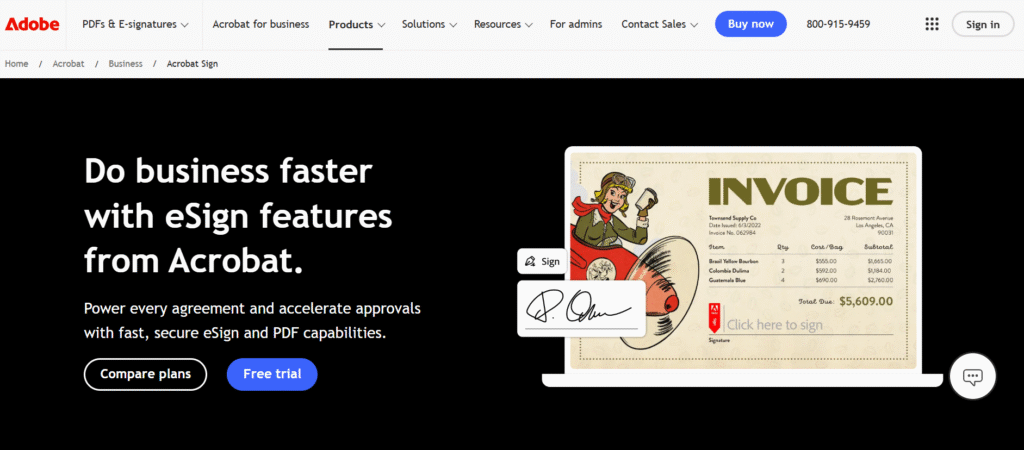
It is designed for teams and enterprises that already work with PDFs and want a fast, secure way to complete agreements without switching tools.
Key Features of Adobe Sign 🌟
- Fast & Secure eSignatures
Adobe Sign lets you send and collect eSignatures from anywhere using desktop or mobile devices. It supports signing by multiple recipients at once with a smooth, guided signing experience. This helps businesses close agreements faster. - Powerful PDF Tools Built-In
Adobe Sign is deeply integrated with Adobe Acrobat, allowing users to create, edit, fill, and sign PDFs in one place. You can add forms, fields, and annotations without using separate tools. This makes document handling simple and efficient.

- Unlimited eSignatures for Teams
With Acrobat Sign team plans, there are no usage caps on eSignatures. Businesses can collect an unlimited number of signatures without worrying about limits. This is ideal for high-volume document workflows. - Admin Control & License Management
Adobe Sign offers a central Admin Console to manage users, licenses, and billing. Admins can easily assign or reassign licenses as teams grow. This keeps costs predictable and access controlled. - Enterprise-Grade Security & Compliance
Adobe Sign includes built-in security, audit trails, and compliance controls. It meets global standards required by enterprises and regulated industries. This ensures documents stay secure and legally valid.
Pricing Plans of Adobe Sign 💰
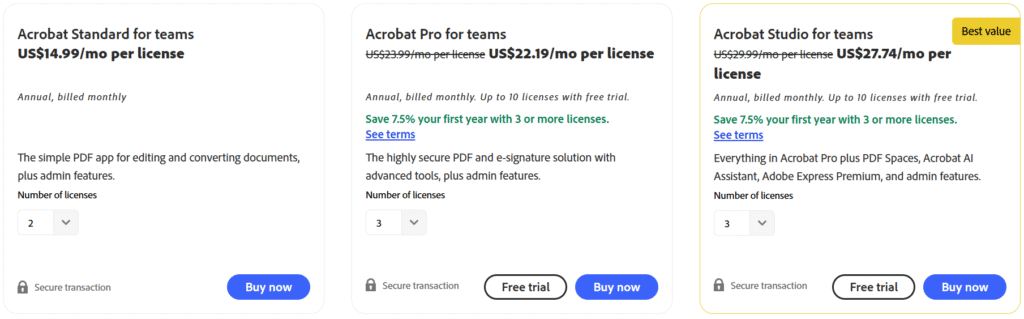
- Acrobat Standard for Teams ($14.99/user/month) – Best for small teams that need basic PDF editing, conversion, and signing with admin controls.
- Acrobat Pro for Teams ($23.99/user/month) – Ideal for businesses needing advanced PDF tools, eSignatures, integrations, and enhanced security.
- Acrobat Studio for Teams ($29.99/user/month) – Best value for teams that want AI-powered PDF tools, Acrobat AI Assistant, Adobe Express Premium, and full admin features.
Pros & Cons of Adobe Sign 🚀
#3. SignNow
SignNow is an electronic signature and document workflow platform designed to help businesses send, sign, and manage documents online. It focuses on fast signing, strong security, and simple automation without making the system feel heavy or complex.
SignNow is commonly used by small to mid-sized businesses, HR teams, legal departments, and sales teams that need reliable eSignature functionality at a more affordable price.
Key Features of SignNow ✨
- Fast & Secure eSignatures
SignNow allows users to send and sign documents from any device with legally binding eSignatures. The signing process is simple and optimized for speed, reducing delays in approvals. - Document Templates & Reusable Forms
Users can create reusable templates and forms to avoid rebuilding documents every time. This helps standardize contracts and saves time for recurring workflows.

- Bulk Send & Team Collaboration
SignNow supports bulk sending documents to multiple recipients at once. Teams can collaborate, track document status, and manage signing progress in real time. - Workflow Automation & Integrations
The platform offers basic automation for document routing and approvals. It also integrates with popular tools and cloud storage services to fit into existing workflows. - Security & Compliance Controls
SignNow includes audit trails, authentication, and compliance with industry standards. This ensures documents remain secure and legally valid throughout the signing process.
Pricing Plans of SignNow 💰
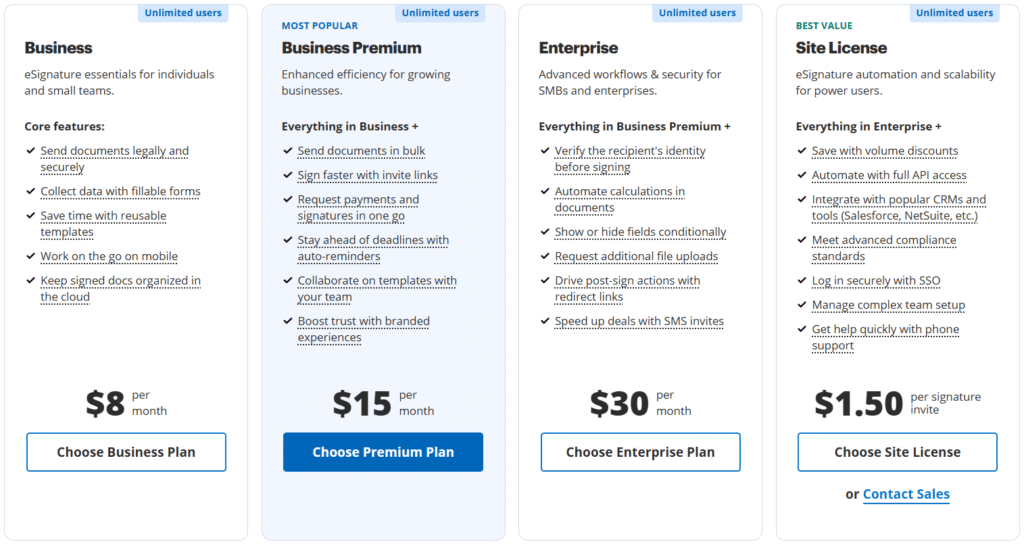
- Business Plan ($8/month) – Best for individuals and small teams needing legally binding eSignatures, templates, mobile signing, and cloud document storage.
- Business Premium ($15/month) – Ideal for growing teams that need bulk sending, payment collection, auto-reminders, branded signing, and team collaboration.
- Enterprise Plan ($30/month) – Designed for businesses that require advanced workflows, identity verification, conditional fields, SMS invites, and higher security controls.
- Site License ($1.50 per signature invite) – Best for high-volume users who need full API access, CRM integrations, SSO, advanced compliance, and enterprise-level scalability.
Pros & Cons of SignNow 🚀
#4. Proposify
Proposify is a proposal management and sales document platform built to help teams create, send, track, and sign professional proposals faster. It focuses on branded proposal design, sales workflow control, and real-time engagement tracking so teams can close deals with more confidence.
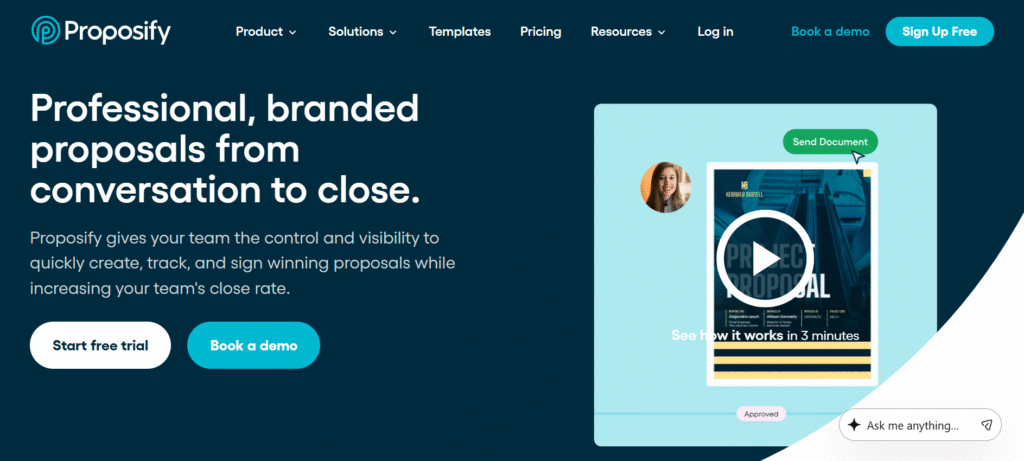
Proposify is widely used by sales, marketing, and operations teams in industries like consulting, construction, services, and agencies.
Key Features of Proposify ⚡
- Branded Proposal Builder
Proposify offers a drag-and-drop editor that helps teams create visually rich, on-brand proposals without design skills. Templates and locked sections ensure consistency while still allowing reps to customize content for each deal. - Proposal Tracking & Analytics
The platform shows when a prospect opens a proposal, how much time they spend on each section, and what content gets the most attention. This insight helps sales teams follow up at the right time and address objections faster.

- Template Library & Content Control
Teams can store approved templates, pricing tables, and content blocks in a centralized library. This reduces errors, speeds up proposal creation, and keeps sellers aligned with company standards. - CRM & Tool Integrations
Proposify integrates with popular CRMs and sales tools like HubSpot, Salesforce, Zoho, and Pipedrive. Data sync reduces manual entry and ensures proposals always reflect accurate customer and pricing details. - eSignatures & Workflow Automation
Built-in eSignatures allow prospects to sign proposals from any device. Approval workflows and role-based permissions help teams move deals forward without bottlenecks or unnecessary back-and-forth.
Pricing Plans of Proposify 💰
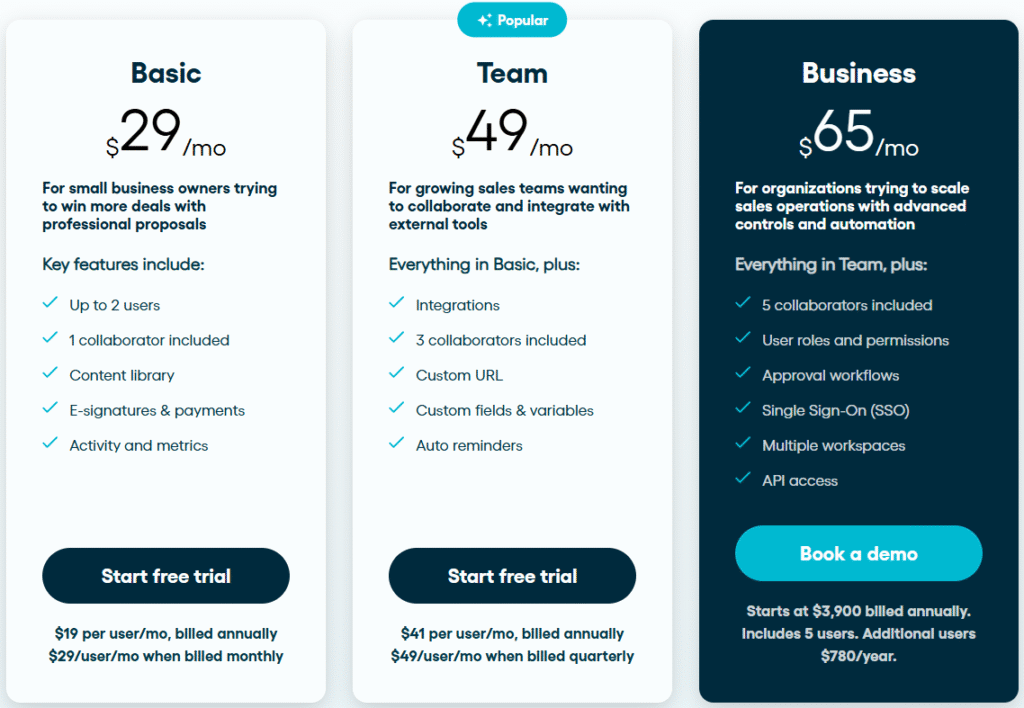
- Basic Plan ($29/month) – Best for small businesses that need professional proposals, eSignatures, payments, and basic activity tracking with limited users.
- Team Plan ($49/month) – Ideal for growing sales teams that want collaboration, CRM integrations, custom fields, auto-reminders, and branded proposal URLs.
- Business Plan (Starts at $3,900/year) – Built for scaling organizations that need advanced controls like approval workflows, SSO, multiple workspaces, user roles, and API access.
Pros & Cons of Proposify 🚀
#5. Qwilr
Qwilr is a sales proposal and quoting platform that helps teams replace static PDFs with interactive, web-based proposals.
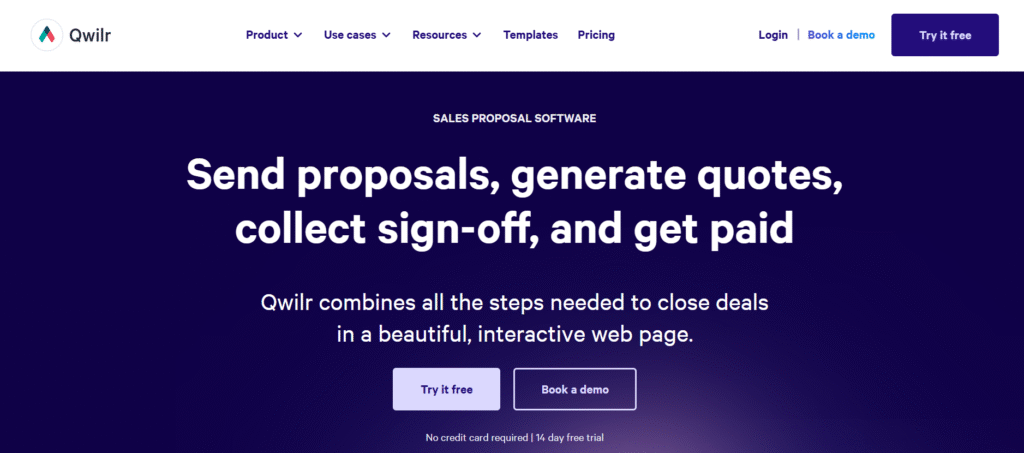
Instead of sending documents back and forth, Qwilr lets you share a single live link where prospects can view proposals, approve deals, sign, and even pay.
Key Features of Qwilr ✨
- Interactive Web-Based Proposals
Qwilr creates proposals as interactive web pages instead of PDFs. Buyers can scroll, click, and engage with content smoothly, which feels more modern and professional. This improves attention and reduces friction during decision-making. - AI Proposal Creator
The AI Creator helps teams instantly generate proposal layouts using existing website content. This saves time and ensures proposals stay consistent with brand messaging. It’s especially useful for high-volume sales teams.

- Real-Time Analytics & Engagement Tracking
Qwilr shows when a proposal is opened, how long buyers spend on each section, and what they focus on most. These insights help sales reps follow up at the right moment and close deals faster. - Built-In Payments & eSignatures
With Qwilr, prospects can sign agreements and complete payments directly inside the proposal. This removes extra steps and speeds up the sales cycle significantly. - CRM & Tool Integrations
Qwilr integrates with major CRMs and tools like HubSpot, Salesforce, Zoho, Pipedrive, QuickBooks, and Stripe. This keeps data synced and reduces manual work for sales teams.
Pricing Plans of Qwilr 💰
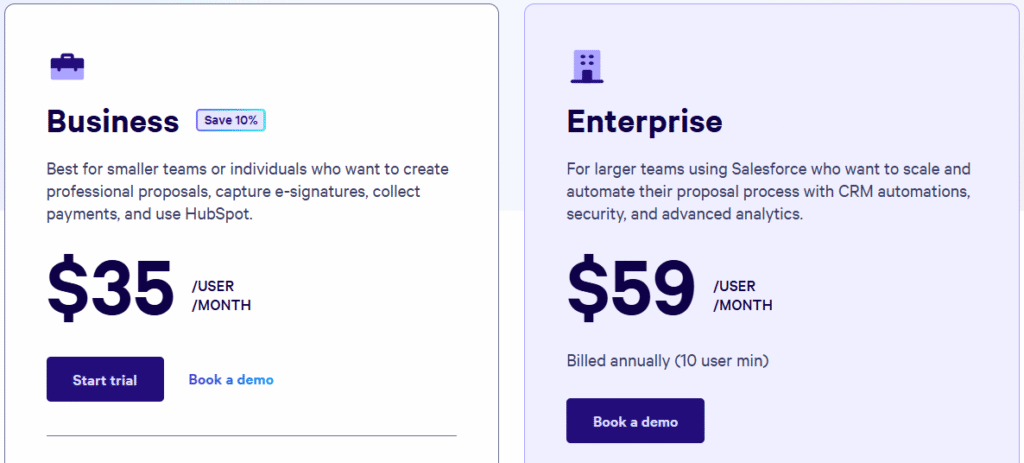
- Business ($35/user/month) – Interactive proposals with eSignatures, payments, analytics, and HubSpot integration.
- Enterprise ($59/user/month) – Advanced automation, security, permissions, identity verification, and CRM integrations.
Pros & Cons of Qwilr 🚀
#6. OneSpan Sign
OneSpan Sign is an enterprise-grade electronic signature solution built for organizations that need maximum security, compliance, and control over document signing.
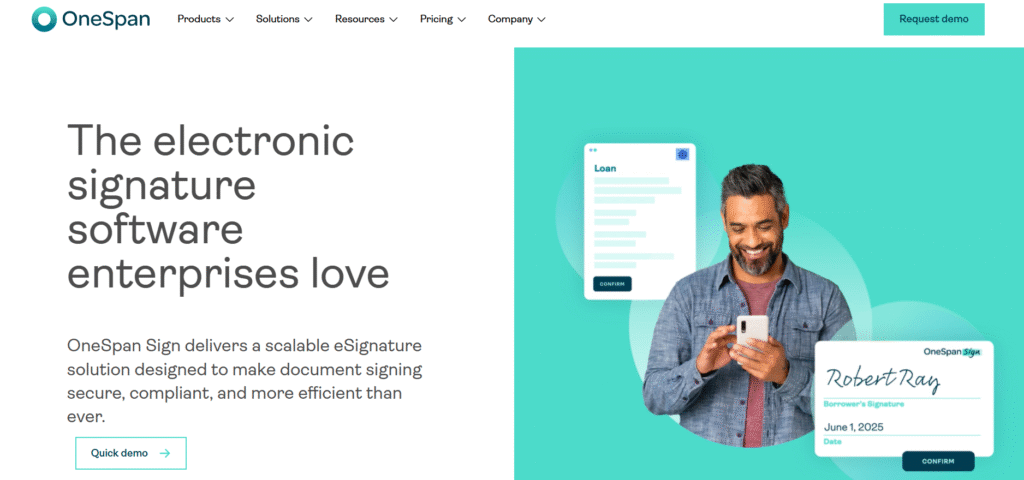
It is widely used in industries like banking, insurance, healthcare, and government where trust and identity verification are critical.
Key Features of OneSpan Sign ✨
- Enterprise-Grade eSignatures
OneSpan Sign enables legally binding electronic signatures optimized for high-volume, mission-critical workflows. It supports complex signing scenarios across web and mobile while maintaining speed and reliability. Enterprises can standardize signing across departments. - White-Label Branding
The platform allows full white-label customization of the signing interface, emails, and notifications. This builds trust with signers by keeping the experience fully on-brand. It also improves completion rates and user confidence.

- Advanced Identity Verification
OneSpan Sign offers strong signer authentication, including identity verification and liveness detection. These features help prevent fraud and ensure the signer is who they claim to be. This is especially important in regulated industries. - APIs & Enterprise Integrations
With powerful APIs and integrations, OneSpan Sign can be deployed across multiple use cases within an organization. It integrates with enterprise systems to reduce manual work and lower total cost of ownership. - Compliance & Audit Trails
Every transaction is backed by detailed audit trails and compliance-ready documentation. OneSpan Sign meets strict global security and regulatory standards. This makes it suitable for audits, legal validation, and long-term record keeping.
Pricing Plans of OneSpan Sign 🤑
- Volume-Based Pricing Model – OneSpan Sign does not use fixed monthly plans; pricing is based on the number of eSignature transactions you need.
- Pay for What You Use – You can choose a specific transaction count or a flexible usage band if your volume is uncertain.
- Built for High-Volume Workflows – Ideal for enterprises handling large numbers of automated signature requests across departments.
- Core Features Included – Desktop & mobile signing, reusable templates, bulk send, embedded signing, APIs, and white-label branding are part of the base offering.
Pros & Cons of OneSpan Sign 🚀
Which Is Best PandaDoc Alternative? 🏆
Choosing the right PandaDoc alternative really depends on what you value most.
Tools like Proposify and Qwilr shine for sales teams that want beautiful, interactive proposals and better engagement tracking.
Adobe Sign works well for PDF-heavy businesses already using Acrobat, while SignNow is a solid option for teams that want simple, affordable eSignatures. OneSpan Sign clearly targets enterprises that care deeply about security, identity verification, and compliance.
Why Docusign Is Best? 👌
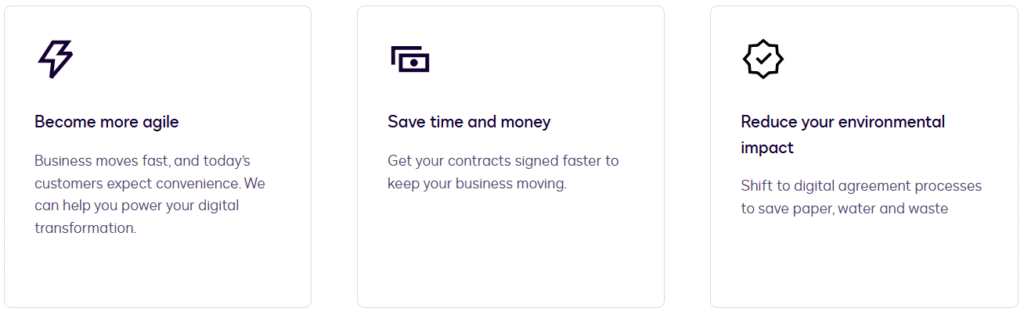
DocuSign wins because it’s the most complete, future-proof solution. It goes far beyond proposals and eSignatures by offering full agreement lifecycle management, deep automation, and enterprise-grade security.

Whether you’re closing sales deals, onboarding employees, managing contracts, or handling regulated documents, DocuSign handles it all reliably.
It’s trusted globally, scales effortlessly as businesses grow, and meets strict compliance standards that many competitors simply can’t match. If you want a PandaDoc alternative that won’t limit you as your workflows become more complex, DocuSign is the safest and smartest long-term choice.
Conclusion 🔥
PandaDoc is a solid tool, but it’s not the best fit for everyone. As your business grows, you may need stronger security, better automation, deeper integrations, or a platform that works beyond just sales proposals.

That’s where PandaDoc alternatives like Proposify, Qwilr, Adobe Sign, SignNow, OneSpan Sign, and others clearly stand out—each solving a specific gap PandaDoc may leave behind.
However, if you’re looking for the most reliable, scalable, and future-ready alternative, DocuSign clearly takes the lead. It offers unmatched trust, global compliance, and flexibility across sales, legal, HR, and enterprise workflows. For businesses that want a long-term solution without switching tools again later, DocuSign is the smartest PandaDoc alternative to choose.
Quick Links:
FAQs 💬
1. Can PandaDoc alternatives be used without a CRM?
Yes, most PandaDoc alternatives work as standalone tools and only connect to a CRM if you choose to integrate one.
2. Are these tools legally valid for international contracts?
Yes, top tools like DocuSign, Adobe Sign, and OneSpan Sign support legally binding eSignatures across multiple countries.
3. Which PandaDoc alternative is easiest to set up?
SignNow and Qwilr are generally the quickest to set up with minimal onboarding.
4. Do PandaDoc alternatives support team collaboration?
Most platforms offer shared templates, user roles, approvals, and real-time collaboration features.
5. Can I switch from PandaDoc without losing old documents?
Yes, many tools allow document migration or storage uploads, so past agreements can still be accessed.