
Is creating professional-looking videos without complex software really possible? 🤩
If yes, you’re in the right place. 🎯
This VEED.io Review is for content creators, marketers, educators, and beginners who want an easy yet powerful way to edit videos online.
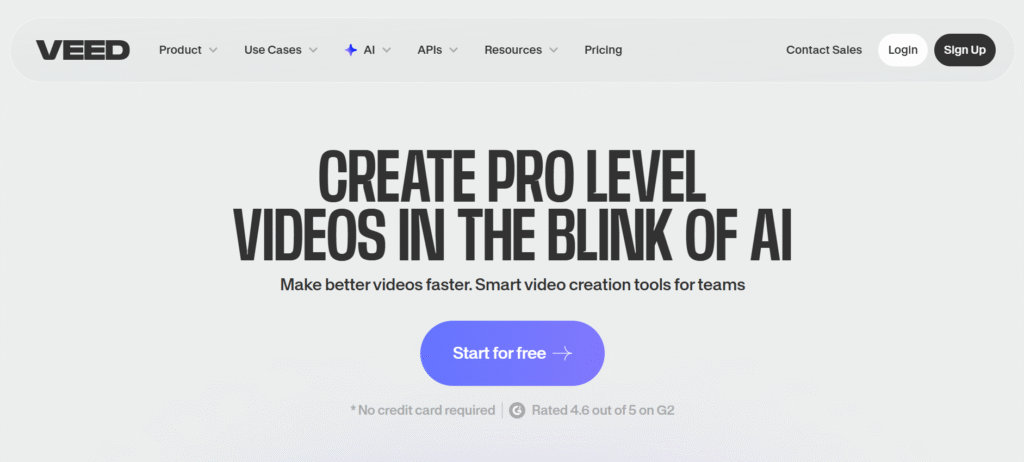

🎬 VEED.io Yearly Plan Discount – Save Up to 50% OFF!
Get up to 50% off on yearly plans and unlock powerful AI tools like auto subtitles, text-to-video, AI avatars, and more. Perfect for creators, marketers, students, and teams who want to edit faster and smarter without complex software.
I first came across VEED.io while searching for a browser-based video editor that didn’t require downloads, steep learning curves, or expensive subscriptions.

From adding auto subtitles and trimming clips to using AI-powered tools and exporting videos for social media, VEED.io promises to simplify the entire video creation process.
In this VEED.io Review, I’ll break down features, pricing, use cases, and whether it’s worth your money.
VEED.io at a Glance
- All-in-one, browser-based video editing platform with powerful AI tools.
- Ideal for creators, marketers, educators, and teams with no editing experience.
- Includes auto subtitles, AI avatars, text-to-video, dubbing, and screen recording.
- Built-in collaboration, brand kits, templates, and royalty-free stock library.
- Offers a free plan plus flexible paid plans for advanced features and teams.
What Is VEED.io? ▶️
VEED.io is an all-in-one, browser-based video editing platform designed to help individuals and teams create professional-quality videos faster, without needing advanced editing skills or heavy software.
At its core, VEED.io combines traditional video editing with powerful AI-driven tools, making it easy to record, edit, subtitle, translate, dub, and publish videos all from a single dashboard.
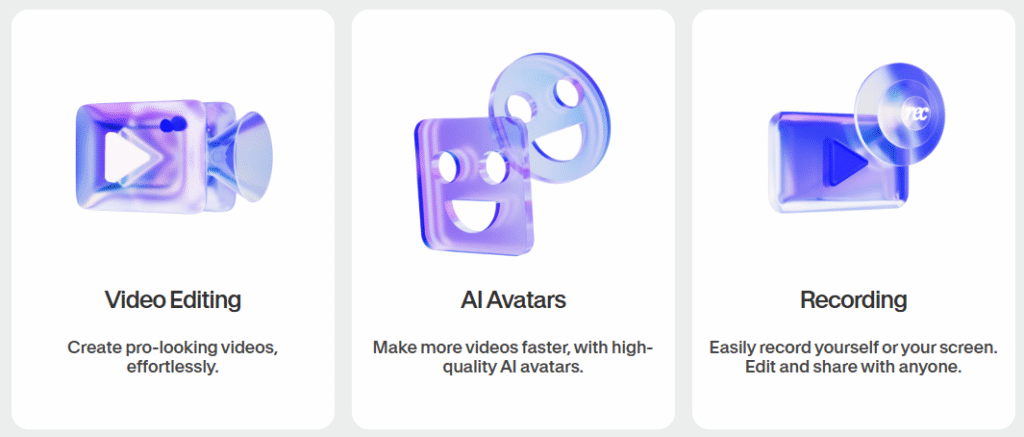
Everything works directly in your browser, so there’s no need to download or install anything.
VEED.io is widely used by content creators, marketers, educators, sales teams, and enterprises who want to produce engaging videos for social media, training, marketing campaigns, and internal communication without relying on multiple tools or complex workflows.
#8 Key Features of VEED.io Review 🌟
1. Auto Subtitles Generator
VEED.io’s Auto Subtitles feature lets you generate captions with a single click.
It accurately detects speech and creates subtitles in multiple languages, which saves hours of manual work. You can easily edit text, change fonts, colors, and positioning to match your brand. This feature is especially useful for social media videos, where subtitles improve watch time and engagement.
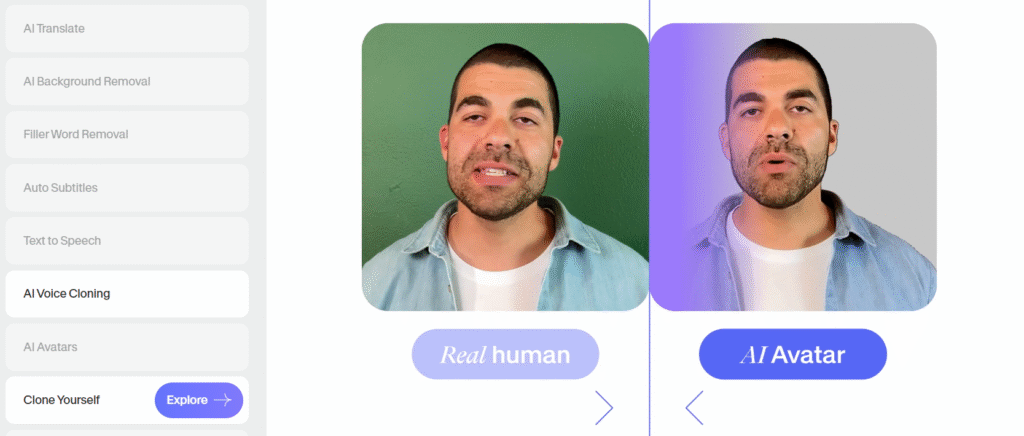
2. AI Avatars
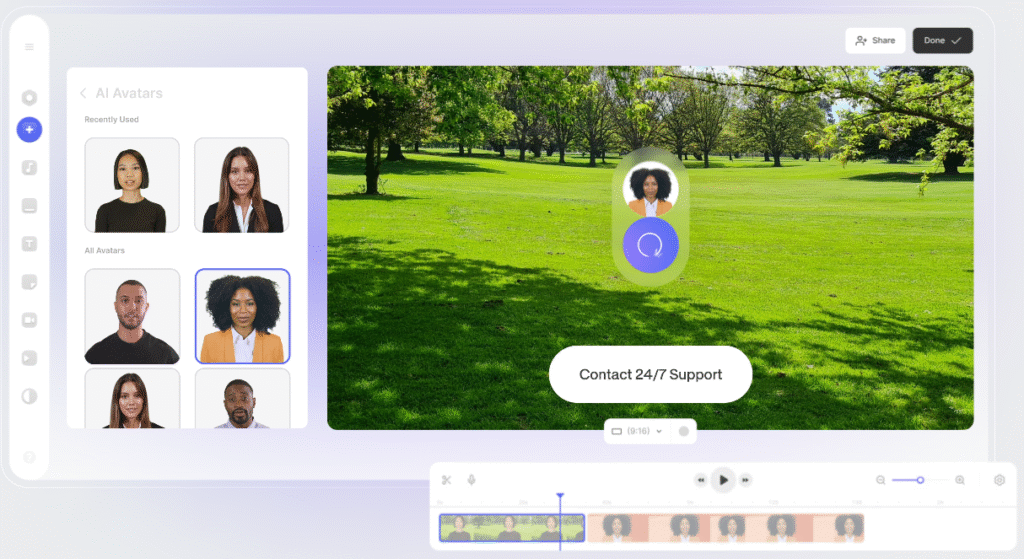
The AI Avatars feature allows you to create talking-head videos without being on camera. You can use pre-made avatars or create a custom digital version of yourself.
This is ideal for training videos, explainers, and internal communication where consistency matters. It also helps teams produce more content in less time.
3. Text-to-Video AI
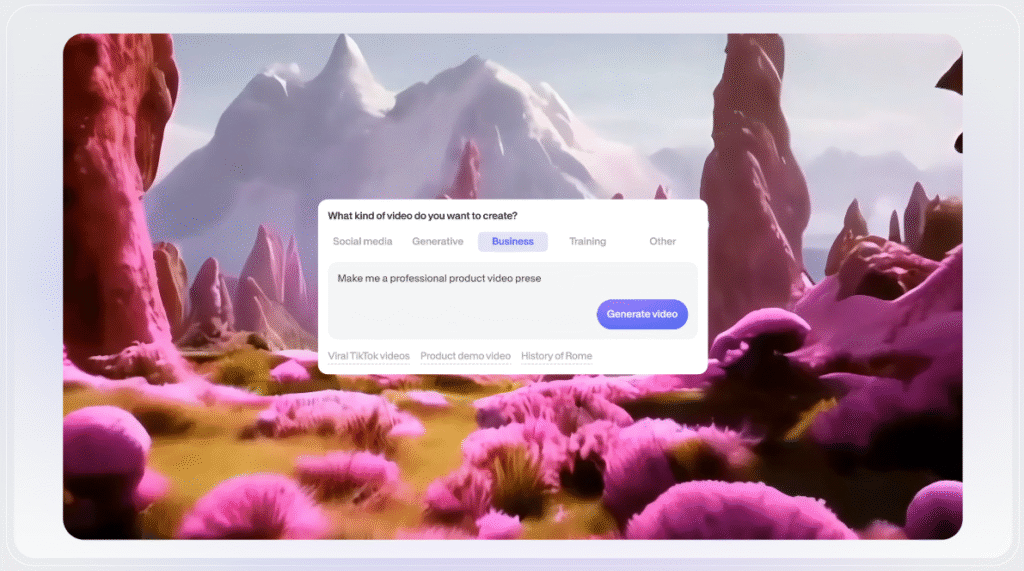
With Text-to-Video AI, you can turn written prompts into full videos. VEED.io automatically creates scenes, visuals, and flow based on your input.
This feature is helpful for marketers, educators, and creators who want to quickly test ideas or produce content at scale. It reduces the effort needed to start from scratch.
4. Online Timeline Editor
VEED.io offers a simple and clean timeline editor that works directly in your browser. You can trim clips, cut unwanted parts, add text, music, and transitions with ease.
The interface is designed for beginners but still powerful enough for regular content creation. No software installation or technical knowledge is required.
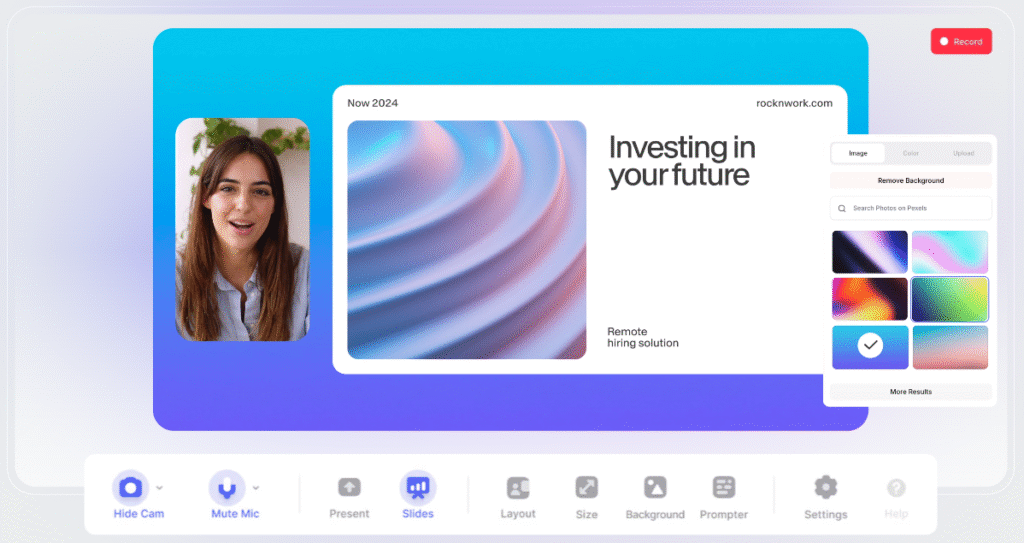
5. Screen & Webcam Recorder
The built-in recorder lets you capture your screen, webcam, or both at the same time. This is perfect for product demos, tutorials, online courses, and presentations.
Once recorded, the video opens directly in the editor for quick changes. This removes the need for separate recording tools.
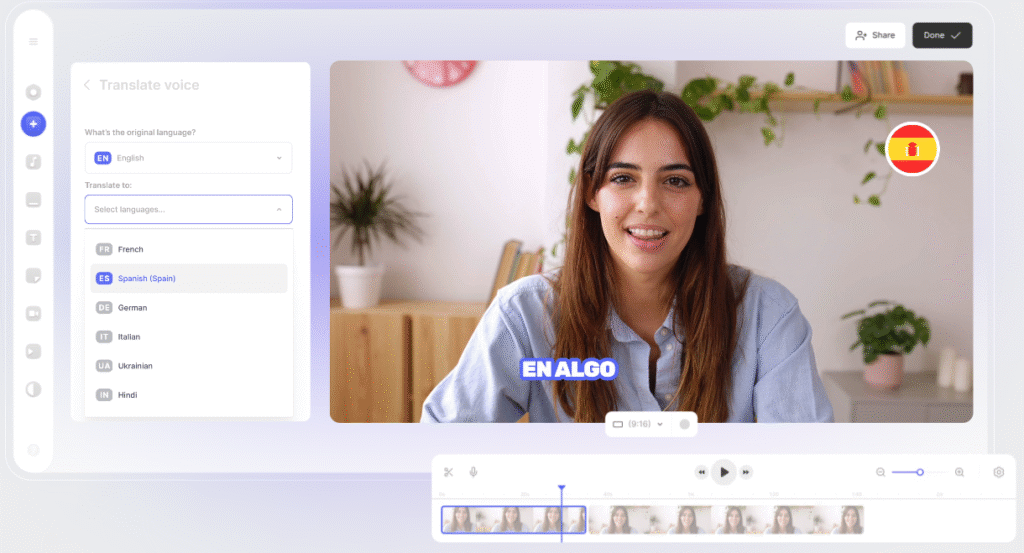
6. AI Dubbing & Translation
VEED.io supports AI-powered dubbing and translation for videos. You can convert your content into multiple languages using natural-sounding AI voices.
This helps brands and creators reach international audiences without hiring voice artists. It’s a strong feature for global marketing and education.
7. Brand Kit & Templates
The Brand Kit allows teams to save logos, fonts, and brand colors in one place. You can also create reusable templates for intros, outros, and recurring content.
This keeps every video visually consistent across platforms. It’s especially valuable for marketing teams and agencies.
8. Collaboration & Review Tools
VEED.io makes team collaboration simple with built-in review tools. Team members can leave time-stamped comments directly on the video. This speeds up feedback and reduces confusion during revisions.
It’s a practical solution for remote teams and businesses working on shared video projects.
How To Get Started With VEED.io? (Step-by-Step)
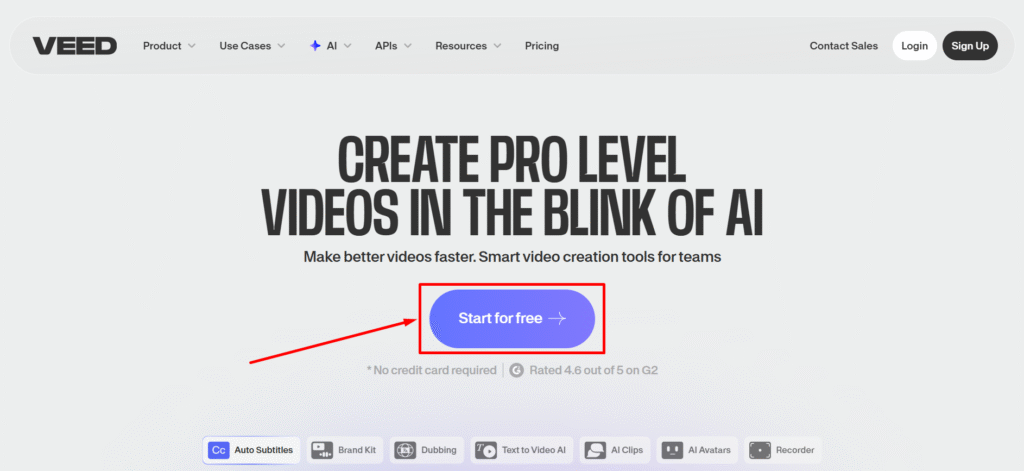
Step 1: Go to official website of VEED.io and click on “Start for free.”
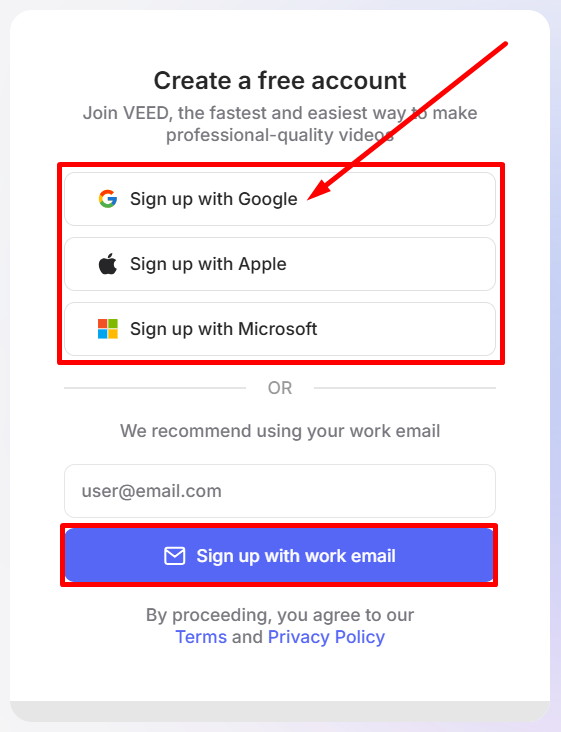
Step 2: Now create your free VEED account and click on “Sign up with Google.”
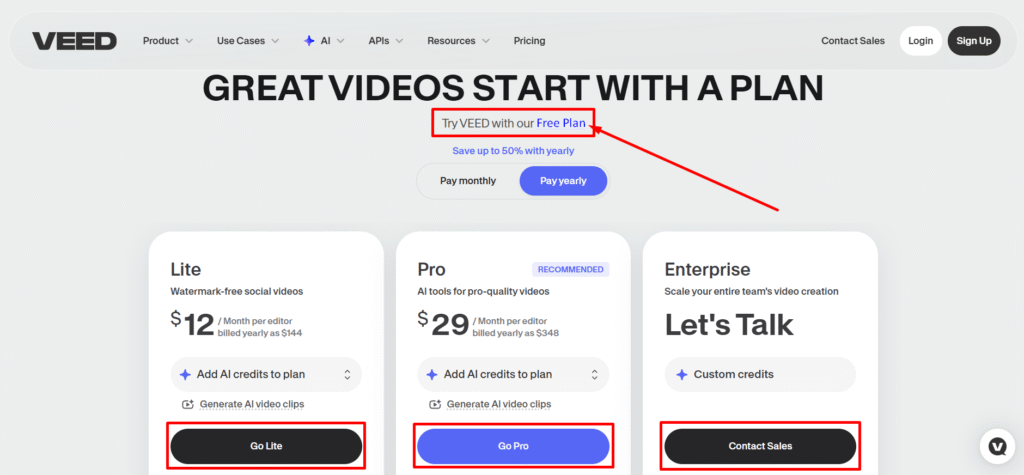
Step 3: Choose your desired plan or click on “Free Plan” as shown in the image below.
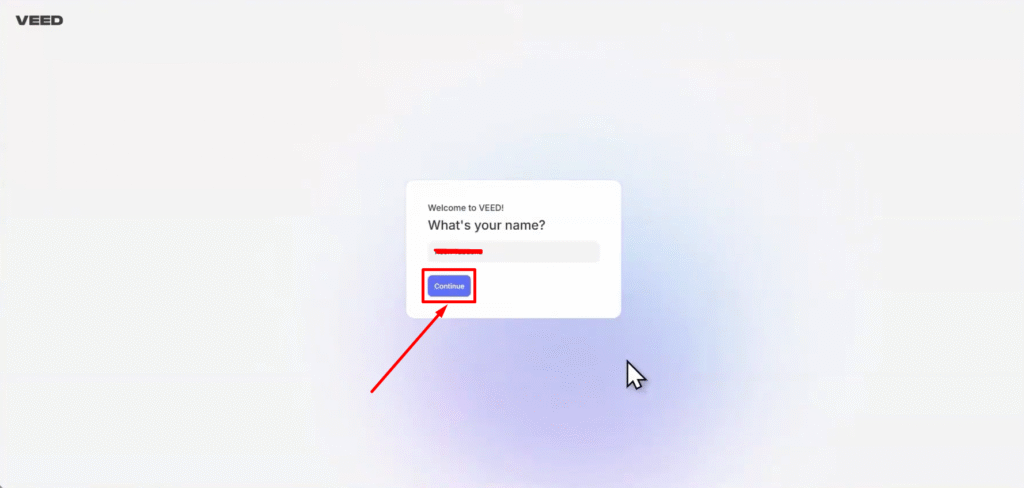
Step 4: Fill out your name and click on “Continue.”
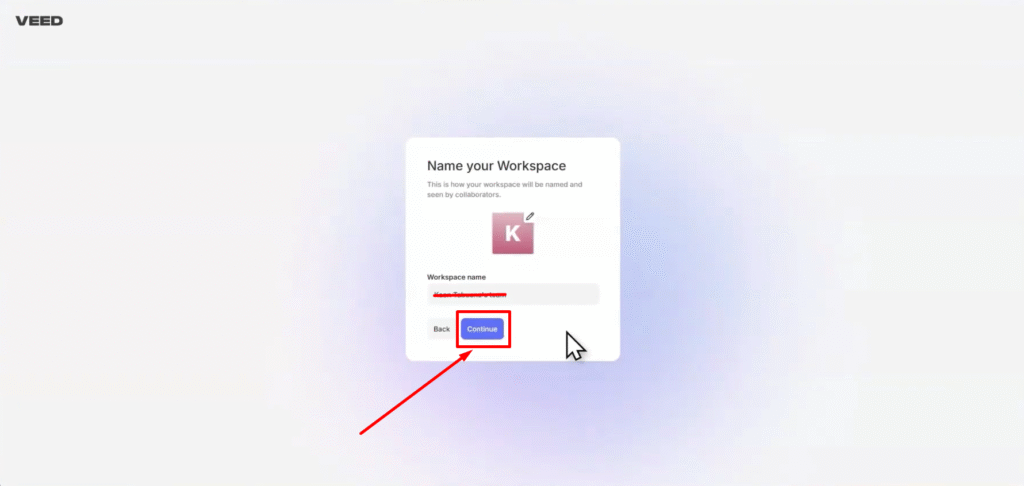
Step 5: Name your workspace and click on “Continue.”
Step 6: That’s All! Start making professional and engaging videos.
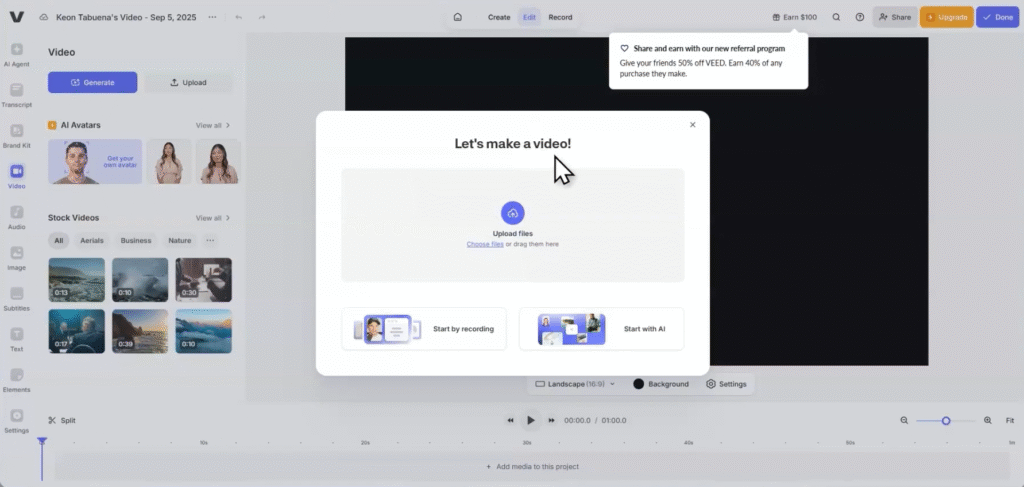
You are ready now to rock and roll on this video editor.
Pricing Plans of VEED.io 💰
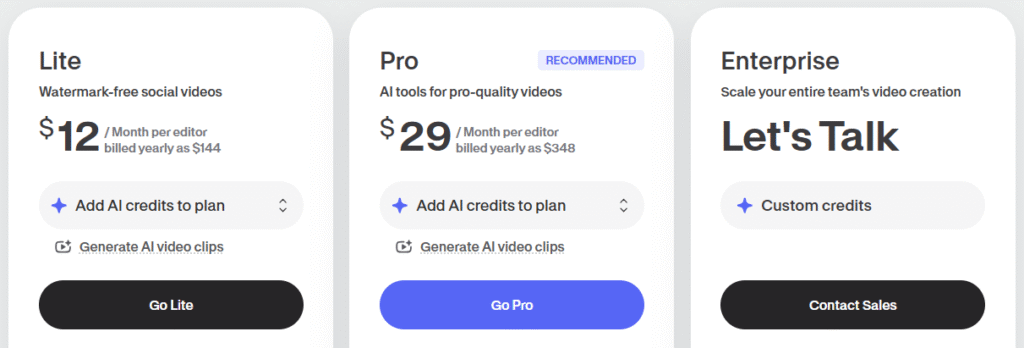
- Free Plan – Best for testing VEED.io with basic editing, limited AI tools, watermark, and 720p exports.
- Lite Plan ($12/month billed yearly) – Ideal for social media creators who want watermark-free videos, auto subtitles, stock assets, and 1080p exports.
- Pro Plan ($29/month billed yearly) – Best value plan with unlimited AI tools, translations, brand assets, 4K exports, and advanced editing features.
- Enterprise Plan (Custom pricing) – Designed for large teams needing custom AI avatars, collaboration tools, analytics, privacy controls, and dedicated support.
In this VEED.io Review, pricing is one area where VEED.io stays flexible for beginners and teams.
Pros & Cons of VEED.io 🤩
Based on my experience for this VEED.io Review, the platform excels in speed and ease of use.
Why Choose VEED.io? ✅
VEED.io is built for people who want to create professional videos without complex software. You can edit, record, subtitle, and publish videos directly from your browser, which saves both time and effort.
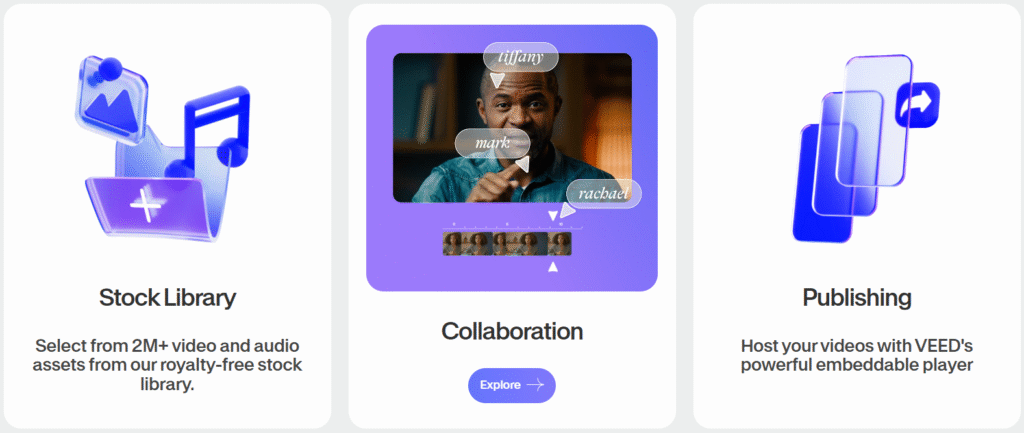
The platform uses powerful AI tools to speed up video creation. Features like auto subtitles, AI avatars, text-to-video, and dubbing help you produce high-quality content faster, even if you have no editing experience.
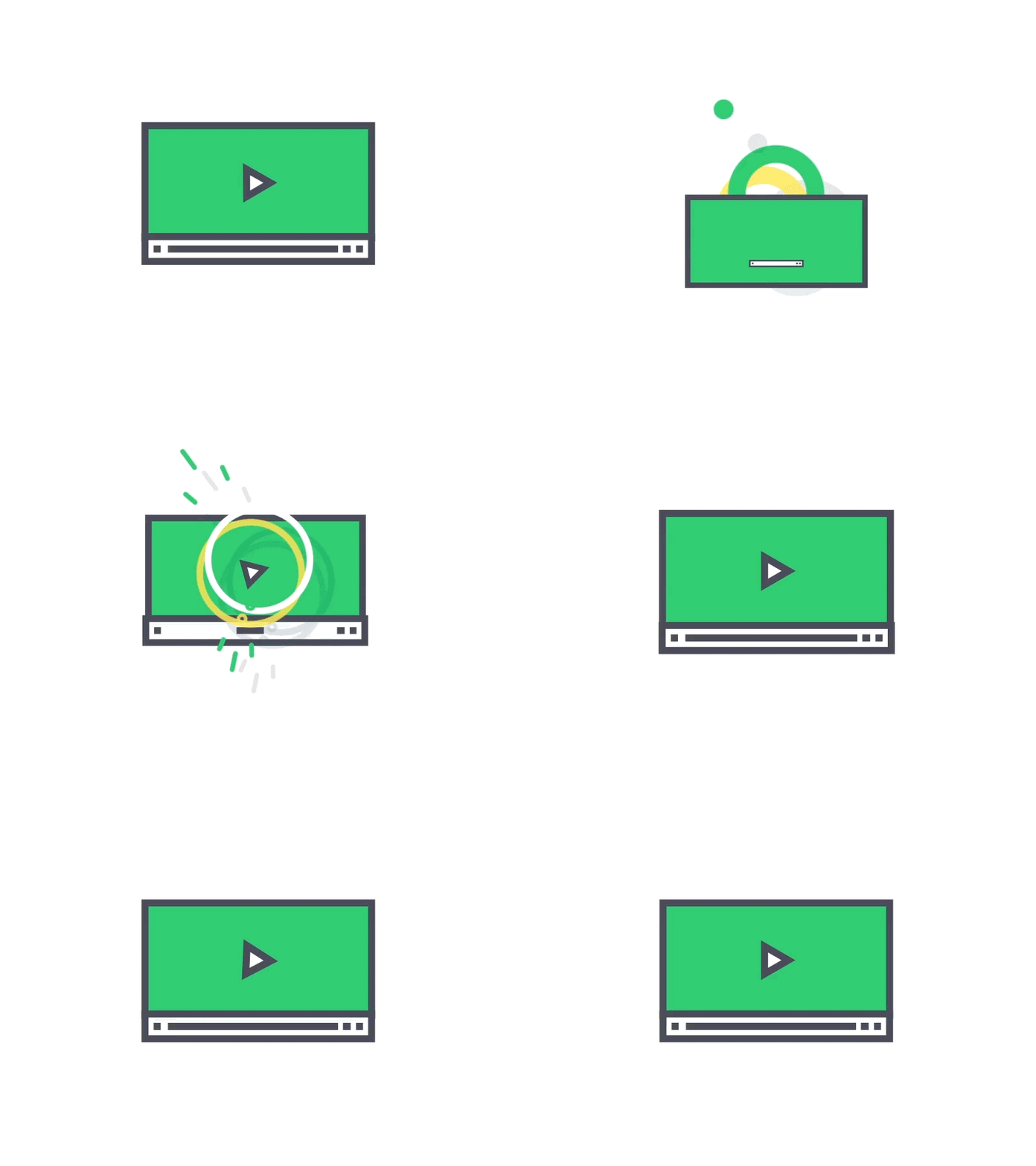
VEED.io also works well for teams. With brand kits, templates, and review tools, everyone stays aligned and on-brand. This makes it a strong choice for businesses, marketers, and remote teams.
Another reason to choose VEED.io is flexibility. It supports social media videos, training content, sales demos, and internal communication. Whether you’re a solo creator or a growing company, it adapts to your needs.
VEED.io vs InVideo vs CapCut 💪
Who Should Use VEED.io? 🔥
VEED.io is a great choice for content creators who want to produce engaging videos without spending hours on editing. If you create YouTube videos, Instagram Reels, TikToks, or short-form content, the auto subtitles, AI clips, and easy editor make the process much faster.
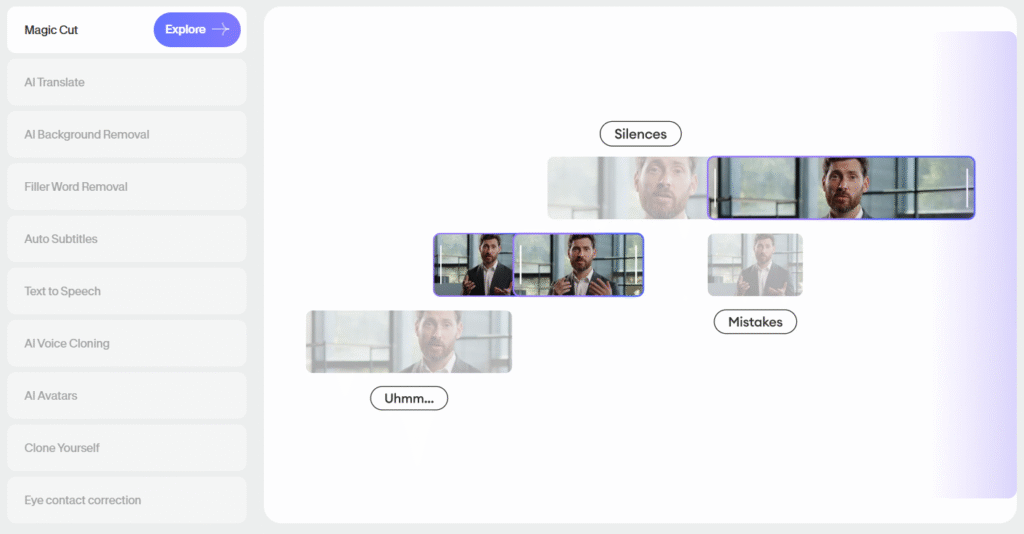
It’s also ideal for marketers and social media managers. VEED.io helps create promotional videos, ads, and branded content quickly using templates, stock assets, and AI tools.
The Brand Kit ensures every video stays consistent with your brand identity.
Business teams and startups can benefit from VEED.io’s collaboration features. Teams can work on the same video, leave feedback, and manage assets in one place.
This makes it useful for internal communication, product demos, and sales videos.
VEED.io works well for educators and trainers too. You can record lessons, add subtitles, translate content, and create clear training videos without technical complexity. It’s especially helpful for online courses and learning platforms.
Finally, According to VEED.io Review It is perfect for beginners and non-editors. If you want professional-looking videos but don’t want to learn complex software, VEED.io offers a simple, browser-based solution that’s easy to get started with.
Customer Reviews & Testimonials ⭐

Donald Brewis
⭐⭐⭐⭐⭐
VEED makes video editing incredibly simple. Auto subtitles alone save me hours on every YouTube and Instagram video.

Marco Jansen
⭐⭐⭐⭐⭐
I love how everything works in the browser. Editing, recording, and exporting videos feels fast and stress-free.

Rachael M.
⭐⭐⭐⭐
The AI tools are impressive. From subtitles to clips and translations, VEED helps my marketing team move much faster.
Conclusion: Is VEED.io Worth It? 🏁
Yes, absolutely. VEED.io is worth it if you want to create professional videos quickly without dealing with complex editing software. It combines ease of use with powerful AI tools, which makes video creation faster and less stressful.
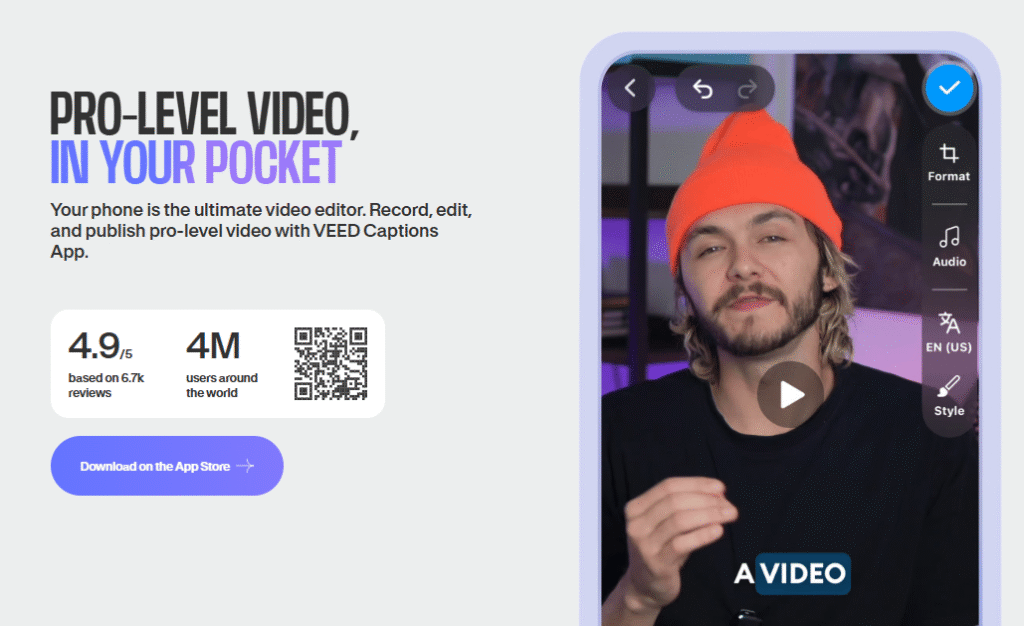
For content creators and marketers, features like auto subtitles, AI clips, and text-to-video deliver real value.
These tools help improve engagement while saving hours of manual work. Teams also benefit from brand kits, templates, and collaboration tools that keep everything organized.
According to VEED.io Review may not replace advanced desktop editors for cinematic projects, but that’s not its goal. It’s built for speed, simplicity, and scalability. If you want high-quality videos for social media, marketing, training, or business use, VEED.io delivers exactly what it promises.
Quick Links:
FAQs 📝
1. Is VEED.io safe to use?
Yes, VEED.io is a secure, browser-based platform that uses standard data protection and privacy measures for user content.
2. Does VEED.io work on low-end laptops?
Yes, since VEED.io runs in the browser, it works well on most laptops without needing high system specs.
3. Can I use VEED.io without downloading any software?
Yes, everything works online, and no installation is required.
4. Does VEED.io support vertical videos for Reels and TikTok?
Yes, VEED.io supports vertical, square, and horizontal formats for all major social platforms.
5. Can I cancel my VEED.io subscription anytime?
Yes, VEED.io allows you to cancel your paid plan at any time without long-term contracts.