
Trying to decide between two popular online video editors but not sure which one fits your needs? 🤔
Creating videos should feel simple, not confusing. If yes, you’re in the right place ✅

This InVideo vs VEED comparison breaks down both tools in a clear, honest way — from ease of use and templates to AI features, editing control, pricing, and export quality.
Whether you’re a creator, marketer, student, or business owner, this guide will help you choose the right platform without wasting time or money.
InVideo
⭐ 4.8 / 5
- Best for fast ad, reel & YouTube video creation
- Strong AI script-to-video and template system
- More control for marketers and creators
- Excellent value for solo creators
VEED.io
⭐ 4.0 / 5
- Best-in-class auto subtitles & dubbing
- Clean browser editor with collaboration
- Perfect for caption-heavy content
- Beginner-friendly UI
InVideo AI Video Editor 🥇
InVideo AI is an all-in-one AI video creation platform designed to turn any idea into a complete video without technical skills.
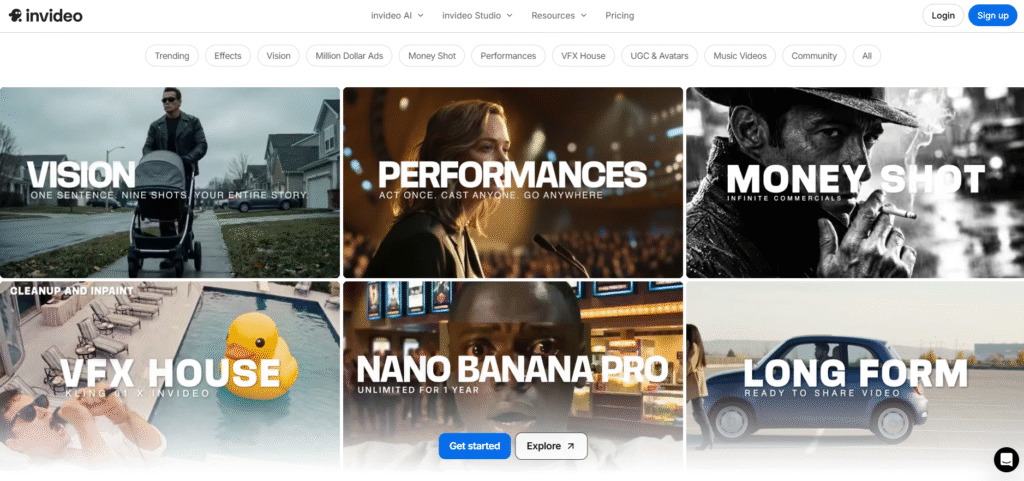
It lets users generate ads, explainers, UGC videos, social media clips, and cinematic content using text prompts, images, or simple instructions, all inside a browser-based studio.
Key Features of InVideo ✨
- AI Text-to-Video Creation
InVideo AI turns simple text prompts into complete videos with visuals, scenes, music, and voiceovers automatically added. You don’t need editing experience or timelines to get started. This makes video creation extremely fast for ads, stories, and explainers. - Massive AI Effects & Styles Library
The platform offers hundreds of ready-to-use AI effects, cinematic styles, camera motions, and visual presets. Users can create everything from UGC ads to luxury promos and viral social content. This removes the need to design effects from scratch.

- Built-in Voiceovers, Music & Captions
InVideo AI can generate voiceovers, background music, and captions in one workflow. You can translate voices, change tone, or add subtitles with a single command. This is ideal for global audiences and short-form platforms. - UGC Ads, Avatars & Performance Videos
It supports AI avatars, UGC-style ads, and performance-based video formats that are optimized for marketing. Brands can quickly produce creator-style content without hiring actors. This is especially useful for ecommerce and paid ads. - All-in-One Online Video Studio
Beyond AI generation, InVideo includes a full online editor for trimming, reframing, color grading, and cleanup. You can fine-tune AI-generated videos or build custom edits manually. Everything works directly in the browser with no downloads needed.
Pricing Plans of InVideo 💰
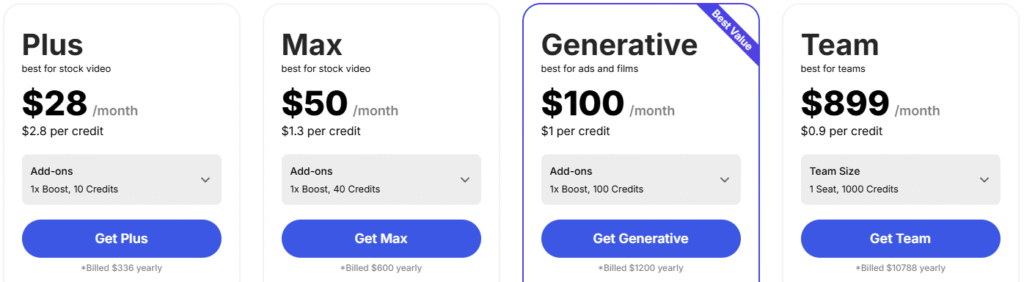
- Free – $0: Basic trial with limited minutes, watermark, no generative AI.
- Plus – $28/mo: Entry paid plan for stock videos and light AI use.
- Max – $50/mo: Higher credits, more video minutes, faster creation.
- Generative – $100/mo: Best for ads and films with strong AI video power.
- Team – $899/mo: High-volume plan for teams with massive credits.
Pros & Cons of InVideo 🚀
| Pros ✅ | Cons ❌ |
|---|---|
| All-in-one AI video platform with editing, avatars, and effects. | Free plan is very limited and adds watermarks. |
| Supports multiple top AI models like Veo, Sora, Kling, and Wan. | Generative video minutes are capped on lower plans. |
| Large library of ready-to-use templates for ads, reels, and UGC. | Credit-based system may feel confusing for beginners. |
| Unlimited exports and image generation on paid plans. | Higher-tier plans can get expensive for solo creators. |
| Strong focus on marketing, ads, and social media content. | |
| Team collaboration with storage and multi-user support. | |
| Fast workflow—script, generate, edit, and export in one place. |
Why Choose InVideo? ✅
InVideo is a strong choice if you want to create professional-looking videos fast, even without prior editing experience. It’s built for people who care more about speed and results than complex timelines.
One of InVideo’s biggest strengths is its huge template library. From ads and YouTube videos to reels and promos, you can start with ready-made designs and customize them in minutes instead of starting from scratch.

InVideo also stands out with its AI-powered text-to-video feature, making it ideal for marketers, bloggers, and businesses who want to turn scripts or articles into videos quickly. Add to that stock footage, music, voiceovers, and brand tools and it becomes a complete video creation platform under one roof.
It’s especially useful if your goal is content volume, social media growth, or marketing videos without spending hours learning advanced editing software.
VEED.io Video Editor 🎬
VEED.io is a browser-based, AI-powered video editing platform designed to help creators, marketers, and teams make professional videos quickly without complex software. Everything works online no downloads, no steep learning curve.
It combines video editing, subtitles, AI avatars, dubbing, screen recording, and collaboration tools into one simple interface. Whether you’re creating social media content, marketing videos, training materials, or internal communications, VEED focuses on speed, simplicity, and scale.
Key Features of VEED.io 🌟
- AI-Powered Video Editing
VEED uses AI tools like Magic Cut, filler word removal, background removal, and eye-contact correction to speed up editing. These features help clean up videos automatically, saving hours of manual work. - Auto Subtitles & AI Translation
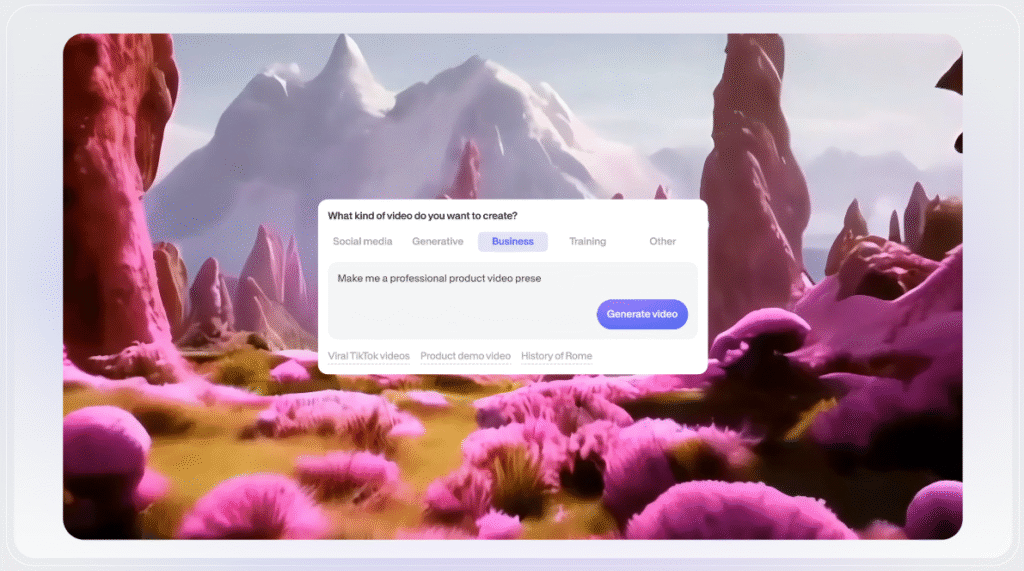
One of VEED’s strongest features is its highly accurate auto subtitle generator. You can also translate subtitles or dub videos into multiple languages, making it ideal for global audiences.
- AI Avatars & Voice Tools
VEED lets you create talking-head videos using AI avatars or digital clones. Combined with text-to-speech and voice cloning, this makes content creation faster without being on camera every time. - Browser-Based Timeline Editor
The intuitive timeline editor works directly in your browser and is beginner-friendly. You can trim clips, add text, music, transitions, and effects without needing professional editing skills. - Team Collaboration & Brand Kit
VEED supports real-time collaboration with review modes, shared assets, and brand kits. Teams can stay on-brand using shared fonts, logos, templates, and approval workflows.
Pricing Plans of VEED.io 💰
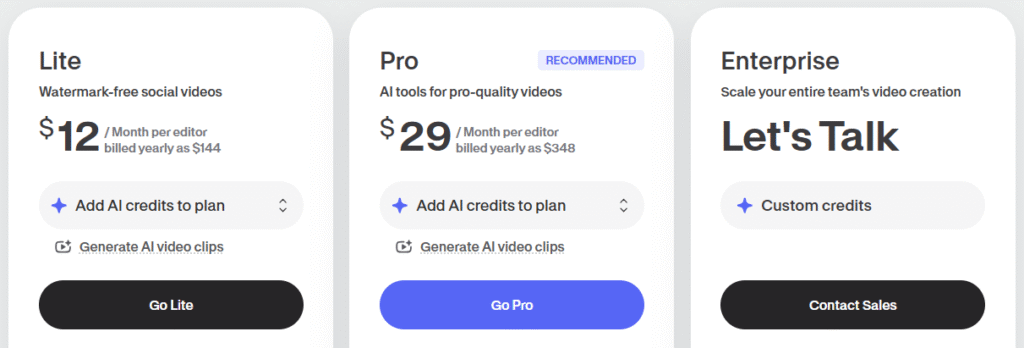
- Free – Try VEED with basic editing, limited exports, and watermarked videos for testing the platform.
- Lite ($12/month) – Best for solo creators who want watermark-free videos, auto subtitles, stock assets, and Full HD exports.
- Pro ($29/month) – Ideal for serious creators and marketers needing unlimited AI tools, translations, clips, avatars, and brand assets.
- Enterprise (Custom Pricing) – Built for large teams with advanced collaboration, custom AI avatars, privacy controls, analytics, and dedicated support.
Pros & Cons of VEED.io 🚀
Why Choose VEED.io? ✅
VEED.io is built for creators, marketers, and teams who want to make high-quality videos fast—without complex editing software. Everything works directly in your browser, so you can record, edit, subtitle, and publish videos from one place, even if you’re a beginner.
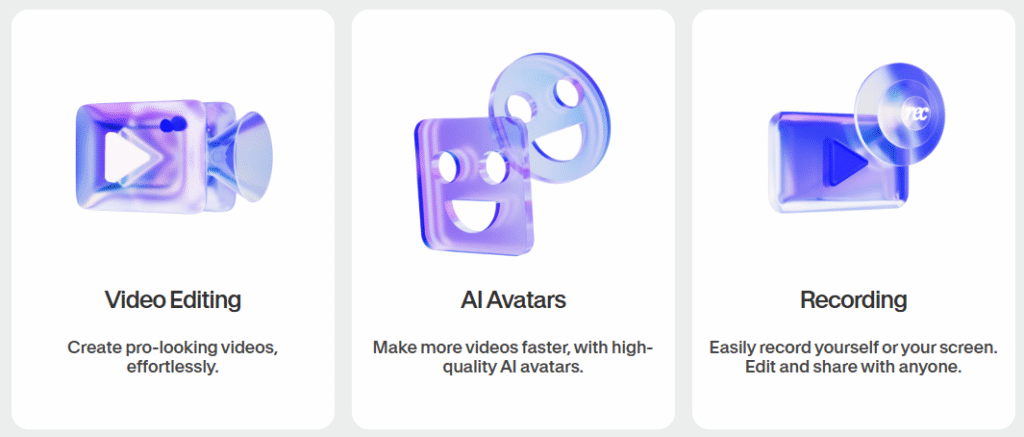
What really sets VEED.io apart is its AI-powered workflow. Features like auto subtitles, filler-word removal, eye-contact correction, AI avatars, and text-to-video help you save hours of manual editing while still producing professional-looking content.
VEED.io is also ideal for short-form and social media content. Whether you’re creating Reels, Shorts, ads, or explainer videos, the built-in templates, stock library, and clip generator make content creation fast and consistent.
For teams, VEED.io shines with collaboration and brand control. Shared Brand Kits, templates, review mode, and privacy controls ensure everyone stays on-brand while working together smoothly.
InVideo vs VEED.io 💪
Which Is Best Video Editor For Creators? 🏆
When it comes to making videos quickly and effectively, InVideo and VEED.io are two of the most popular online editors creators talk about.
InVideo shines with its vast template library, easy drag-and-drop editing, and strong AI tools for turning text into video. VEED.io, on the other hand, focuses more on AI-powered editing, subtitles, collaboration, and features like AI avatars and automatic background removal.
Both platforms make video creation accessible without steep learning curves, but they serve slightly different creator needs. VEED.io is great if you want smart AI features and team collaboration built in.
InVideo is powerful if you want a balance of templates, automation, and brand-friendly editing across YouTube, social, and ads — without getting overwhelmed by features.
🏆 Why InVideo Wins?

After comparing both tools across ease of use, templates, AI capabilities, export quality, and pricing, InVideo stands out as the better all-around choice for most creators.
InVideo wins because it hits the sweet spot between simplicity and power. It offers a massive library of ready-made templates plus AI-assisted tools that help you produce polished videos fast even if you’re new to editing.
The platform’s balance of design flexibility, brand controls, and generous export options makes it ideal for creators focused on producing content for social media, YouTube, and marketing campaigns without complex workflows.
VEED.io is strong especially with AI subtitles and collaboration tools but InVideo’s combination of usability, visual richness, and value makes it a more consistent winner for creators who want results without a steep learning curve.
Conclusion 🔥
Choosing the right video editor ultimately comes down to how fast you want to create, how professional you want your videos to look, and how much effort you’re willing to put into editing.
Both InVideo and VEED.io are strong tools that help creators move away from complex software and produce high-quality videos directly in the browser. VEED.io stands out for AI-powered features like subtitles, avatars, and collaboration, making it a solid choice for teams and creators who rely heavily on automation.

However, InVideo clearly takes the lead for most creators. Its massive template library, beginner-friendly workflow, and smart AI tools make video creation faster without sacrificing quality.
Whether you’re a YouTuber, marketer, business owner, or social media creator, InVideo gives you more creative control with less friction. If your goal is to create engaging videos consistently and scale your content without feeling overwhelmed, InVideo is the better long-term choice.
Quick Reads:
FAQs 🚀
1. Can beginners use InVideo or VEED.io without editing experience?
Yes, both tools are beginner-friendly and designed for users with no prior video editing skills.
2. Do InVideo and VEED.io work on low-end laptops or Chromebooks?
Yes, since both are browser-based, they run smoothly on most systems without heavy hardware requirements.
3. Which tool is better for creating videos in multiple languages?
Both support multi-language content, but VEED.io has stronger built-in translation and dubbing tools.
4. Can I use videos created with these tools for commercial purposes?
Yes, videos created on paid plans can be used for commercial and business purposes.
5. Do these platforms support vertical videos for Shorts and Reels?
Absolutely, both InVideo and VEED.io offer formats optimized for YouTube Shorts, Instagram Reels, and TikTok.